Character Sheets and Models: Research Log
Usage and coverage
- Metered sessions
- 46 Pi · 167 Codex
- Build time · overlapping turns counted once
- 17h 25m 54s
- Input tokens · includes cache
- 793,029,109
- Estimated USD · excludes unpriced runs and GPU time
- $448.3769
Generate models from the character sheets
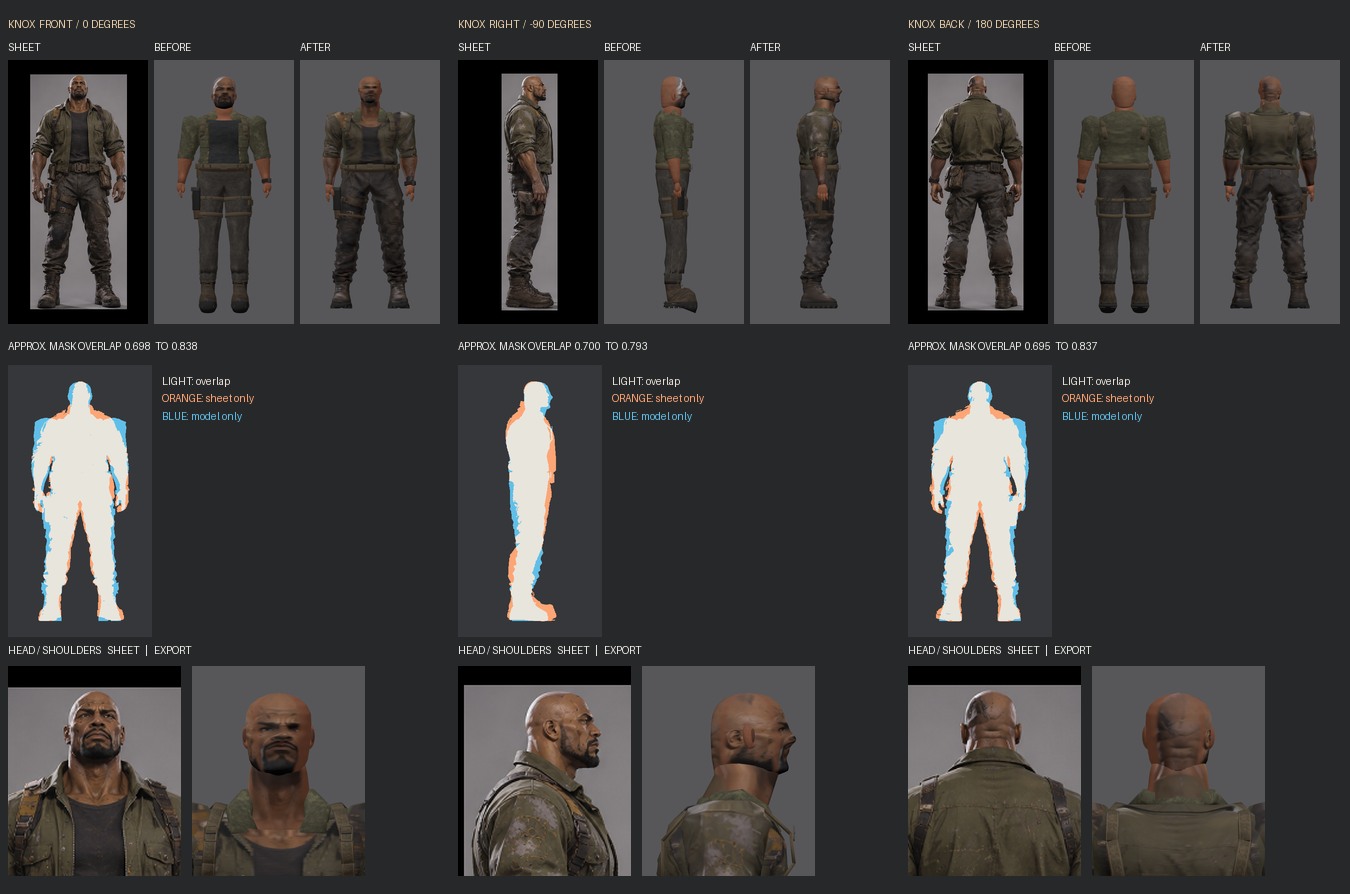
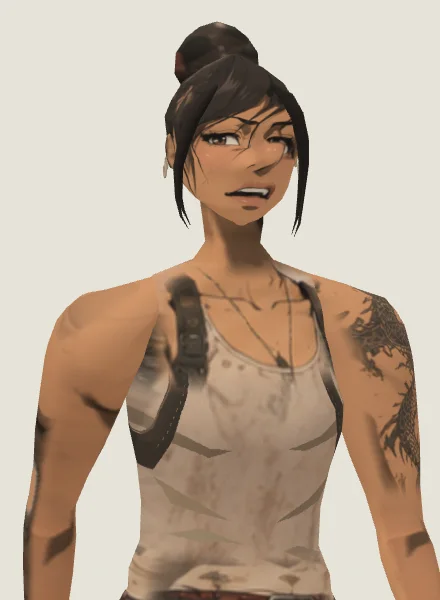
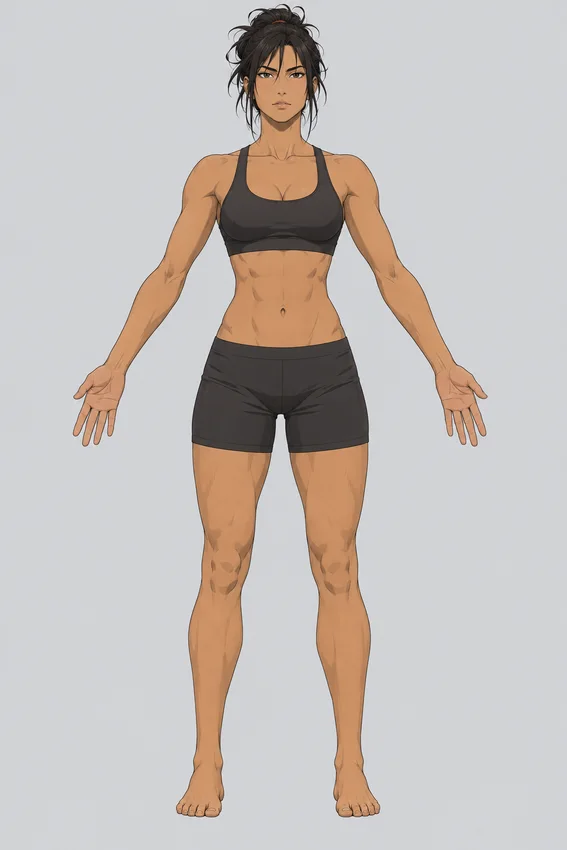
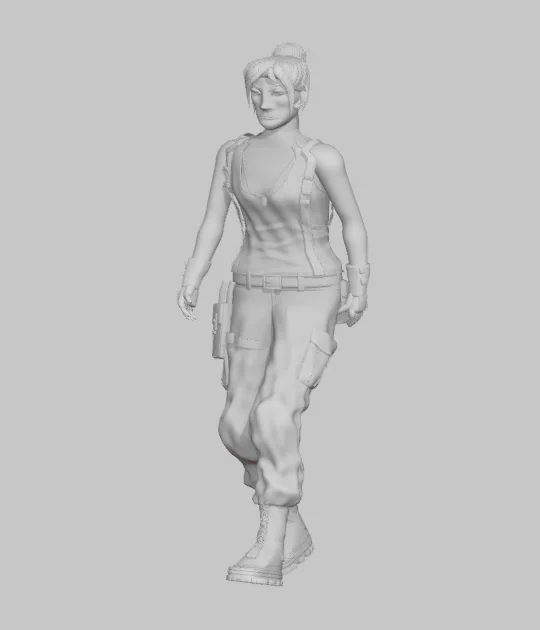
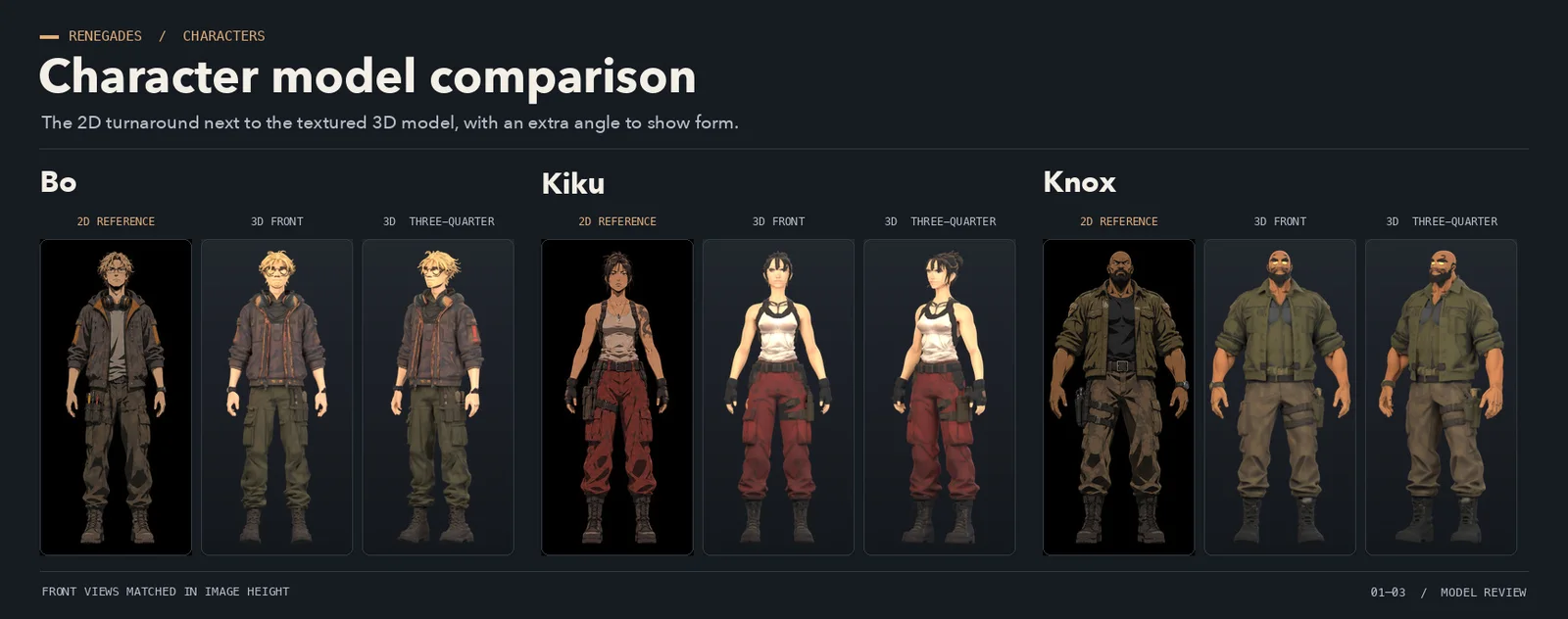
Look at the character sheets and generate models from those references. Afterwards generate an animation of multiple characters walking. Here’s an example reference: Three.js · multiple characters walking.
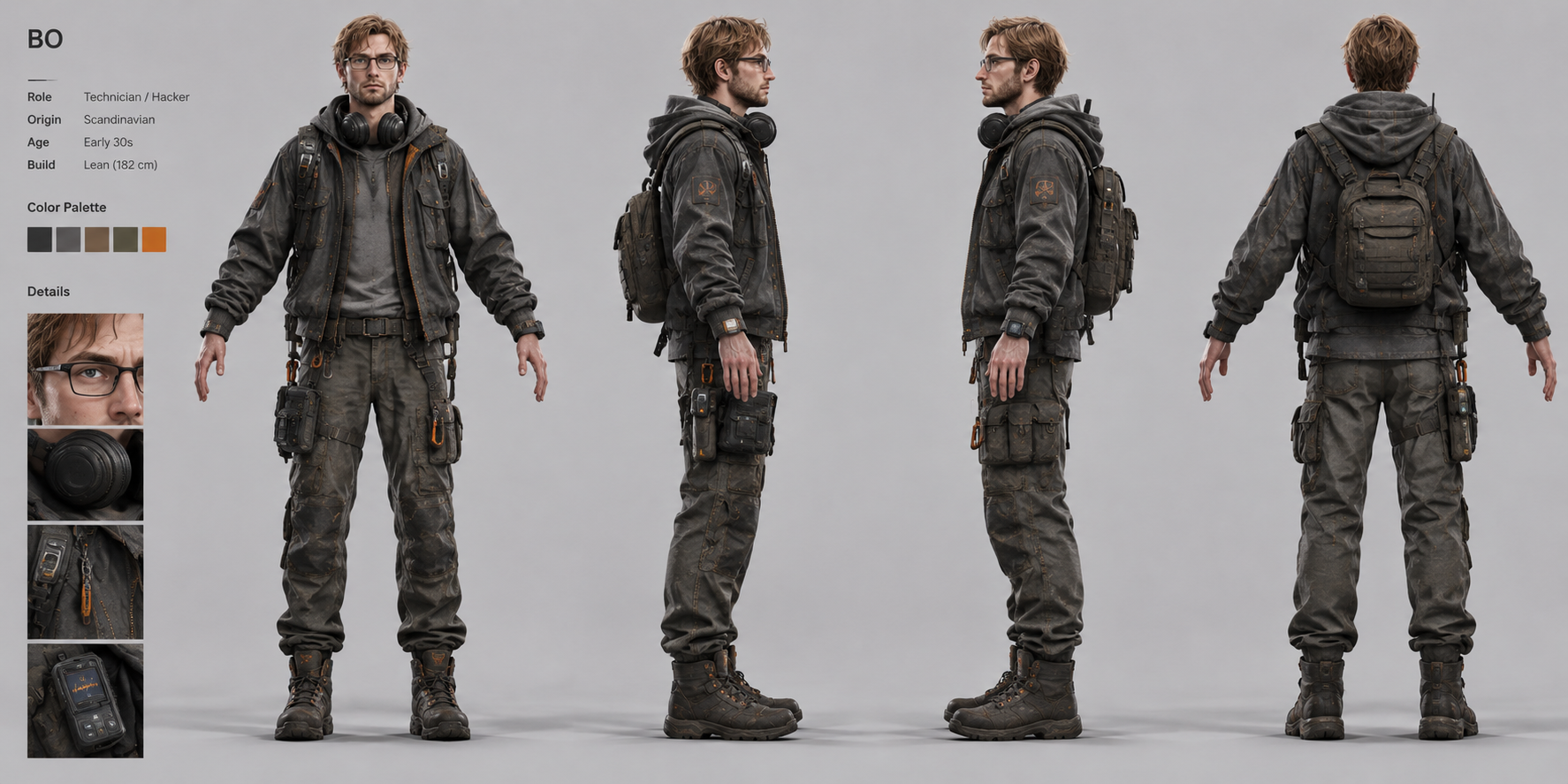
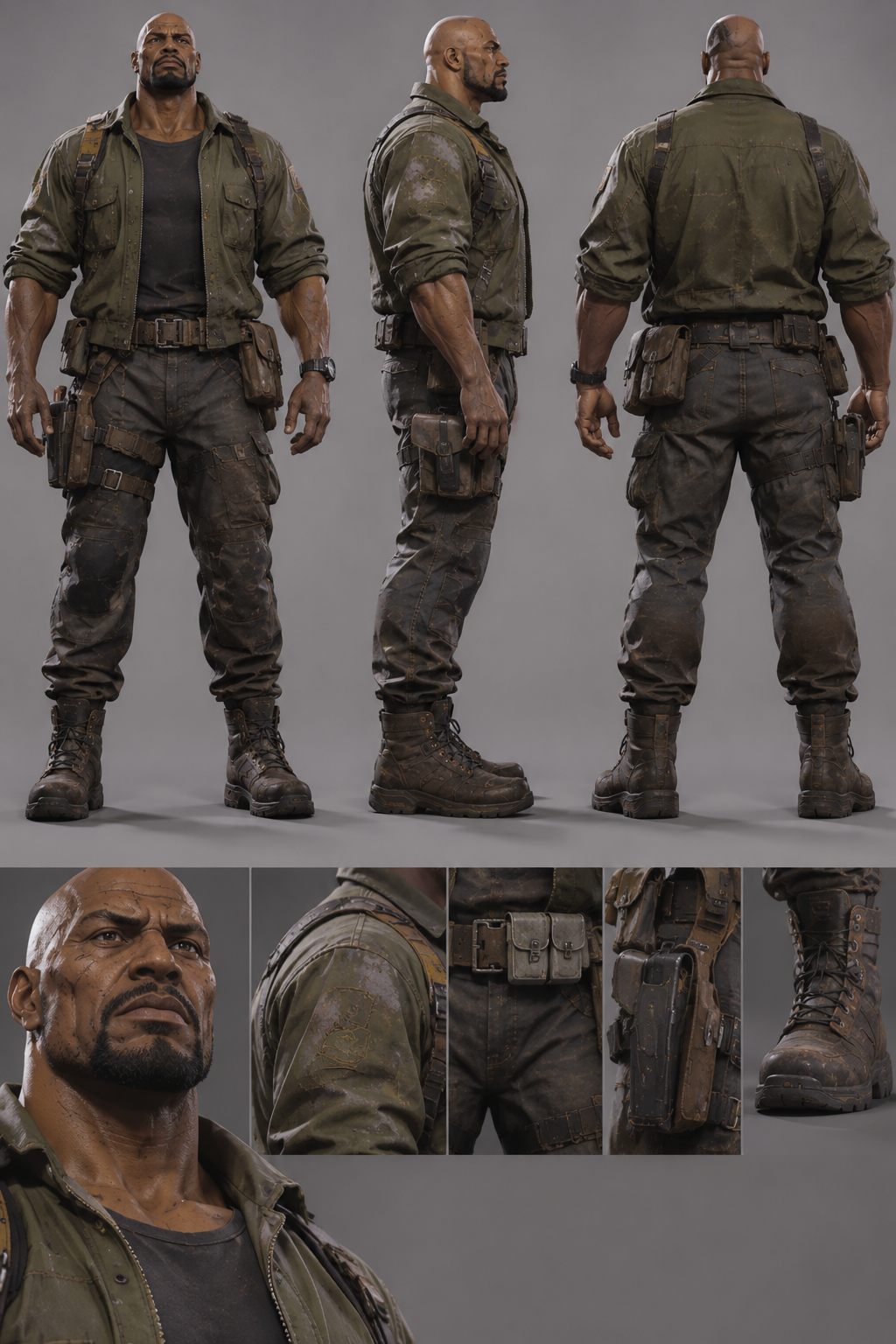
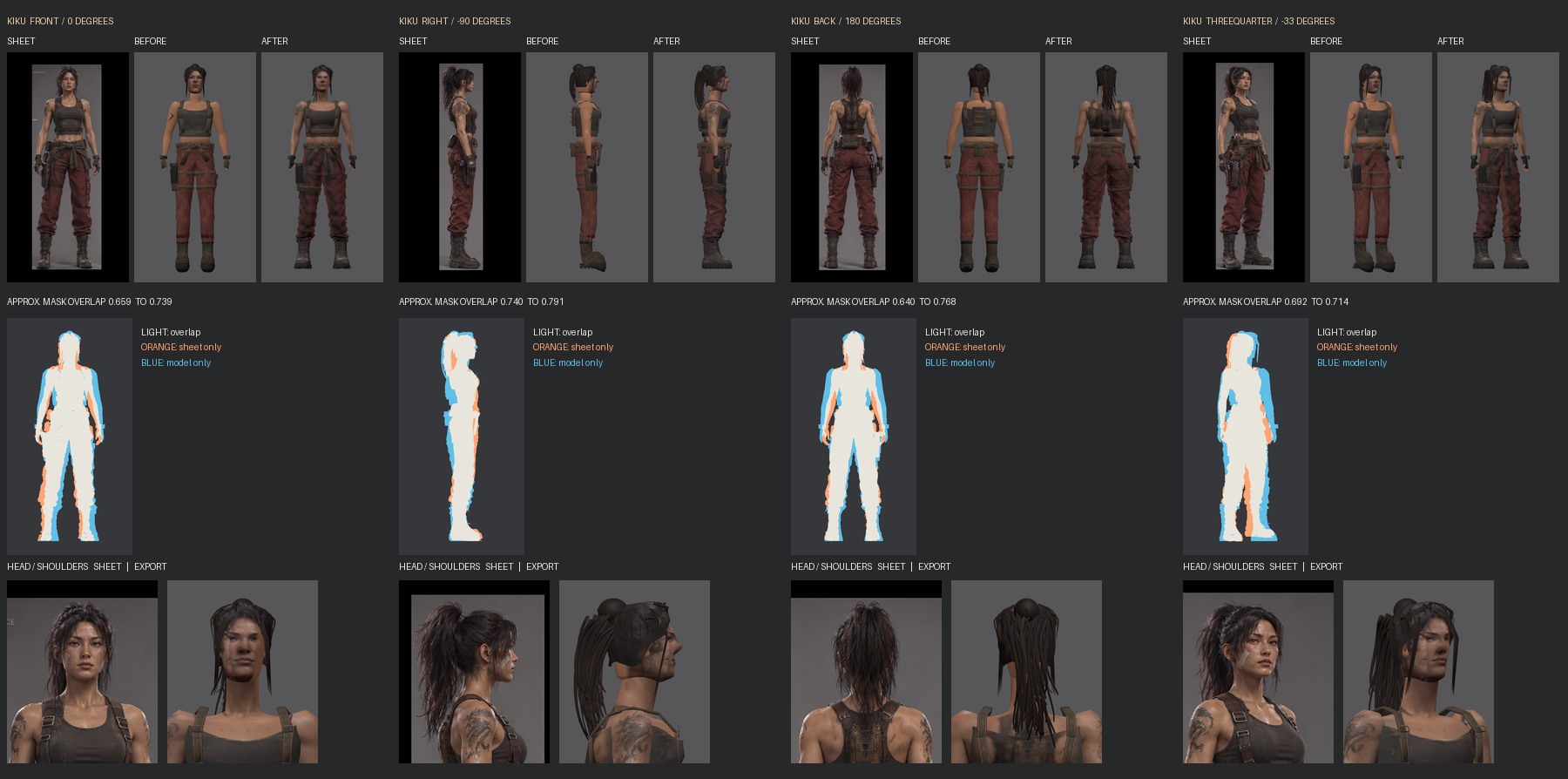
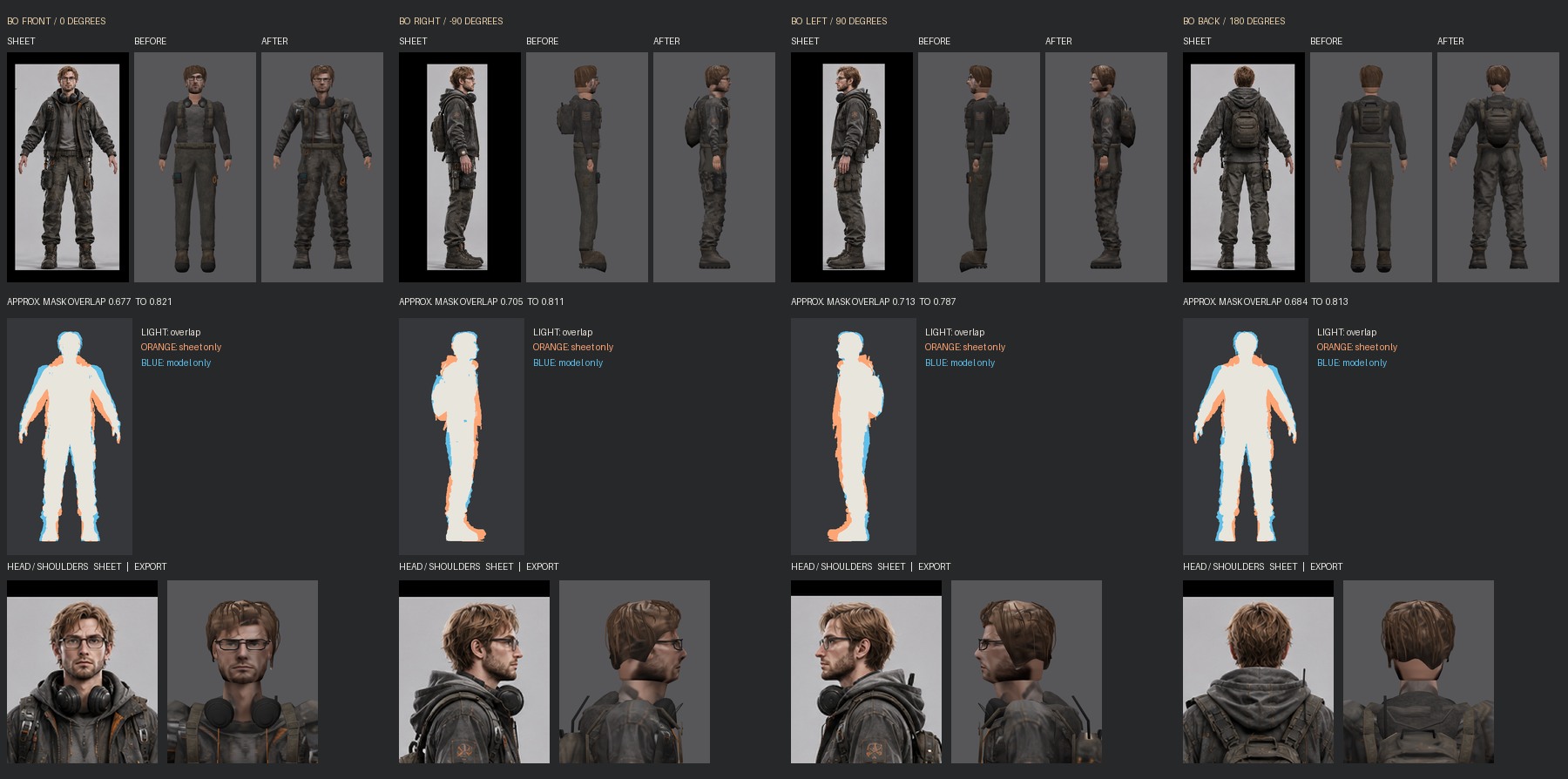
- Models
- GPT‑6.2 Sol / Astra
- Est. cost (USD)
- $11.9888
- Input tokens
- 29,115,443
- Output tokens
- 254,583
- Viewer size
- 9.47 MB
- Build time
- Thinking level
- xhigh
- Average crew silhouette overlap · 11 views
- 69% → 79%
- Animated GLBs
- 3
Notes
These don’t match the references. Do comparisons with the character sheets to confirm parity.
Why is the walking animation worse than the example? Why not leverage the existing animation rather than custom build everything?
First pass
- Model · thinking level
- GPT‑6.2 Sol · xhigh
- Est. cost (USD)
- $0.9889
- Input tokens
- 2,875,941
- Output tokens
- 48,623
- Viewer size
- 9.47 MB
- Build time
- 20m 10s
Kiku blockout
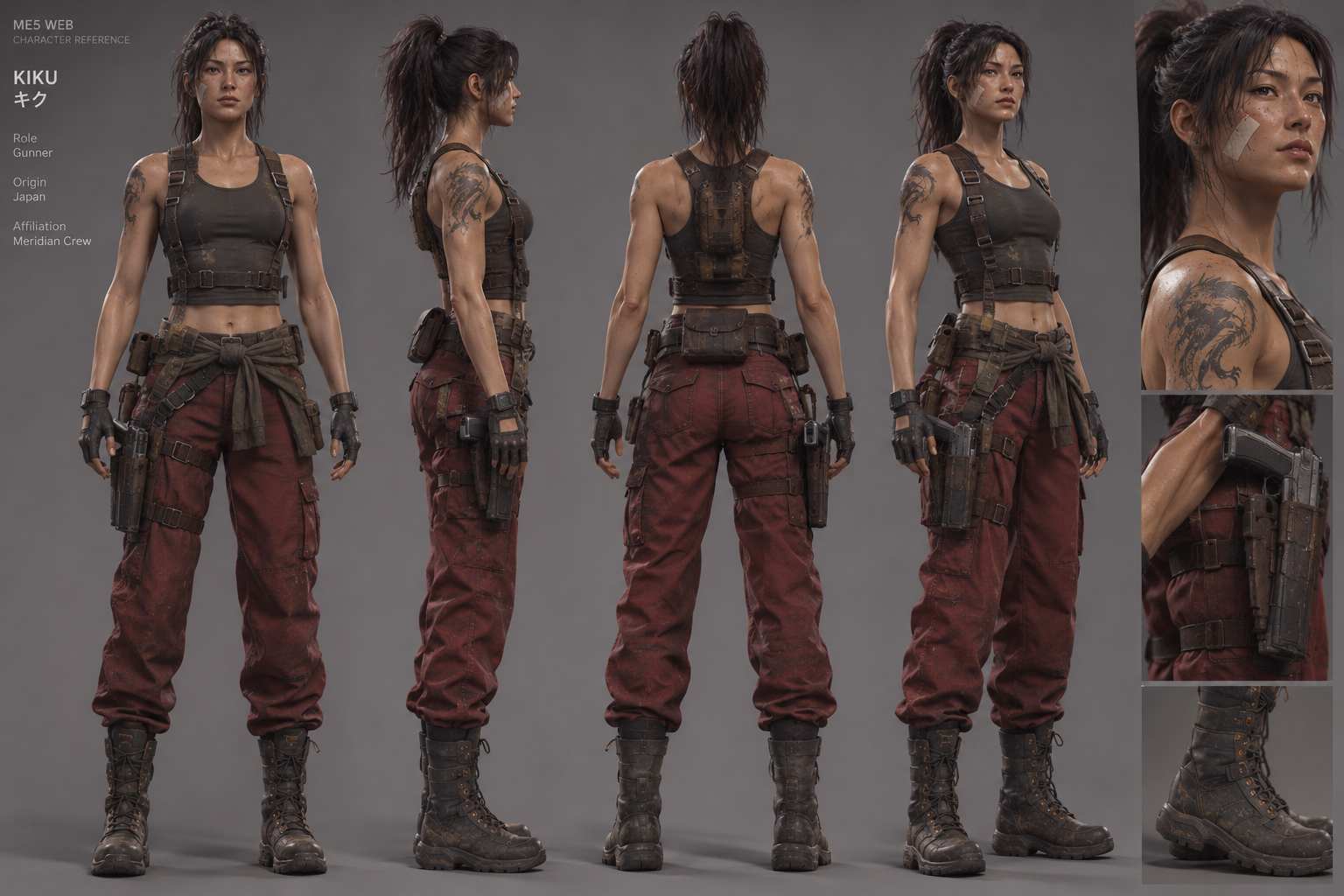
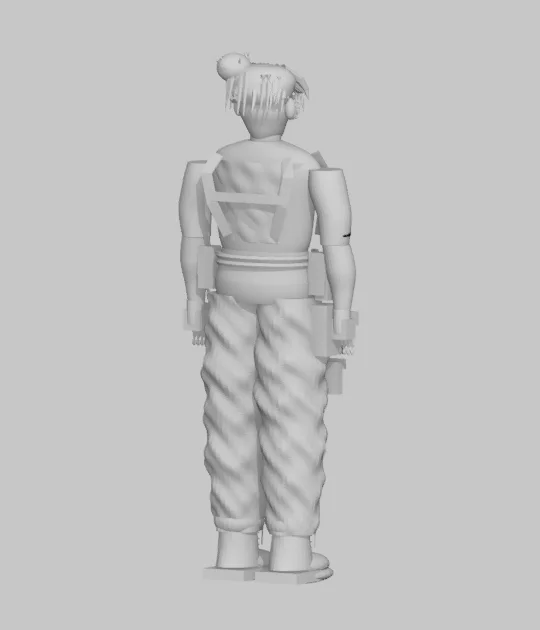
- Models
- —
- Est. cost (USD)
- —
- Input tokens
- —
- Output tokens
- —
- Viewer size
- —
- Build time
- —
- Thinking level
- —
- Animation clips
- 0
Image to 3D
What image-to-3D pipelines can we install open source that work well, especially for anime characters? Create a four-view turnaround sheet for each of the characters, then use Pixal3D multiview to generate textured GLBs.
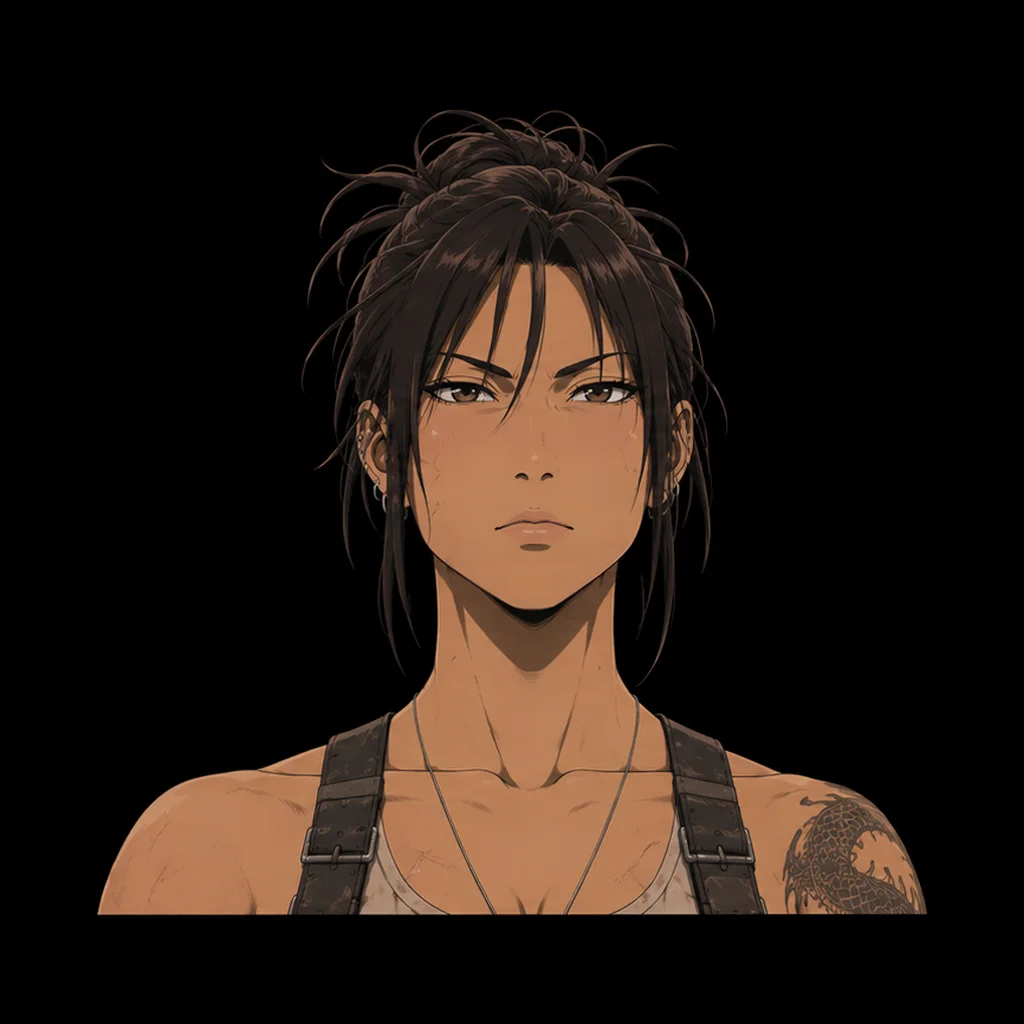
- Four-view raw body · fixed-outline overlap
- Front 88.2% · right 88.9% · back 91.5% · left 90.7%
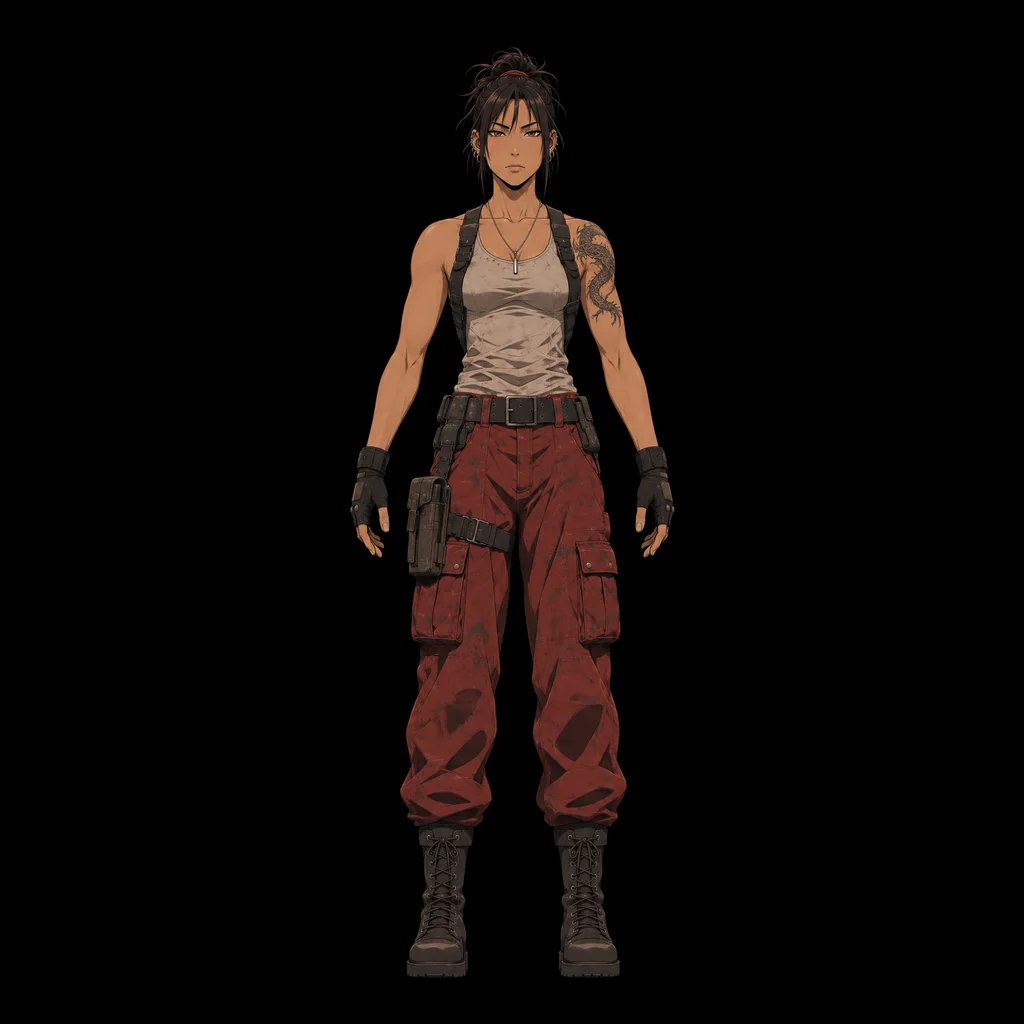
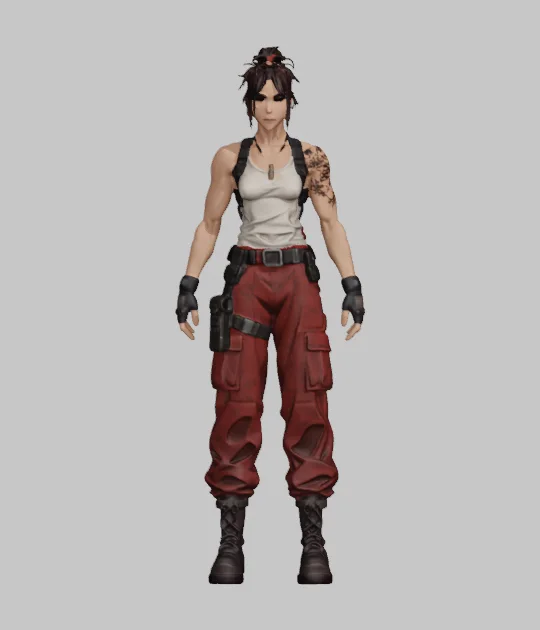
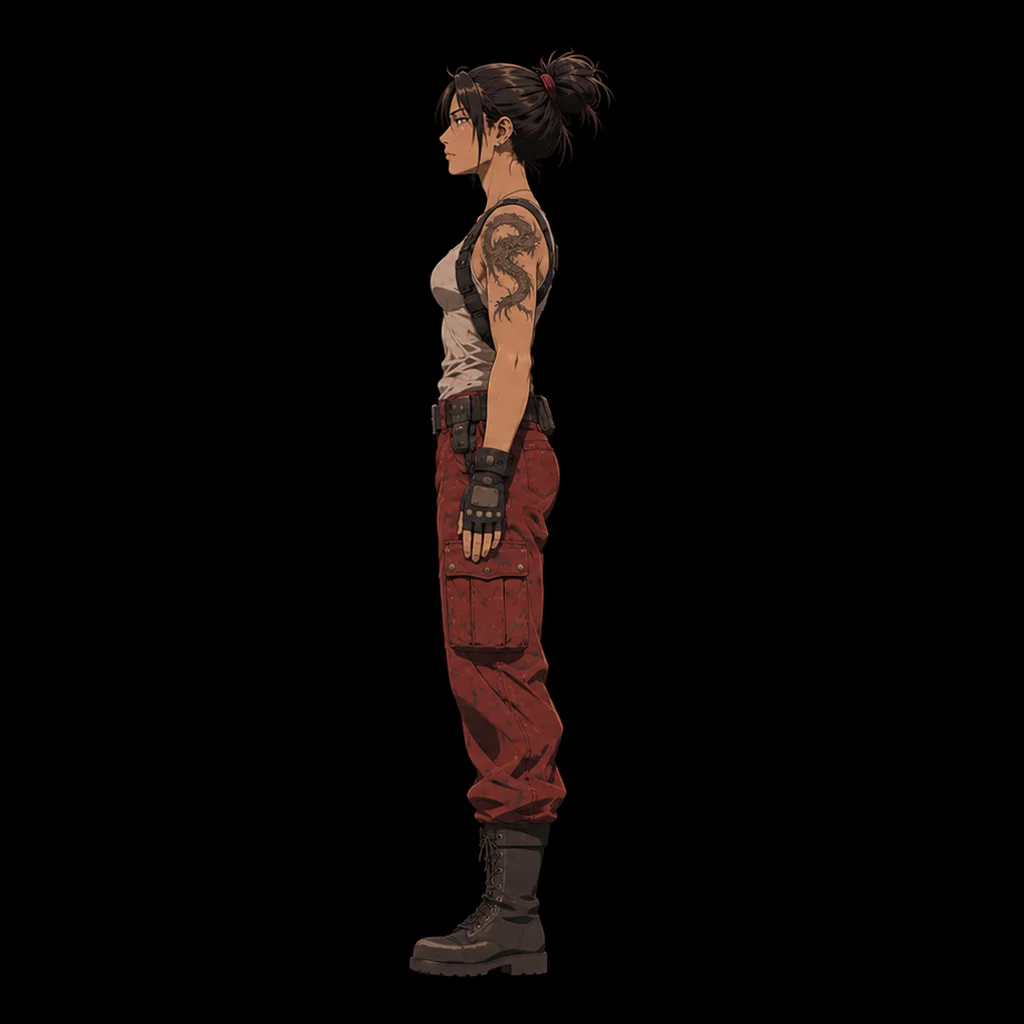
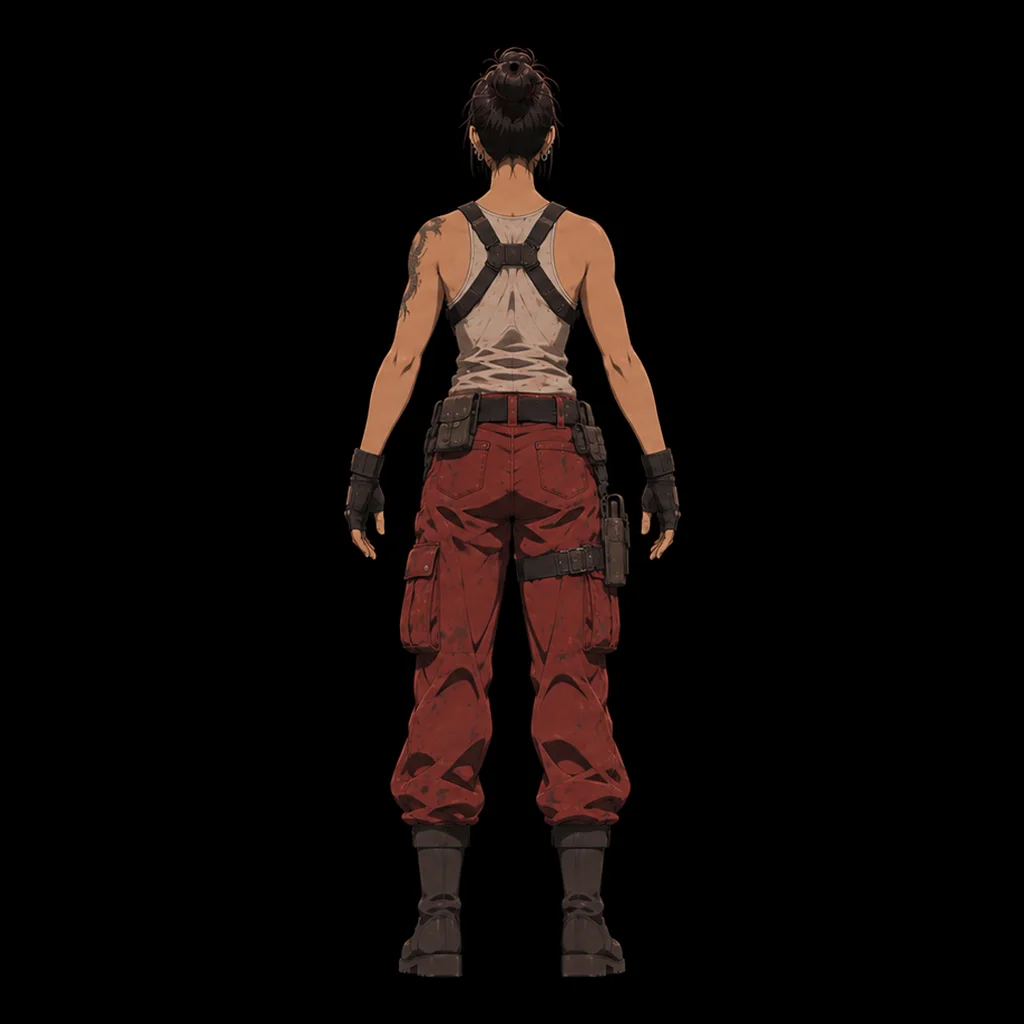
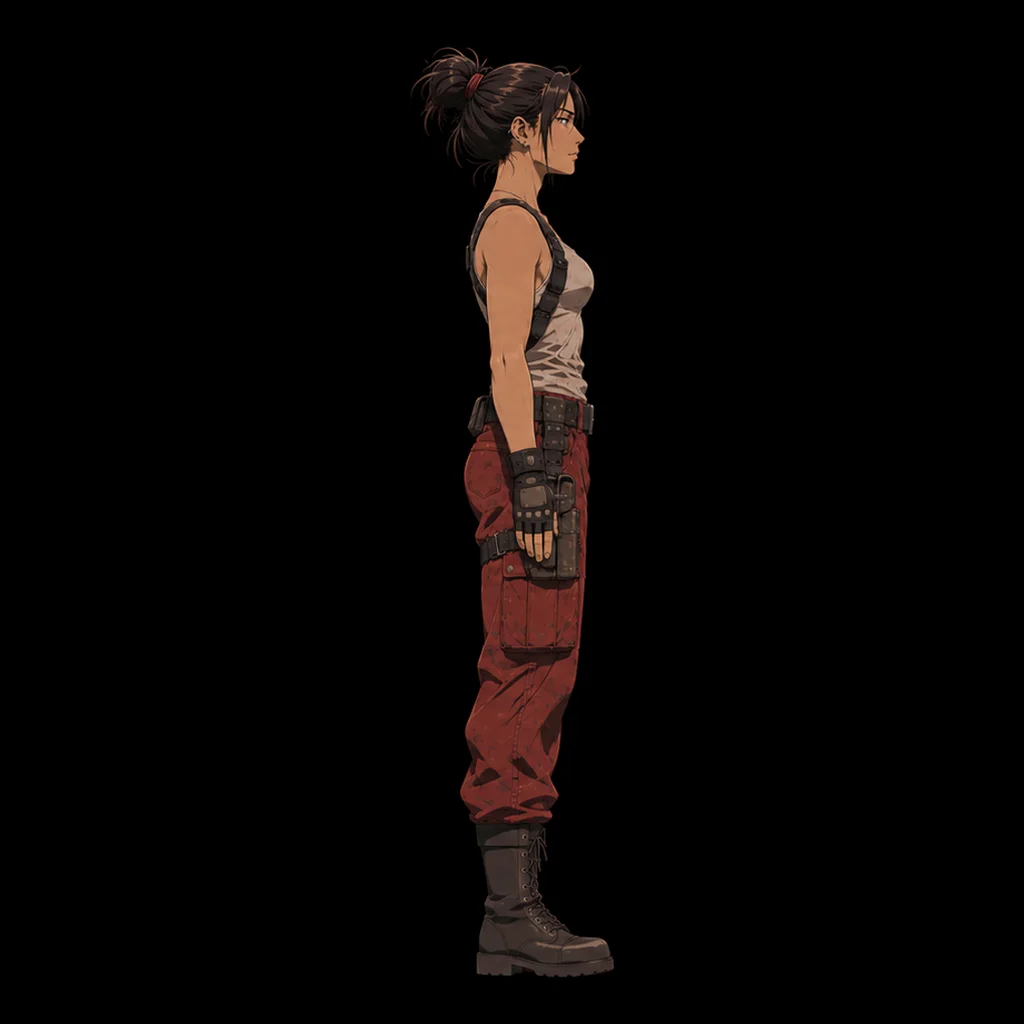
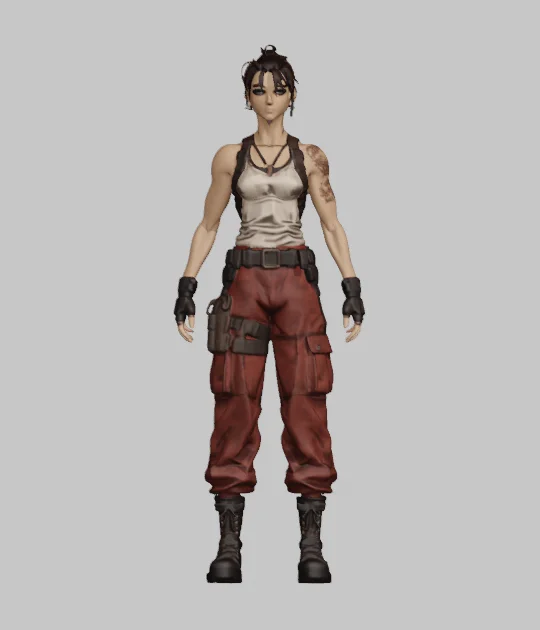
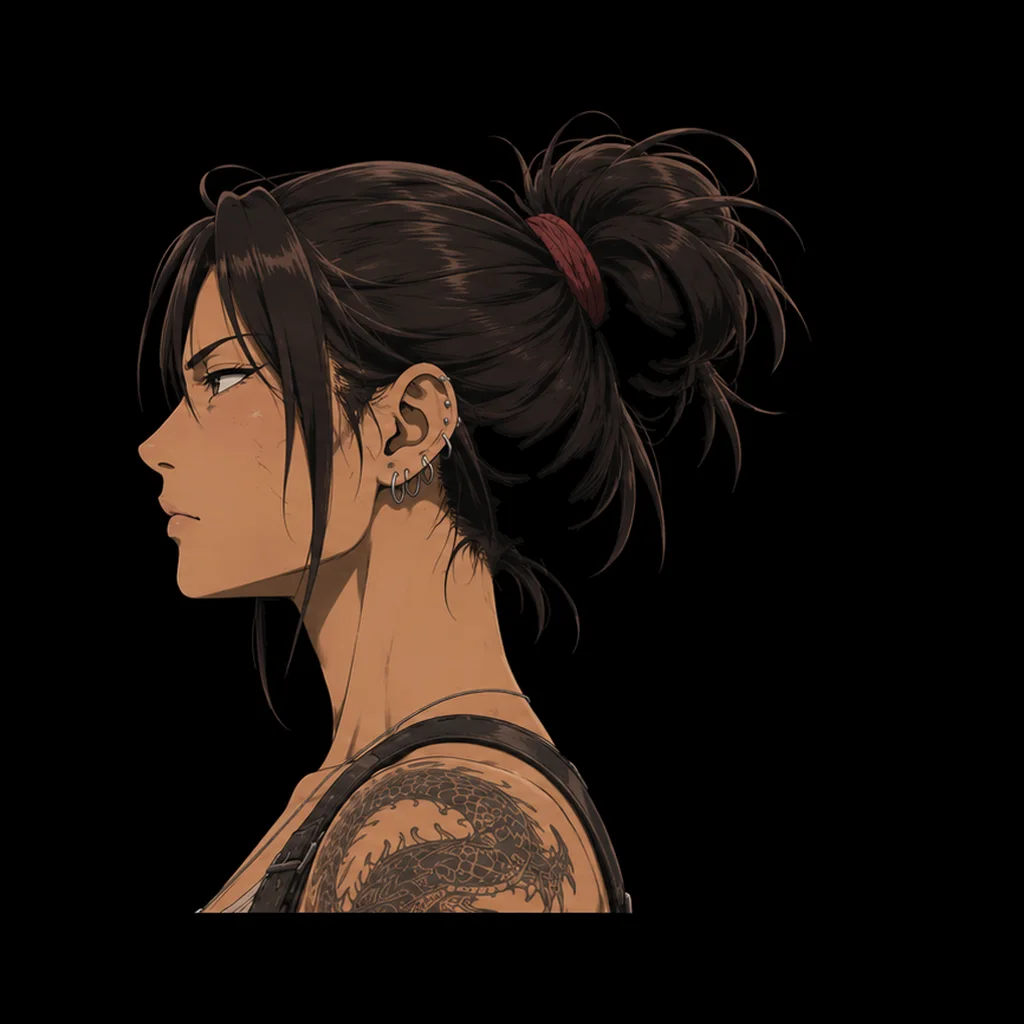
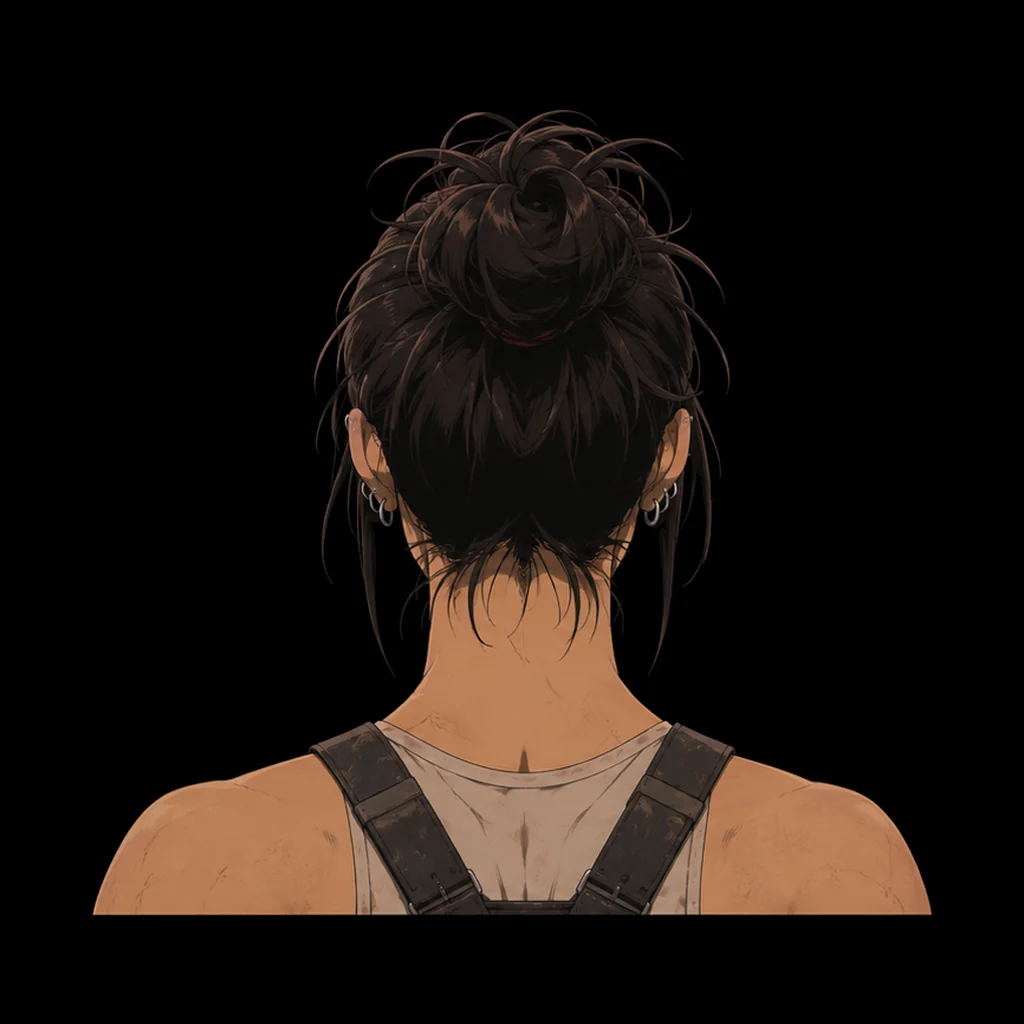
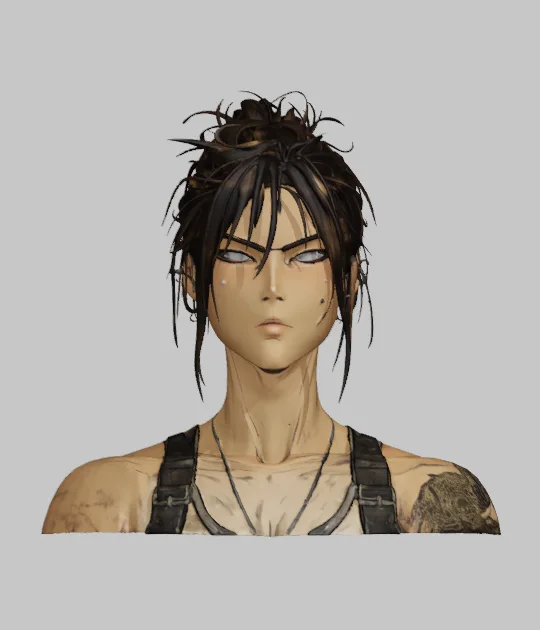
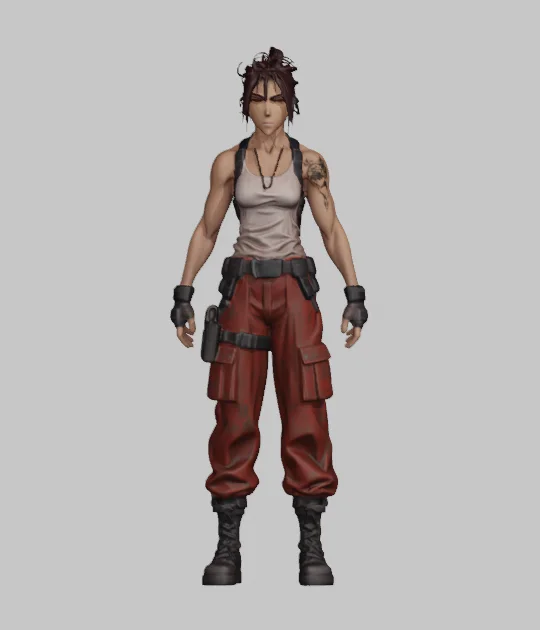
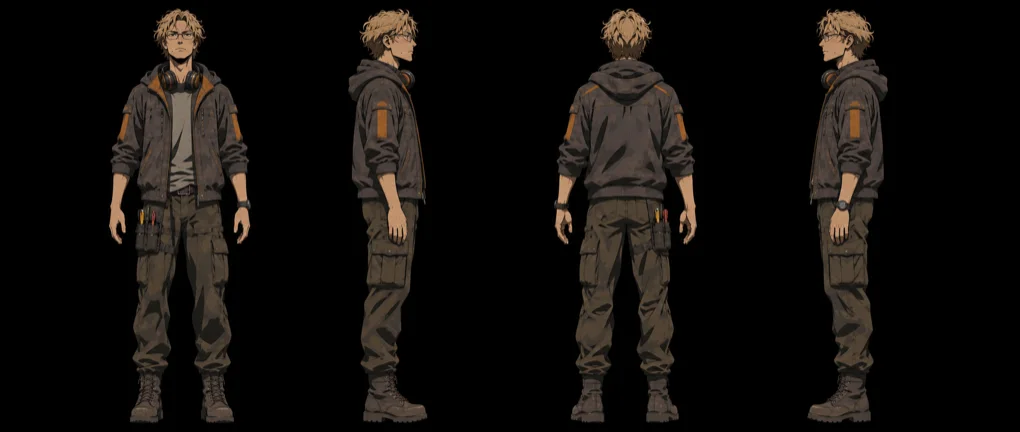
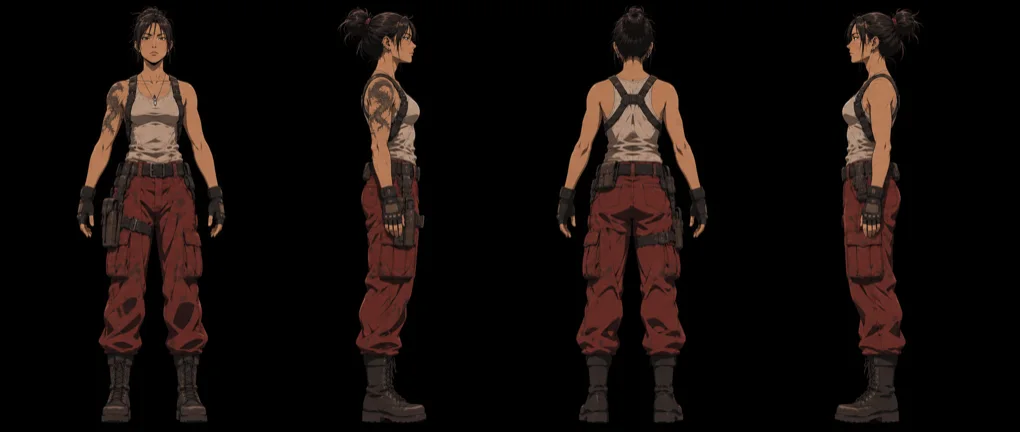
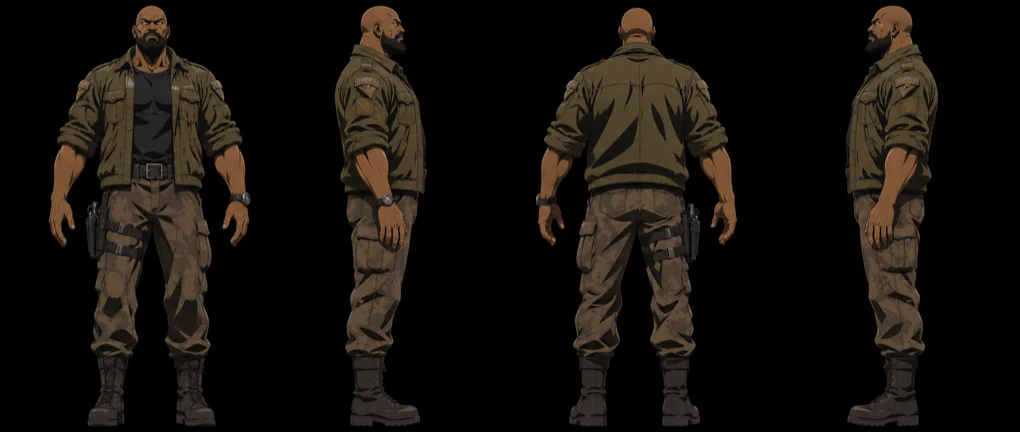
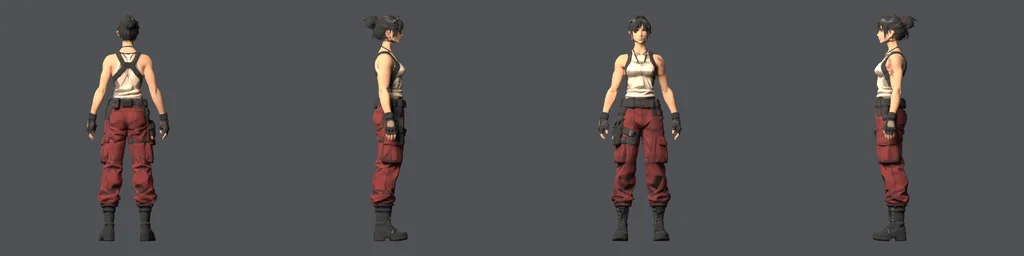
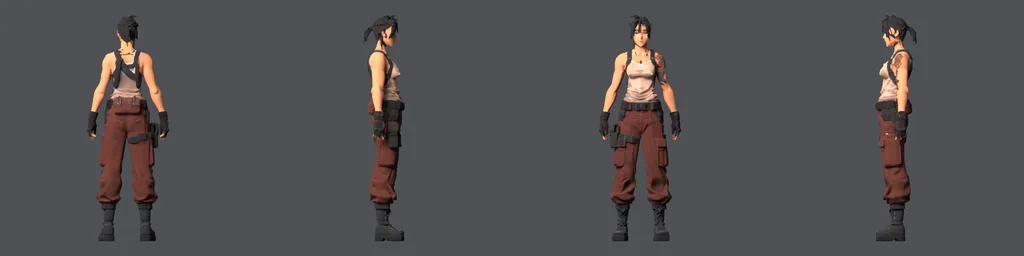
Perhaps use an image generator to generate the views of the head, then turn that into 3D, then put onto the body.
- Frames checked · harness tab / torso contacts
- 64 / 0
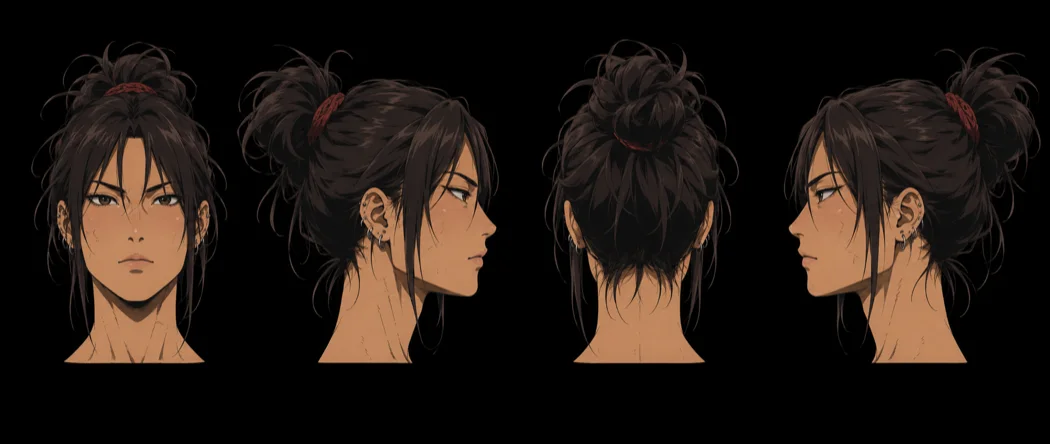
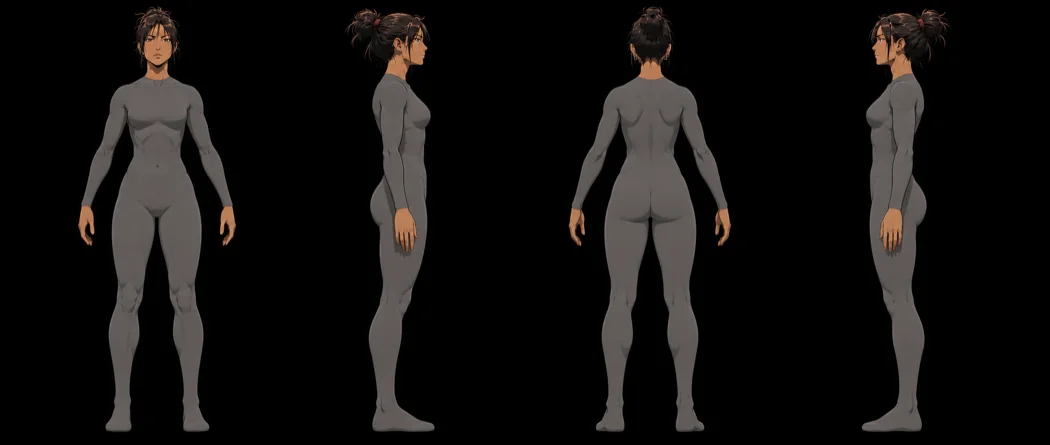
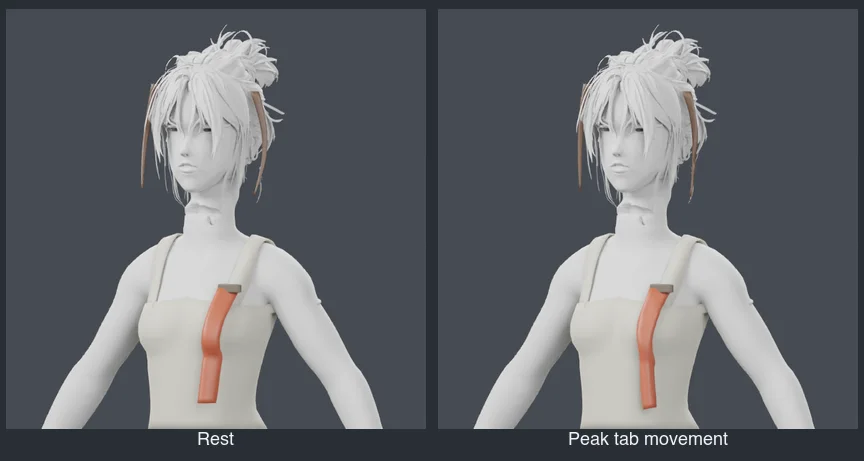
Use Hunyuan3D-2.1. Build it from the Kiku assets into a 3D model and sculpt any final touches. You need to get 98%+ on every angle, including face shots, same model. LOD0.
Notes
When you did the 2D to 3D, did you do the full body?
Overlay that with the references.
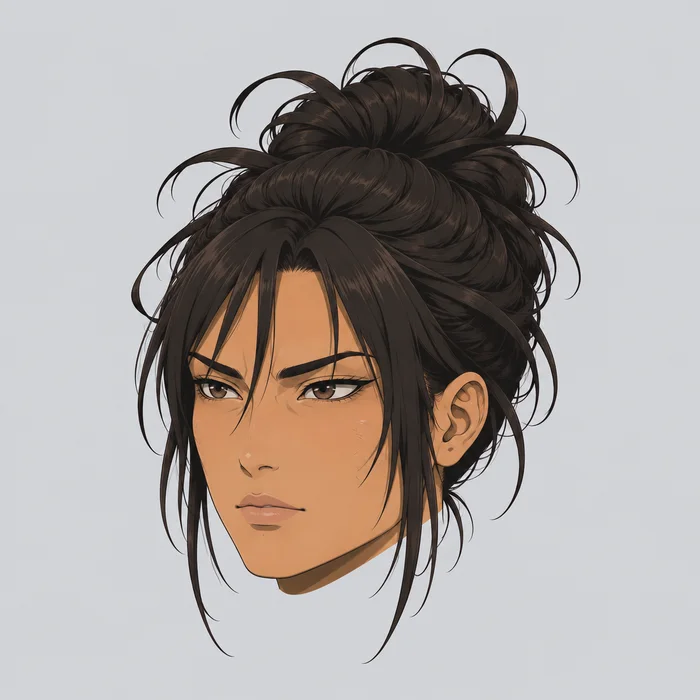
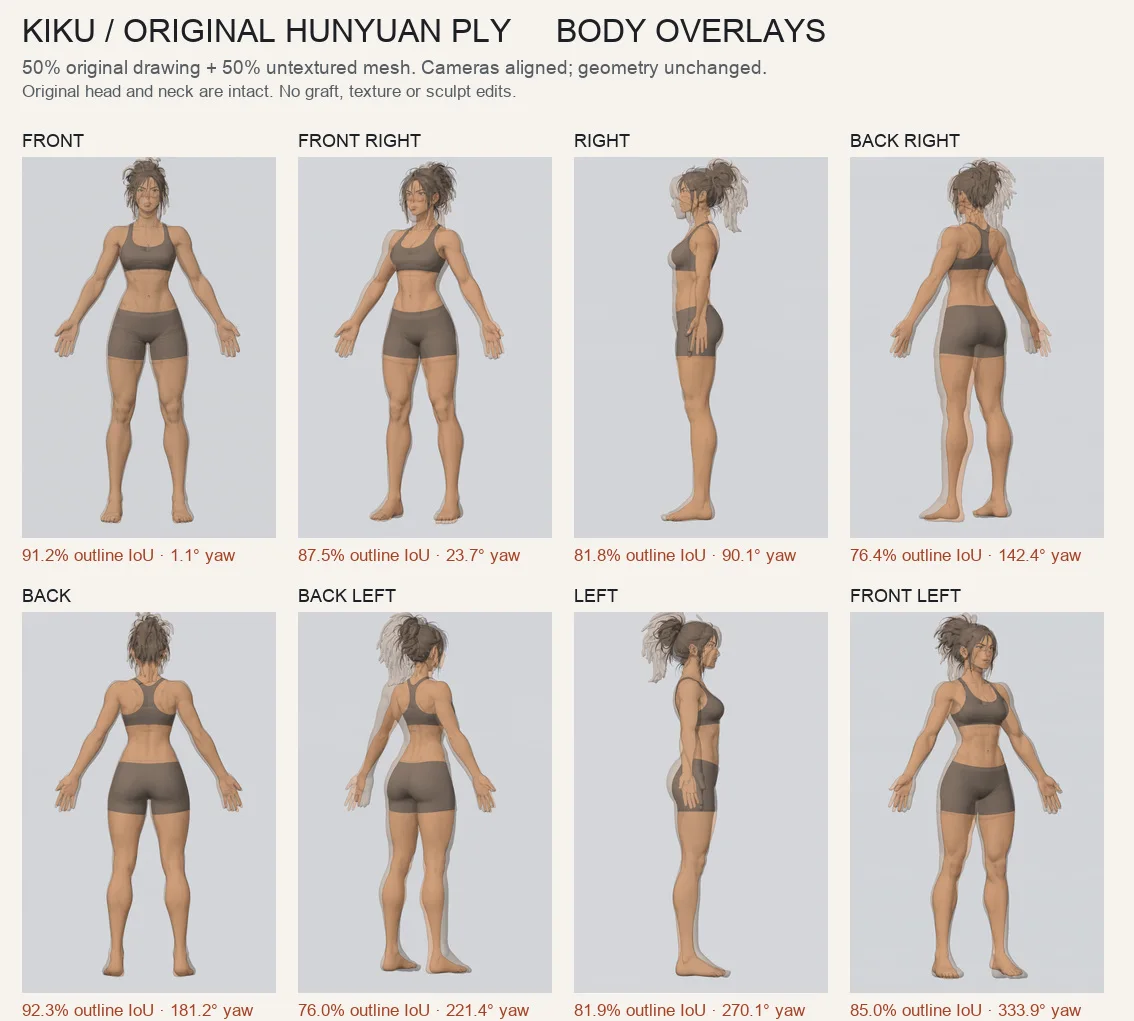
- Body silhouette overlap · 8 views
- 86.03–93.88%
- Head silhouette overlap · 8 views
- 83.34–86.49%
- Views ≥98%
- 0 / 16
Notes
There are artifacts that can be easily cleaned up around the neck.
Okay, this experiment failed. Clean up.
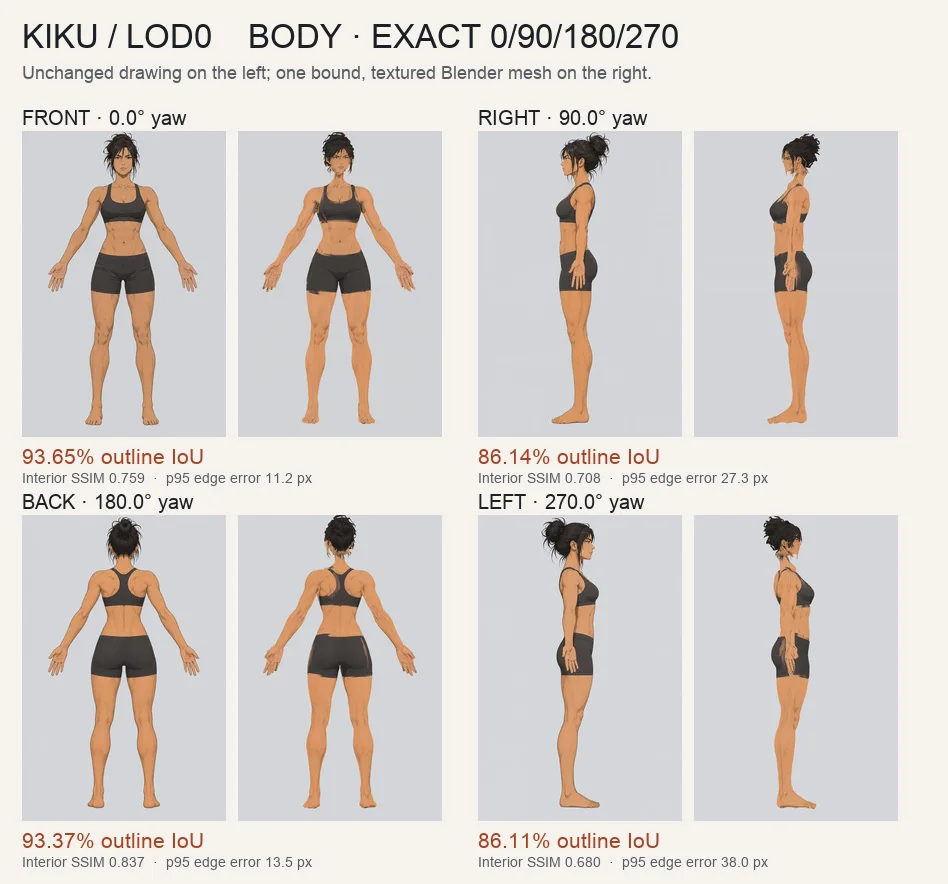
Take the reference images of Kiku and use TRELLIS to generate the model body, then show me it.
Notes
Okay, that’s not good. Clean up.
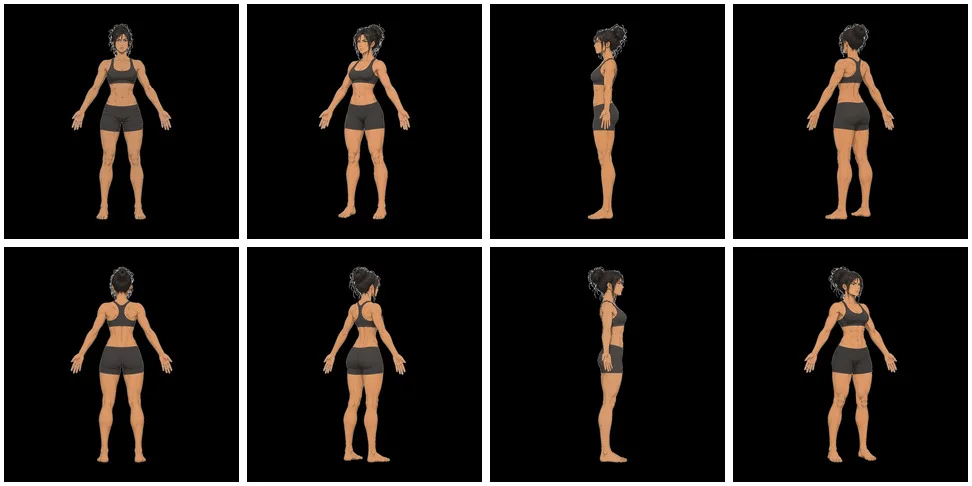
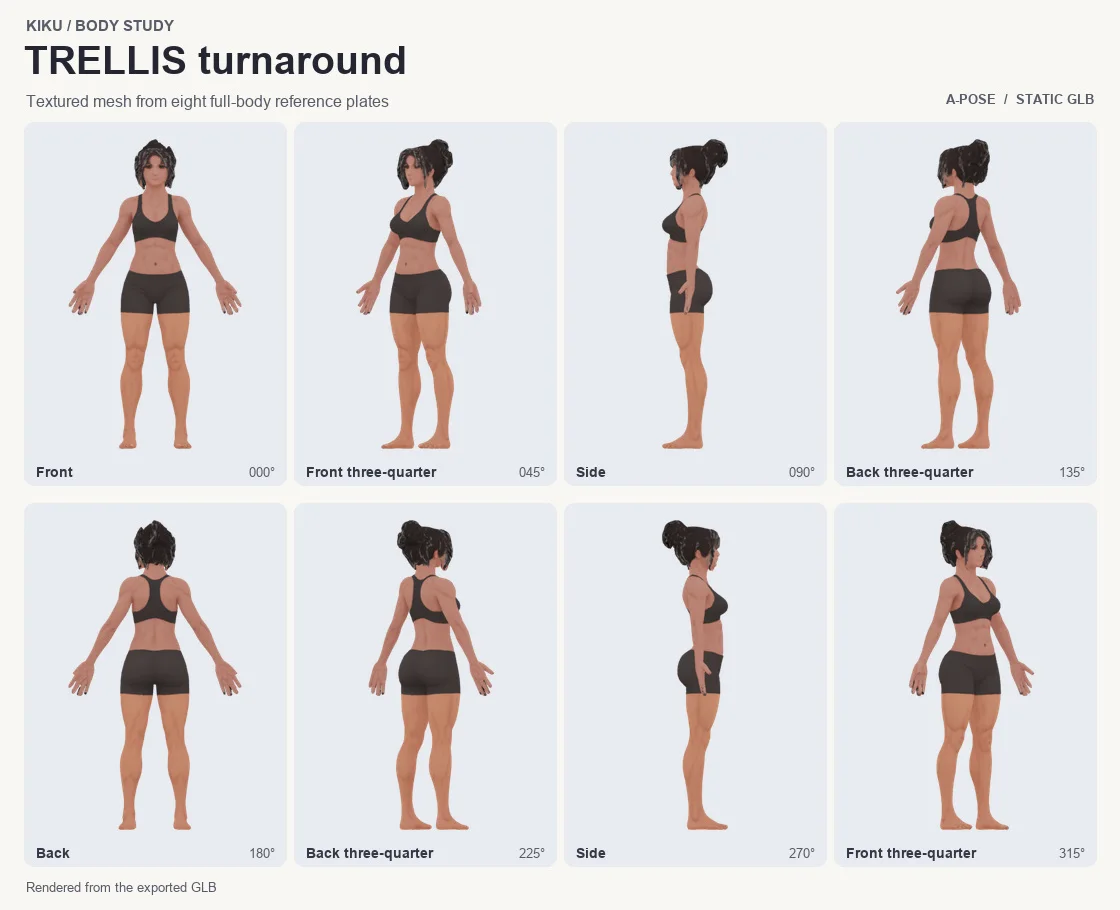
- Models
- GPT‑6.2 Sol
- Est. cost (USD)
- $13.4177
- Input tokens
- 69,983,710
- Output tokens
- 373,835
- Viewer size
- —
- Build time
- Thinking level
- xhigh / max
Notes
That’s way off. Perhaps try different parameters or tooling? Is this a lighting issue? Mesh issue? Polygon count issue?
Pixal3D: mesh only looks the closest. What if you modeled from here using Blender?
You may need to regenerate the images one viewpoint at a time and then combine the images. Try that with one character and see if that does a dramatic improvement.
Generate Kiku in Blender
Generate the Kiku character model in Blender. Mold and UV and loop until the model matches the reference frames from every angle. Show me the side by side for the 90° rotations and facial views.
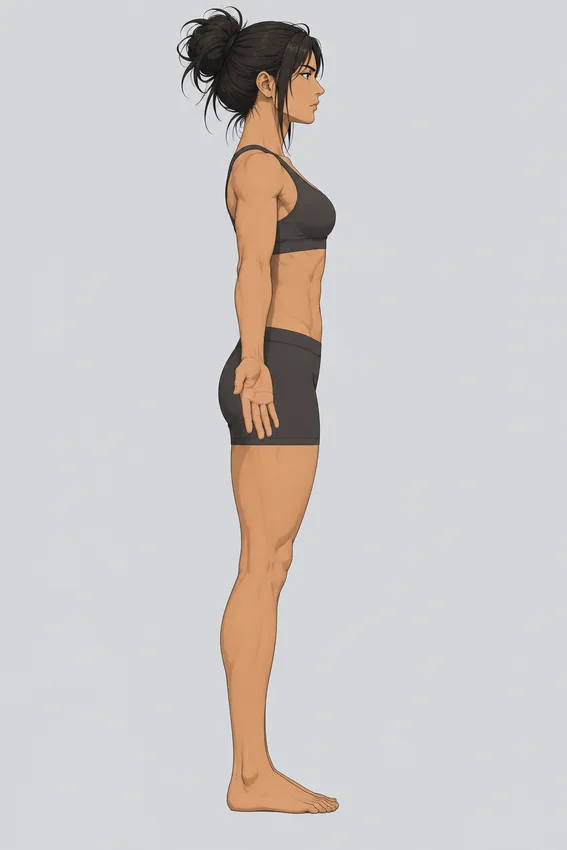
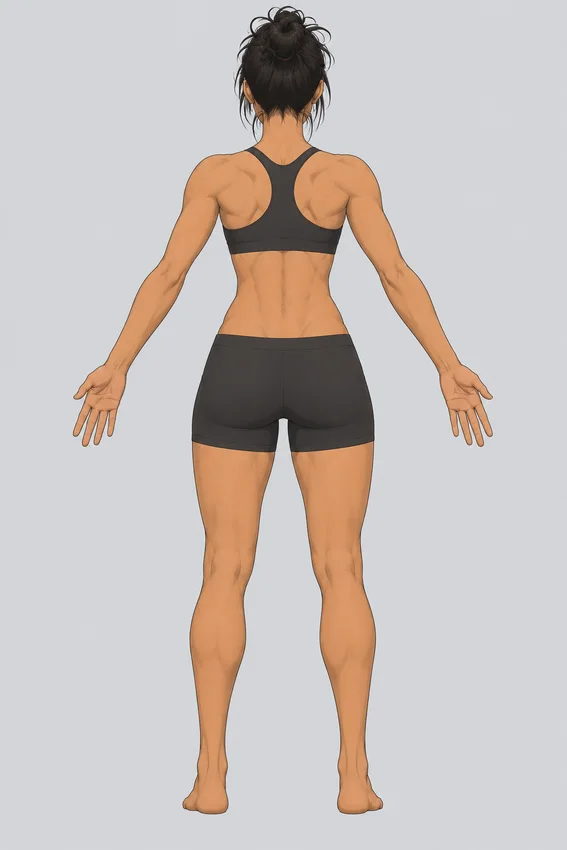
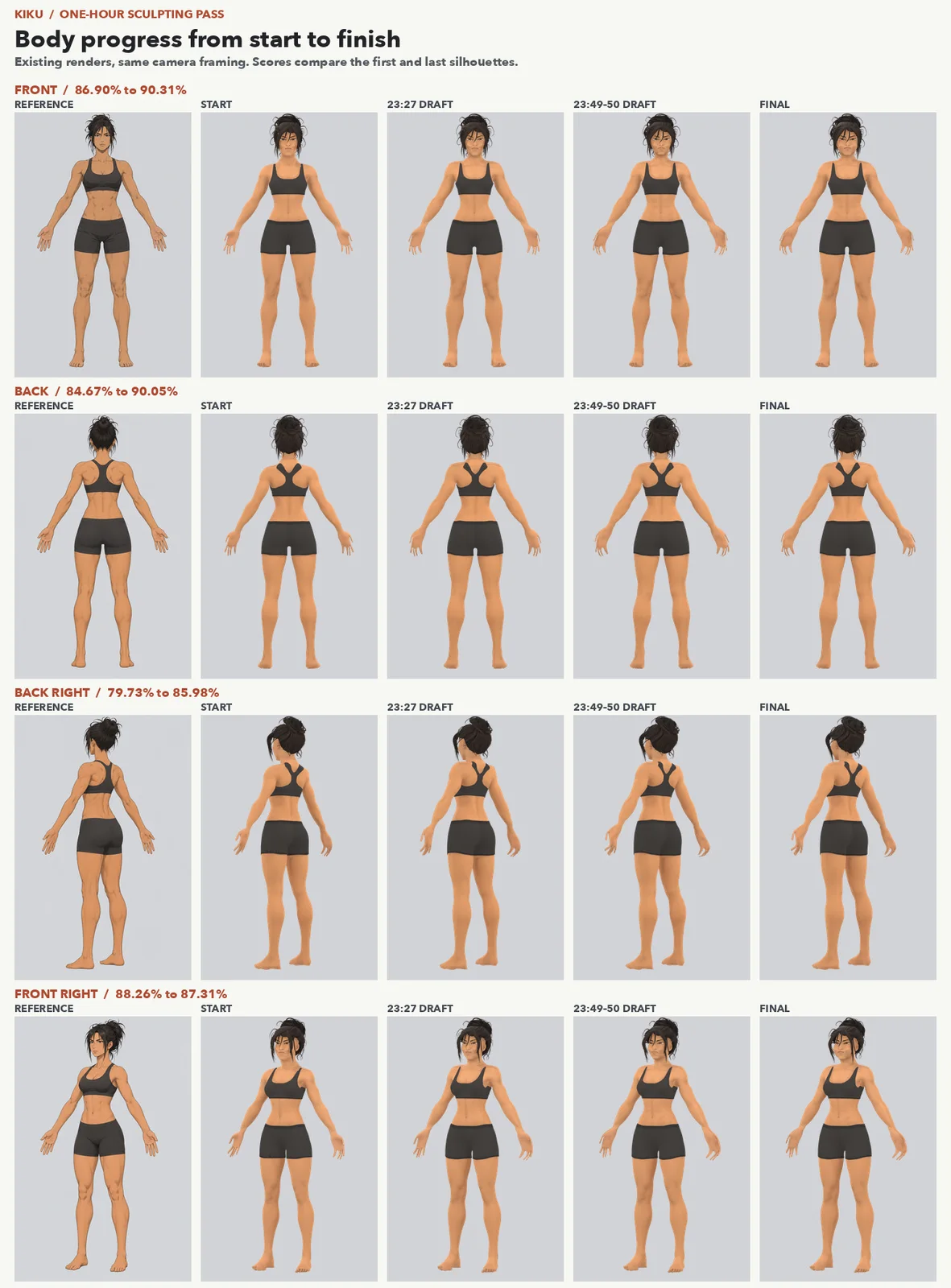
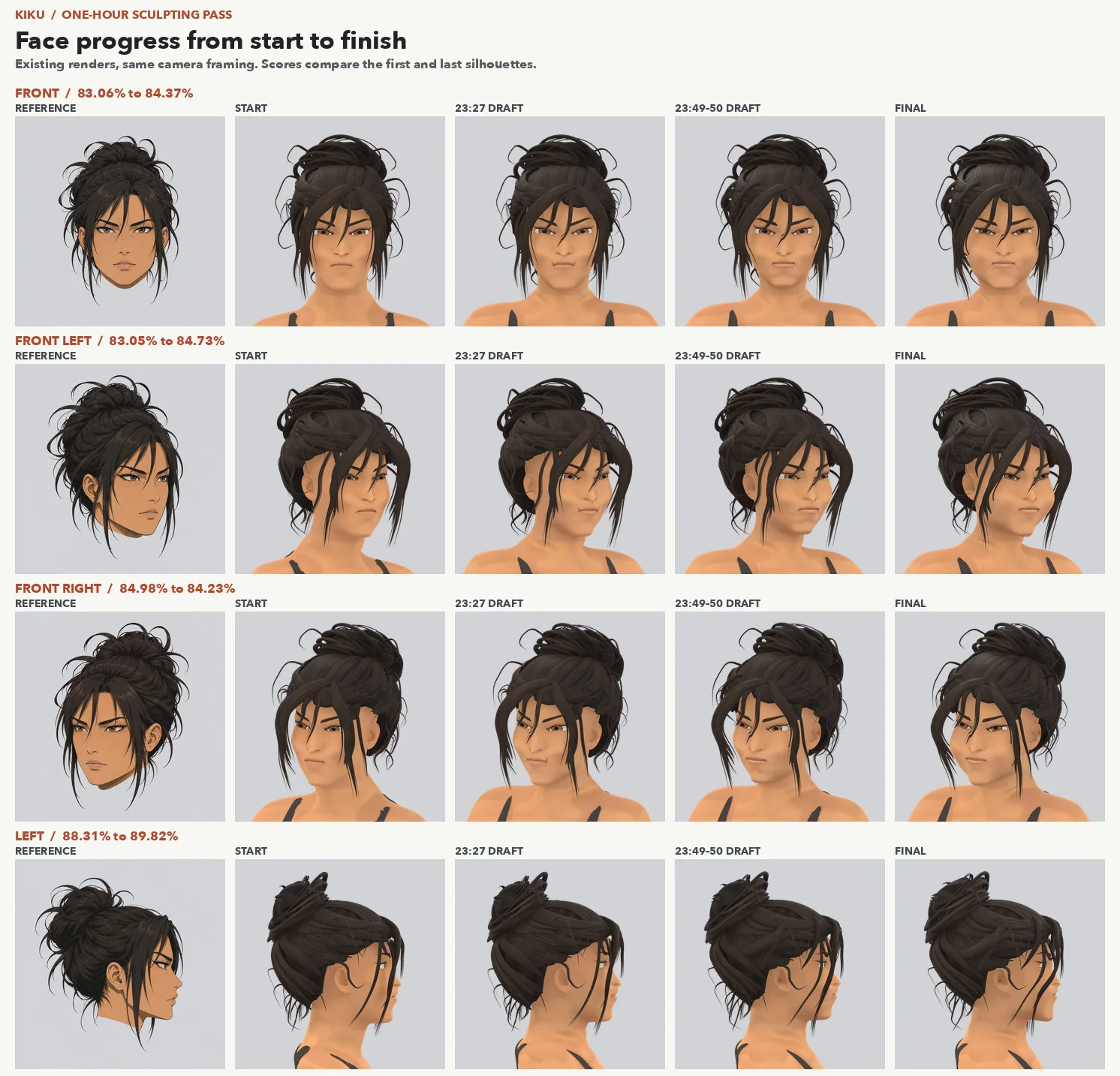
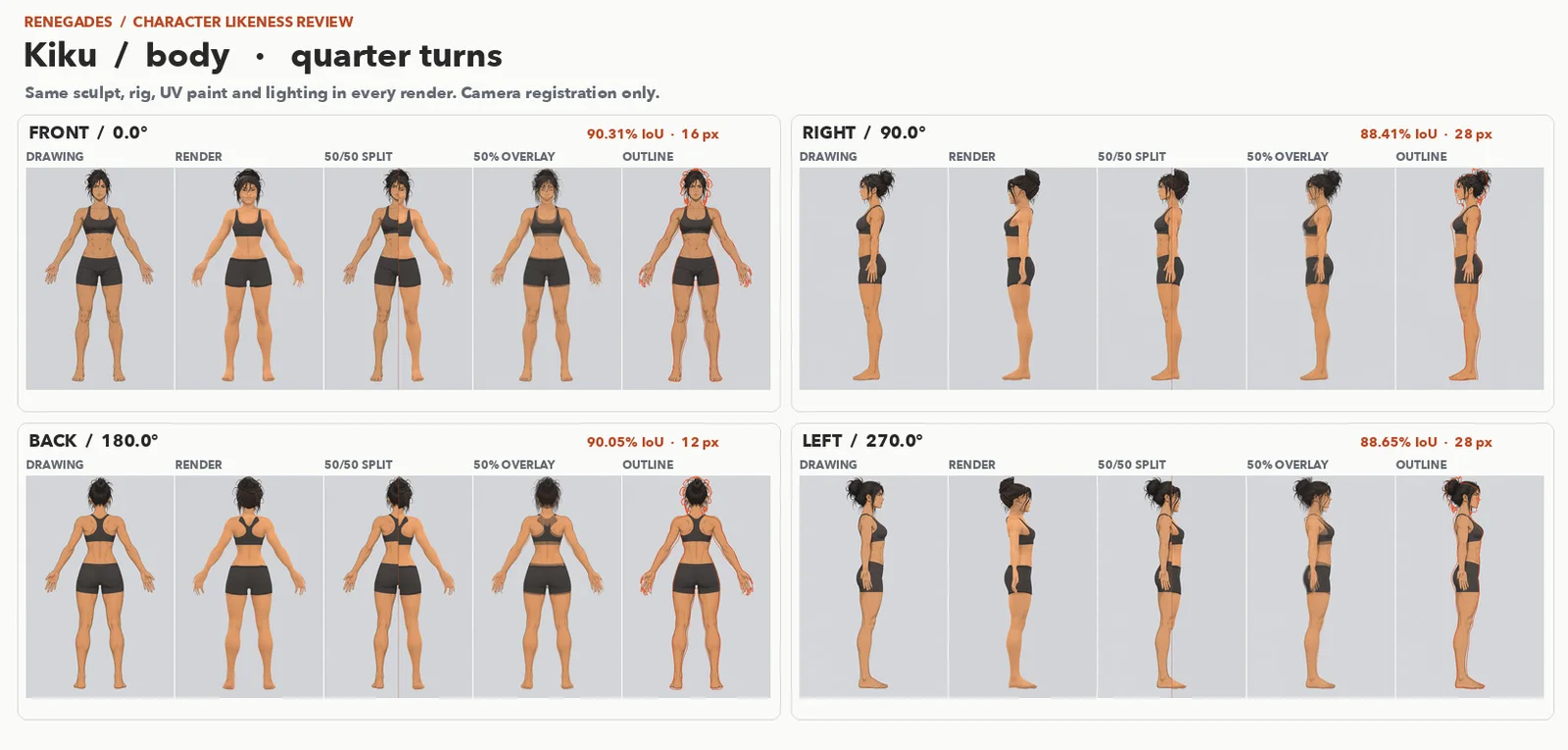
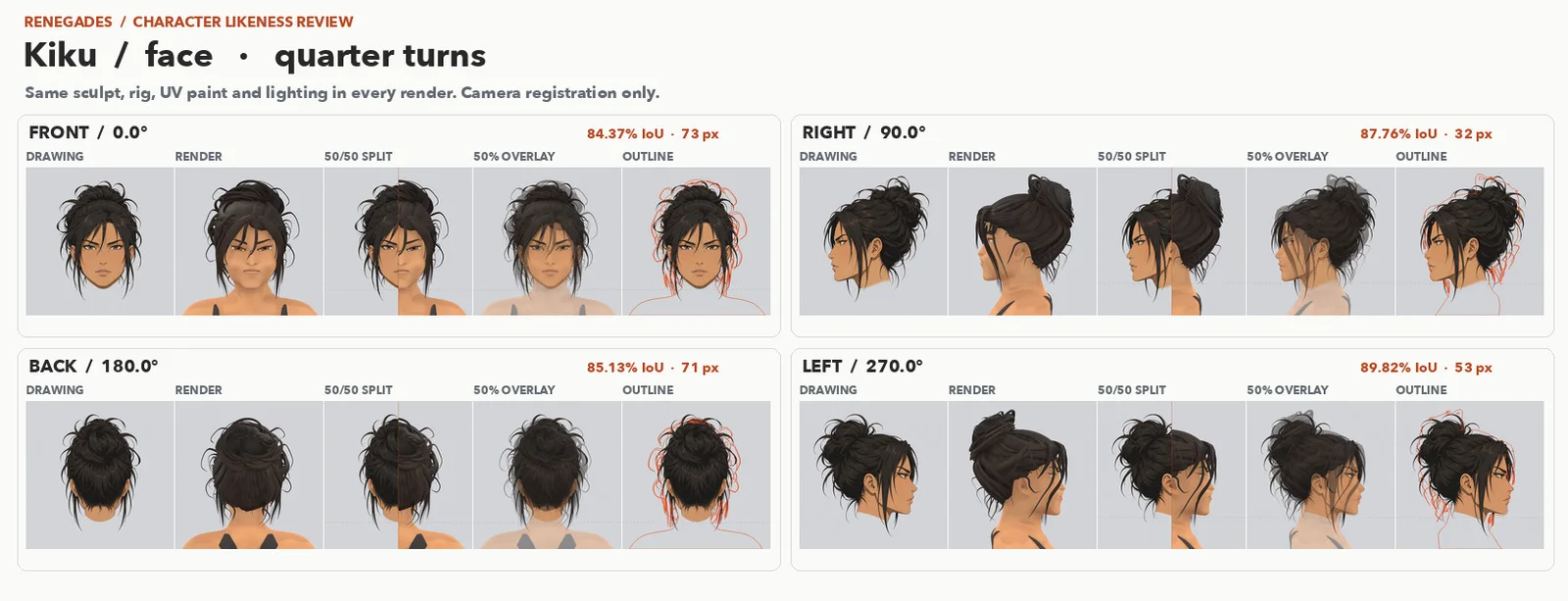
- Models
- GPT‑6.2 Sol
- Est. cost (USD)
- $11.7379
- Input tokens
- 63,776,515
- Output tokens
- 341,076
- Viewer size
- —
- Build time
- Thinking level
- xhigh / max
- Mean silhouette overlap · 16 views
- 85.50% → 87.41%
- Views ≥99%
- 0 / 16
Notes
You should be sculpting the model you’ve been working with and texturing it. Why change the model? Do the same process of 50% and overlays, and outlines, from all angles — face and body, same object.
All profiles and three-quarter views need to match. Sculpt hair as well. Ensure coloring and lighting matches.
Abandon uncommitted, this isn’t working.
Use MetaHuman
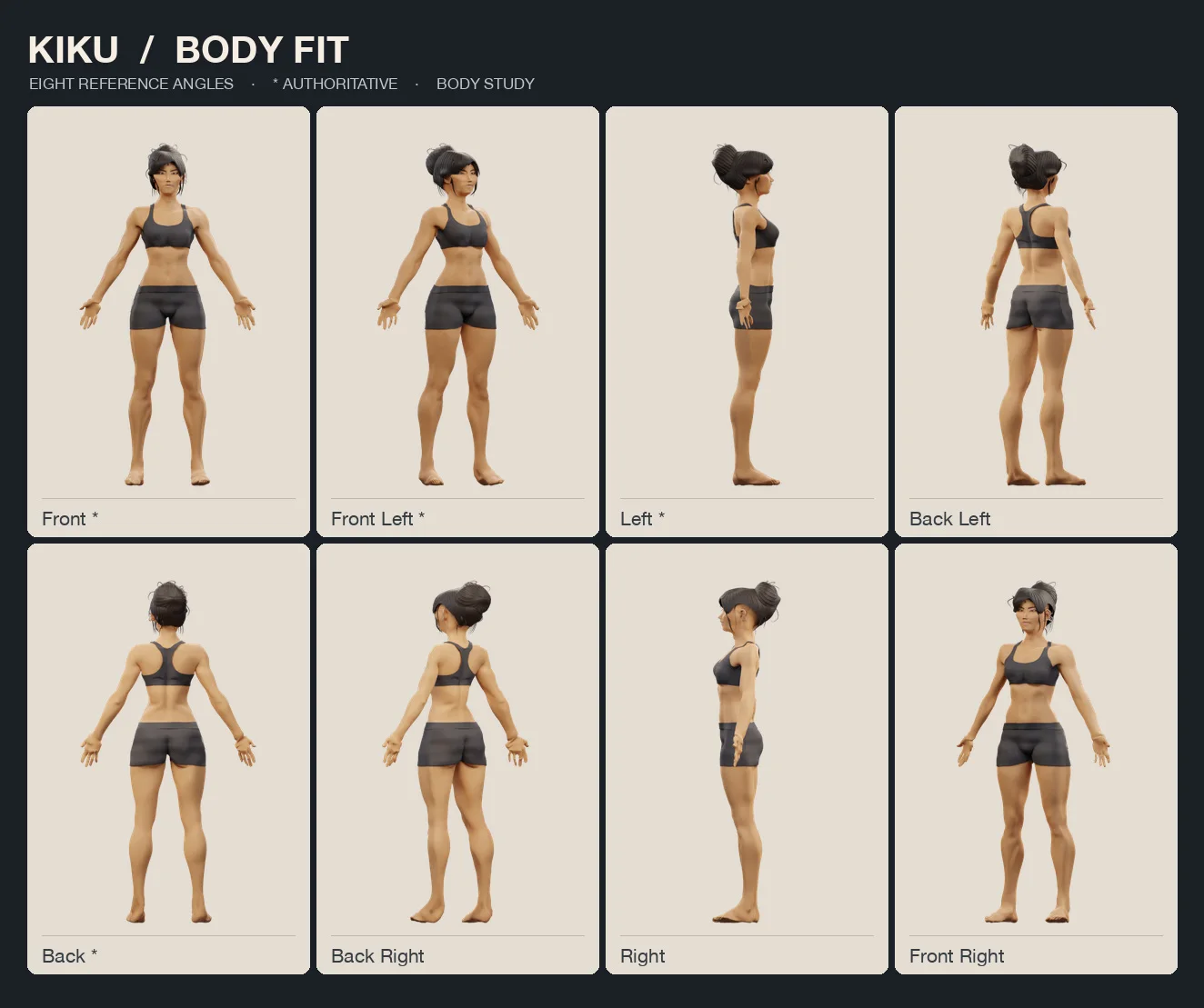
Make the Kiku model, ensure visual parity from all angles, then show me after you achieve that. Use MetaHuman.
- Models
- GPT‑6.2 Sol
- Est. cost (USD)
- $17.6612
- Input tokens
- 95,242,155
- Output tokens
- 428,653
- Viewer size
- —
- Build time
- Thinking level
- xhigh
- R1 silhouette overlap · front / profile
- 95.38% / 95.92%
- Body views ≥95% · authoritative
- 2 / 4
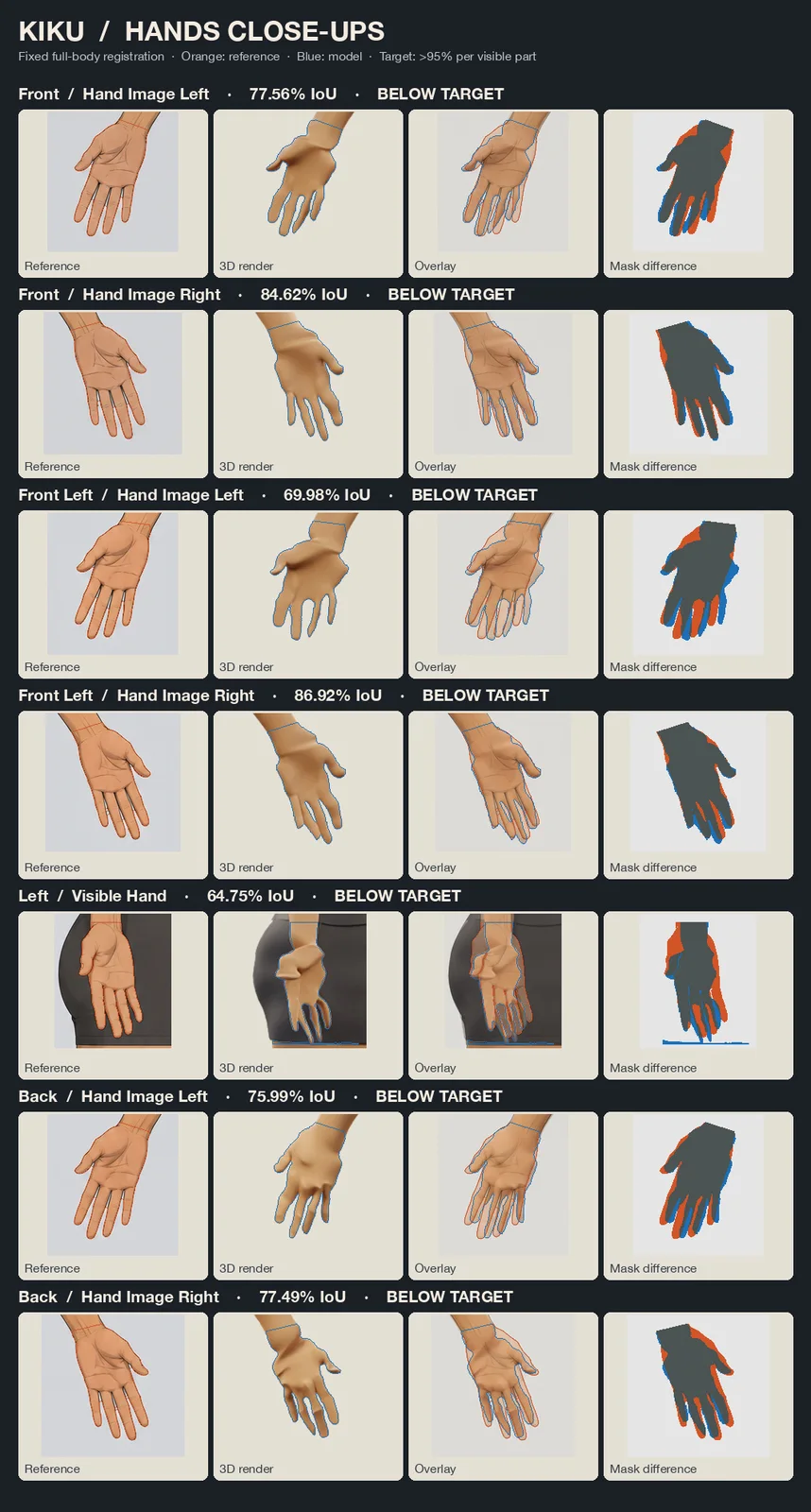
- Hands ≥95% · visible checks
- 0 / 7
Notes
This is visually extremely far off. Treat half the angles as authoritative, then, and match that to 95%.
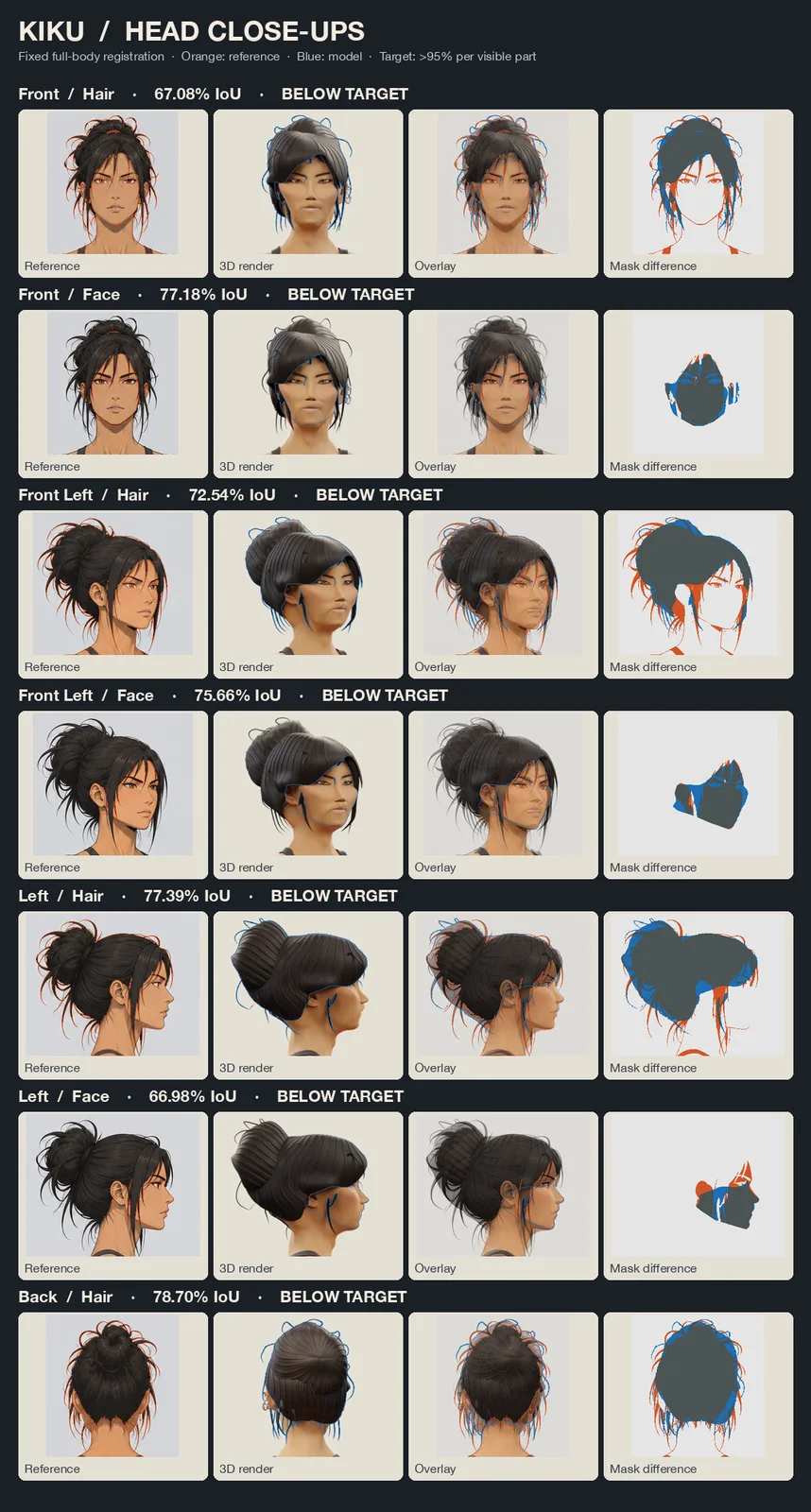
The hands and face look very distorted. Zoom into body parts and ensure 95%+ per subsection, including hair.
Don’t just report. Fix it until each subsection is at target, then add clothing separately.
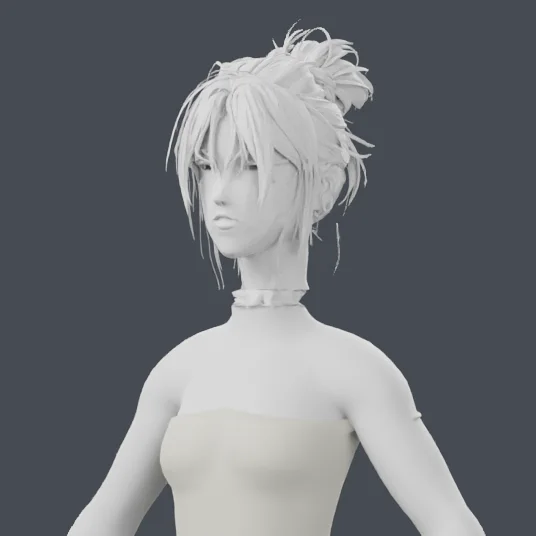
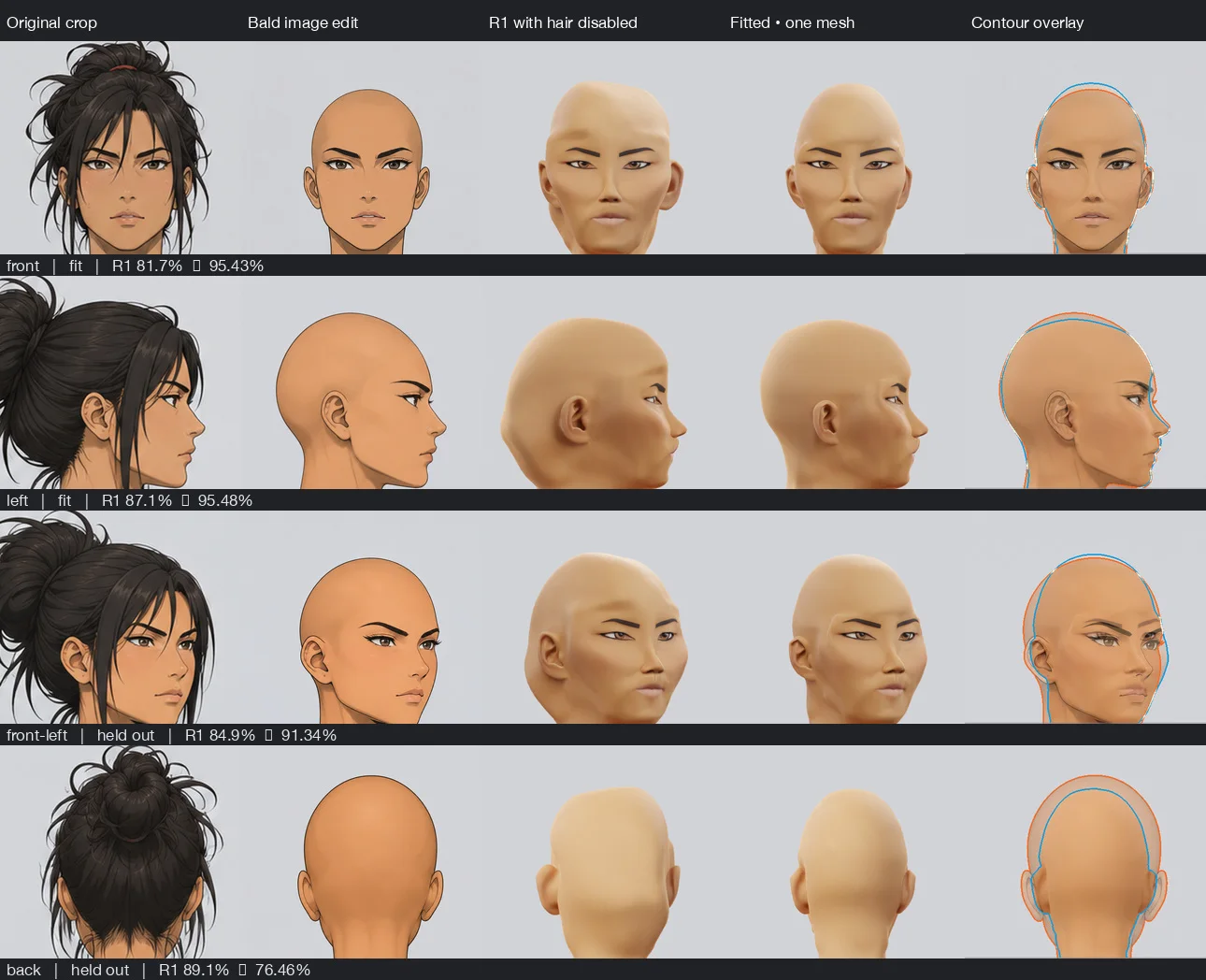
Generate bald and match that first
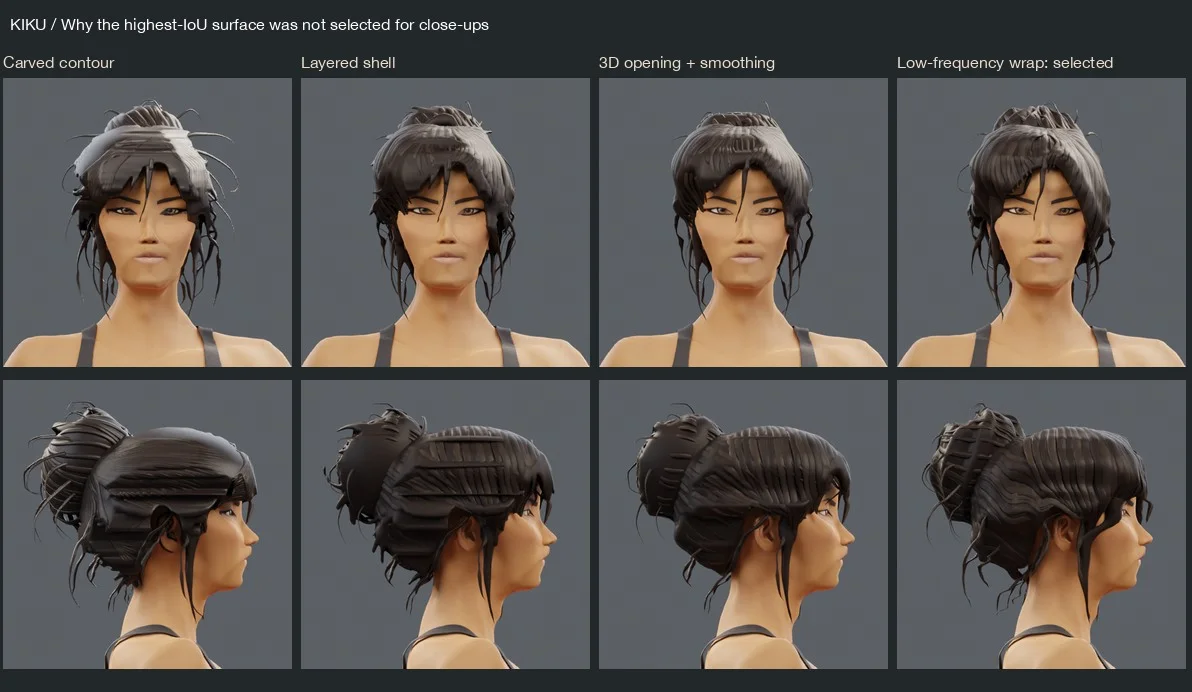
Remodel the hair separately. Generate bald and match that first, then do what hair is normally done, perhaps attached separately?
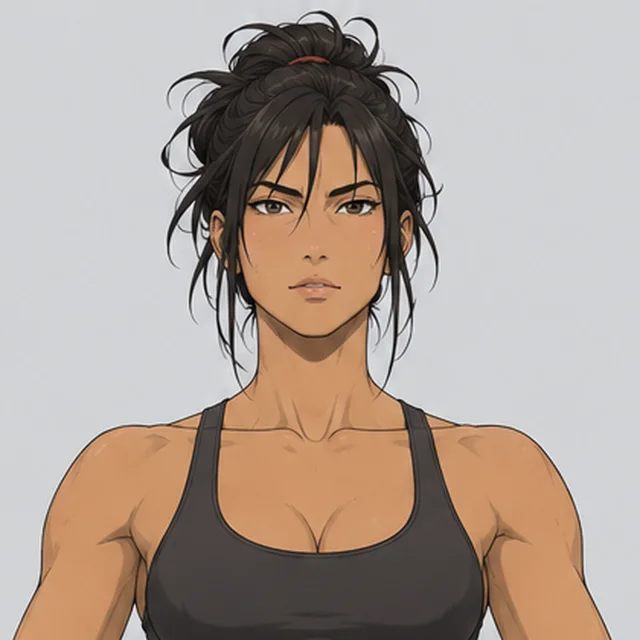
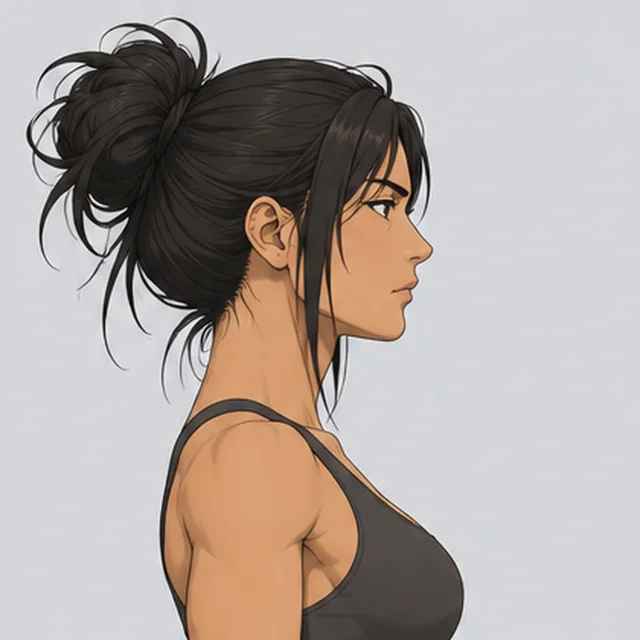
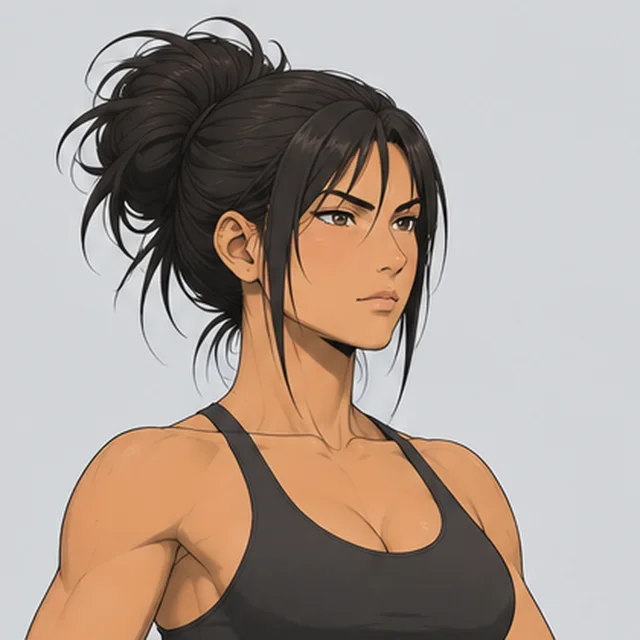
Use an image generator to build depth maps, then.
- Depth maps → closed mesh
- 4 → 1
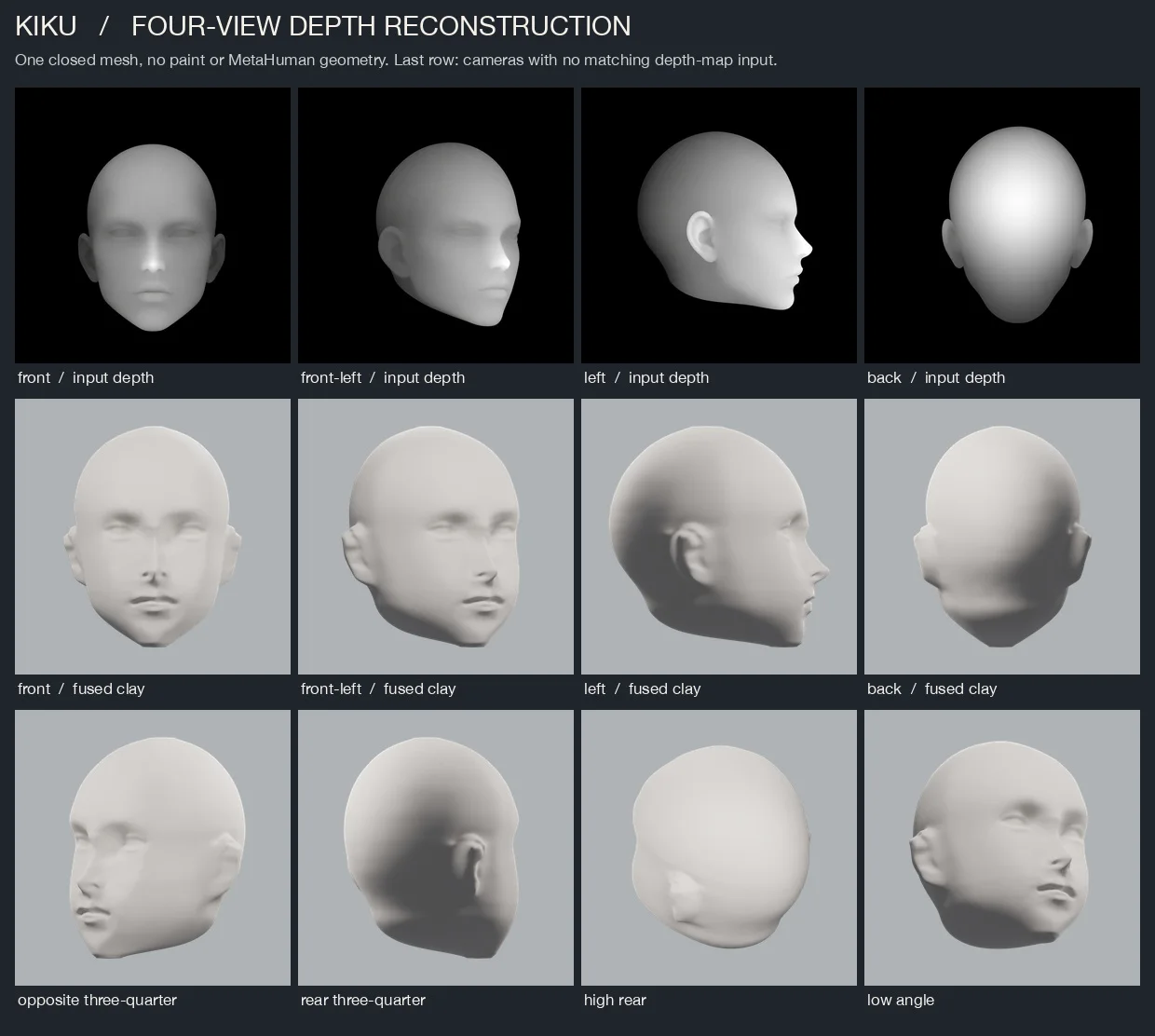
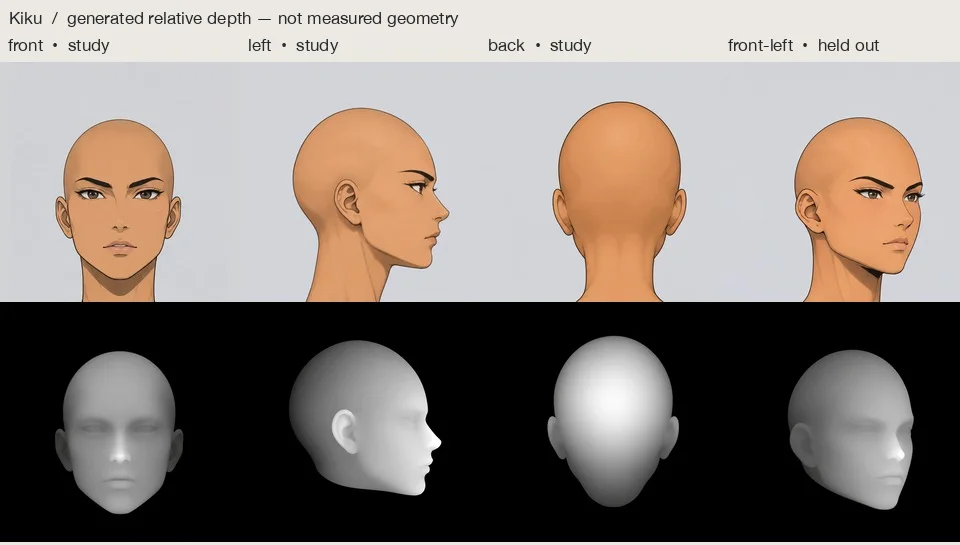
With a depth image map, can you generate a shape from that? Deterministically?
- Depth maps → open surface
- 1 → 1
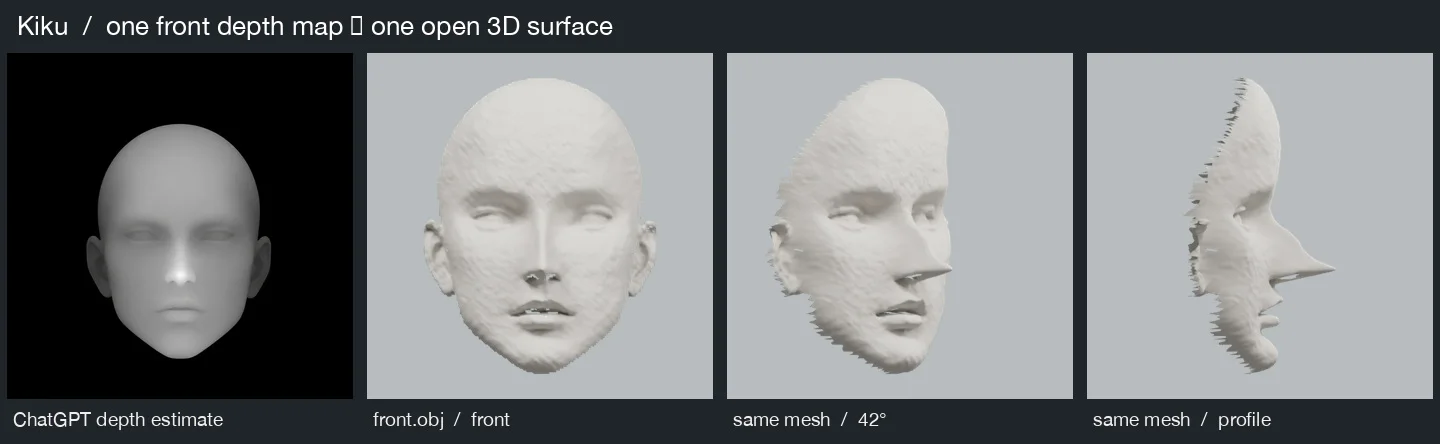
Use the Kiku depth maps to have it create a model for me and show me the model here.
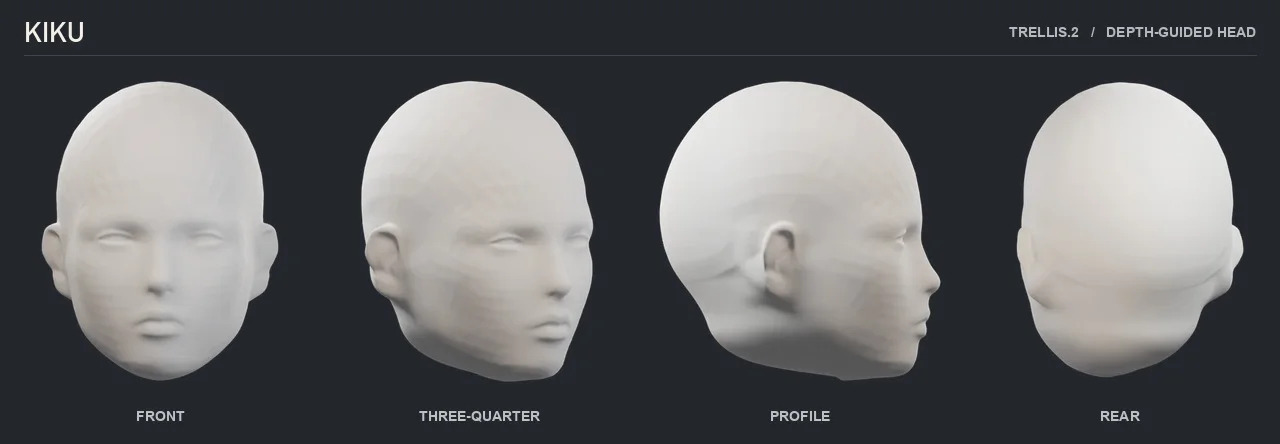
Do TRELLIS again, but only do two images, front and side.
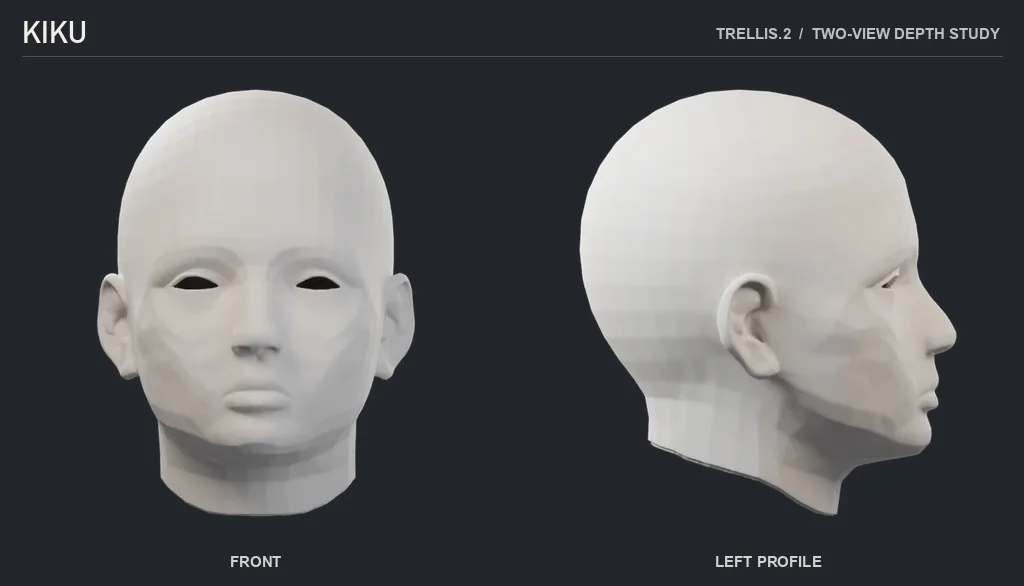
- Models
- GPT‑6.2 Astra + GPT‑6.1 Terra
- Est. cost (USD)
- $29.0204
- Input tokens
- 37,752,077
- Output tokens
- 180,781
- Viewer size
- —
- Build time
- Thinking level
- xhigh
- Bald silhouette overlap · front / left profile
- 95.43% / 95.48%
- Held-out · front-left / back
- 91.34% / 76.46%
- Eye aperture overlap · three-quarter
- 0%
Notes
This facial shape is way off. Anime uses simple drawings and patterns; your mesh is obviously deformed. What strategies can we do with the image generator to help ground for 3D?
The depth map looks good. Can you reconstruct from all the angles rather than just one?
This is closer, but looks fatter. Why? Are you using all the depth maps together?
Render Kiku entirely from native JS
Render Kiku entirely from native JS in Three.js. Ensure visual parity.
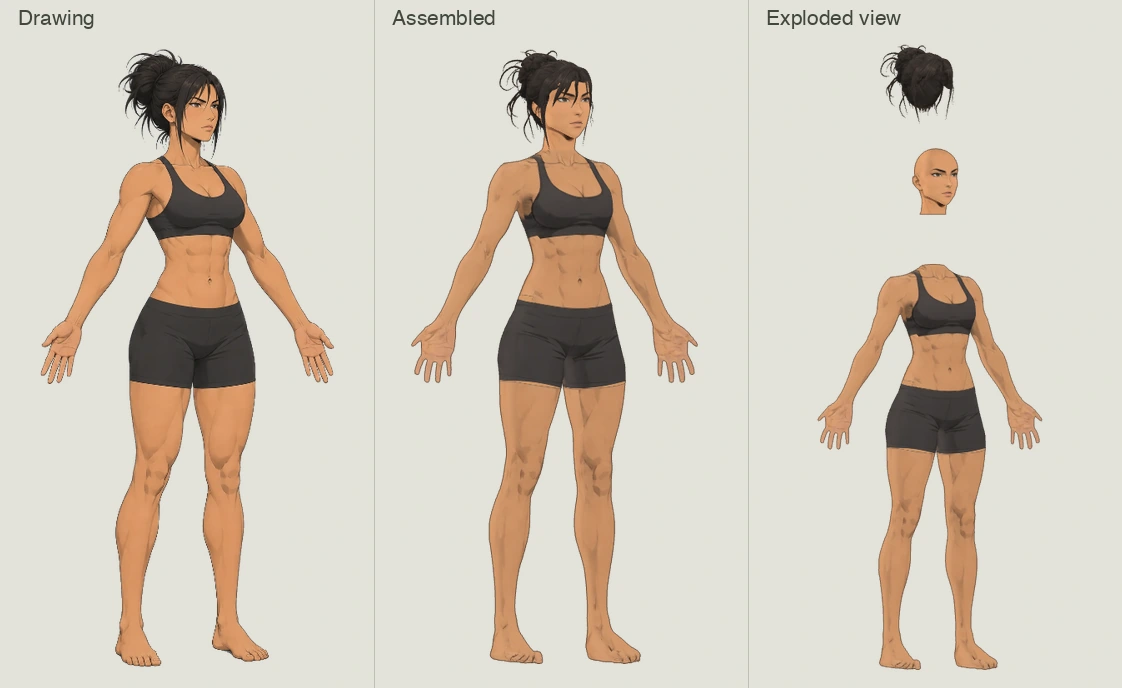
What is it called to have an exploded view of the character? Like the hair separate from the body?
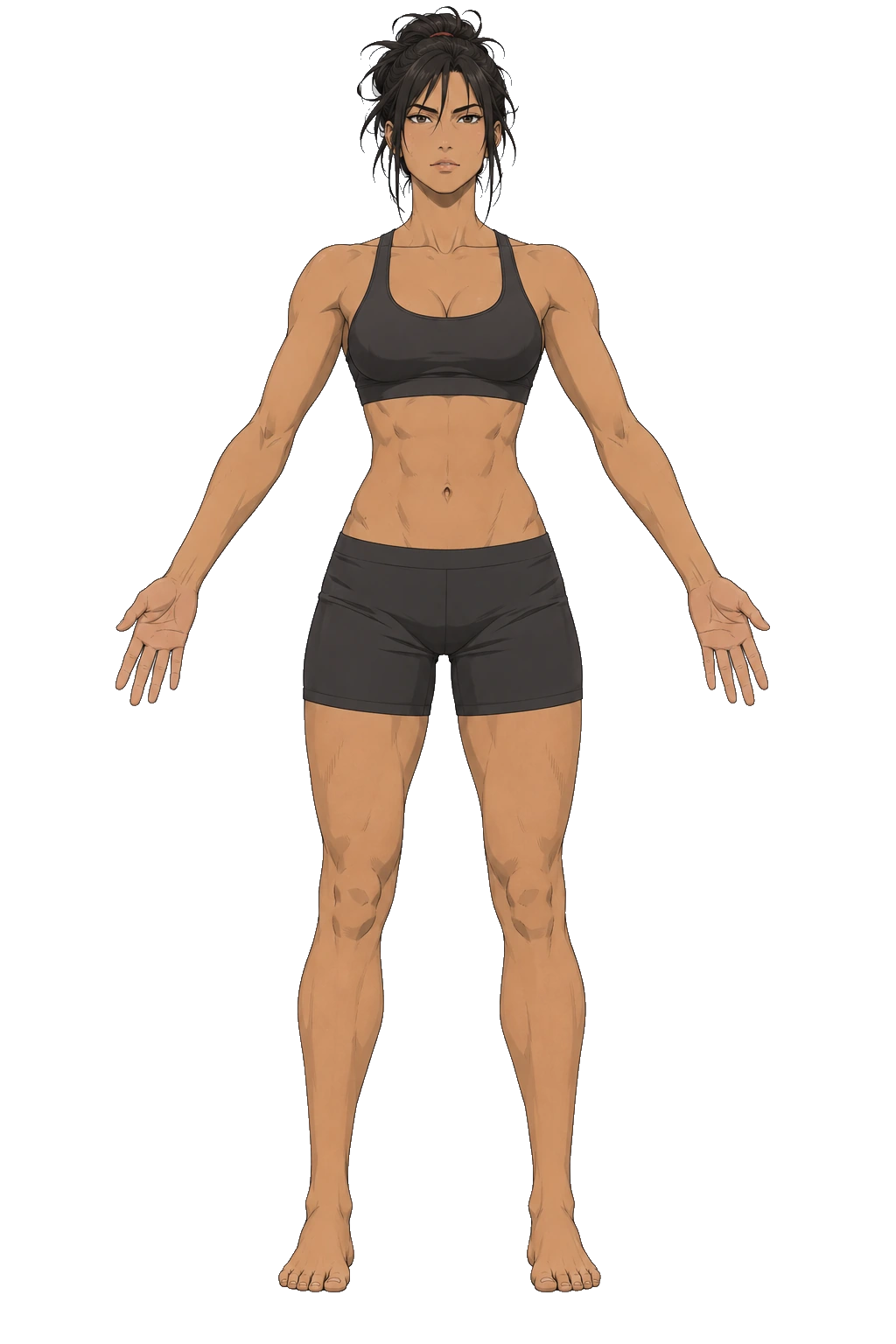
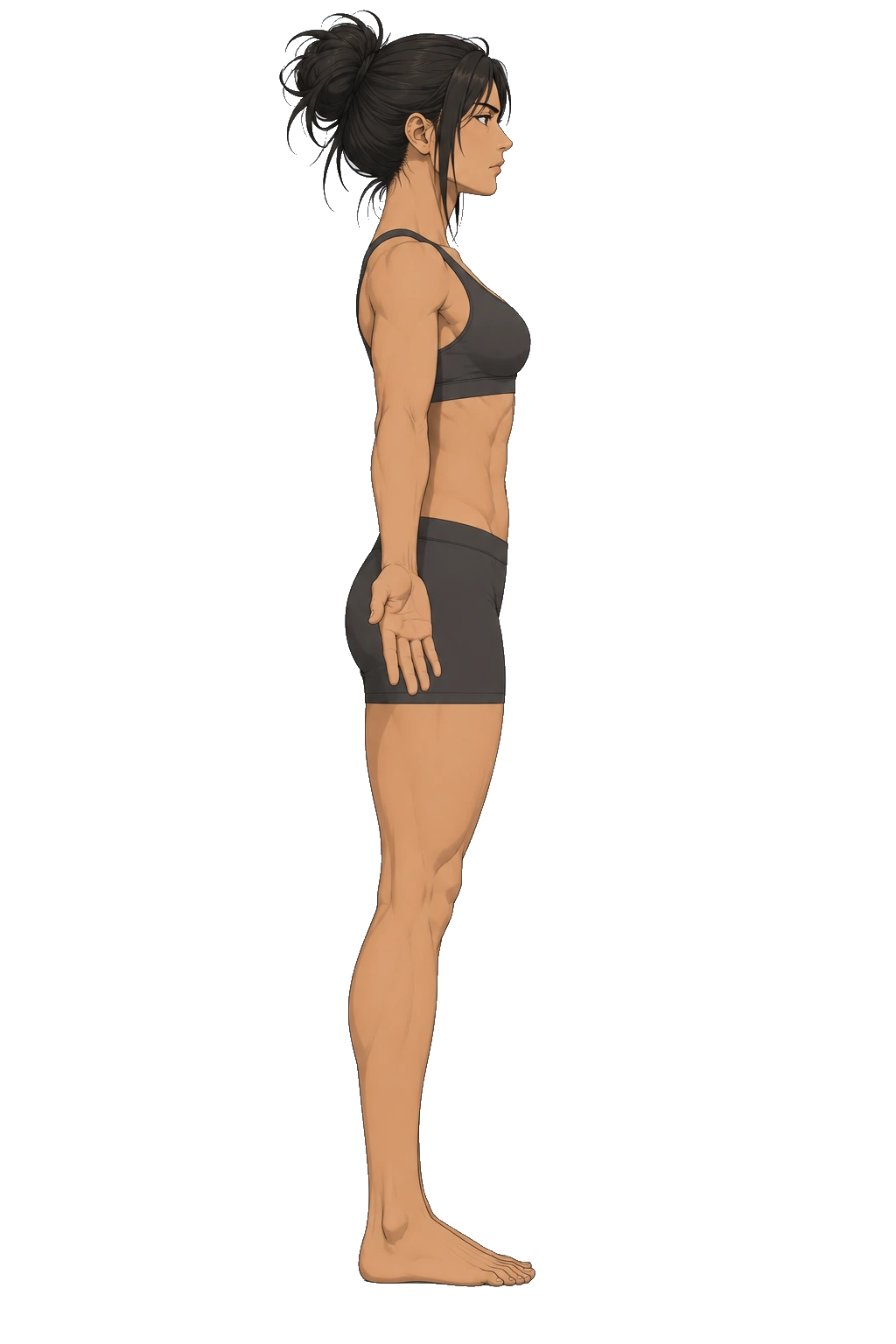

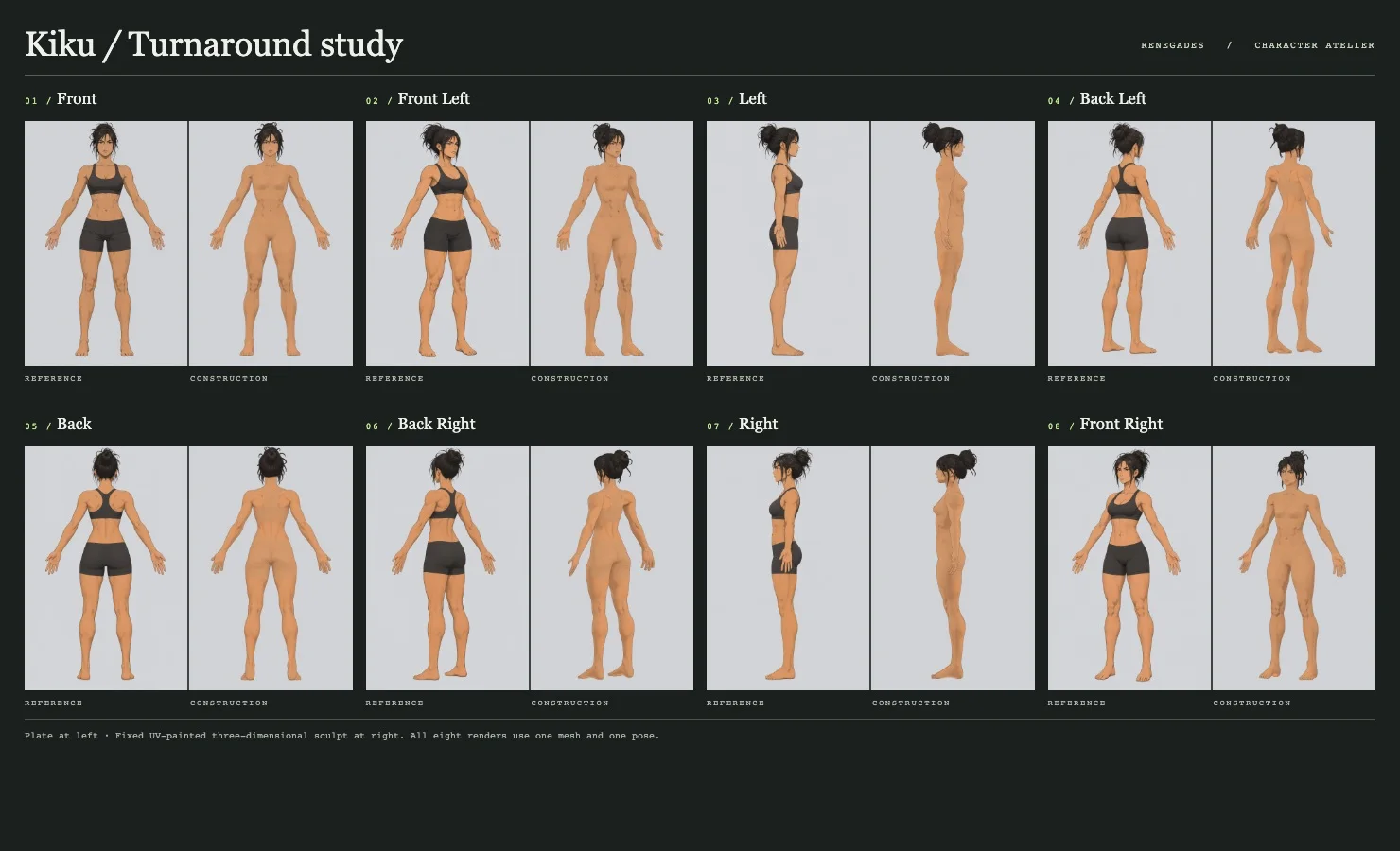
Make a 3D model from scratch in native JS for Kiku. These turnarounds aren’t pixel perfect; use them as rough guides from a proportionality aspect. Render in Three.js a side by side of references to your construction. The front should be 100% pixel perfect after painting. Everything else should be close to the reference frames.
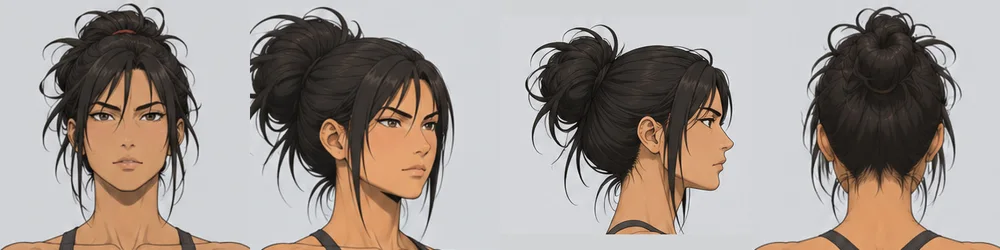
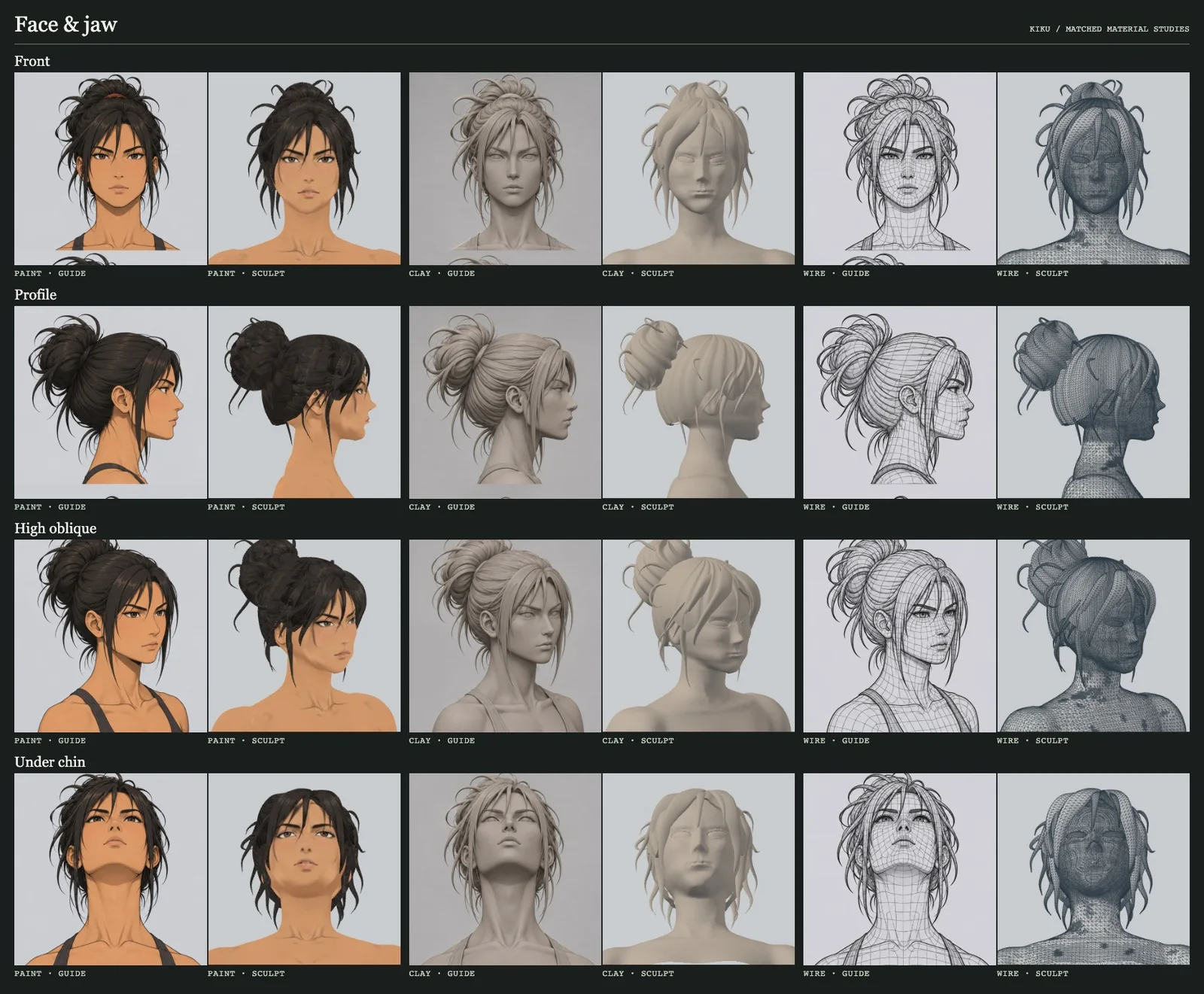
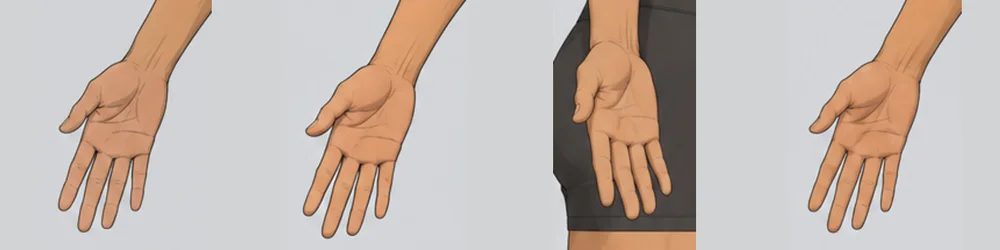
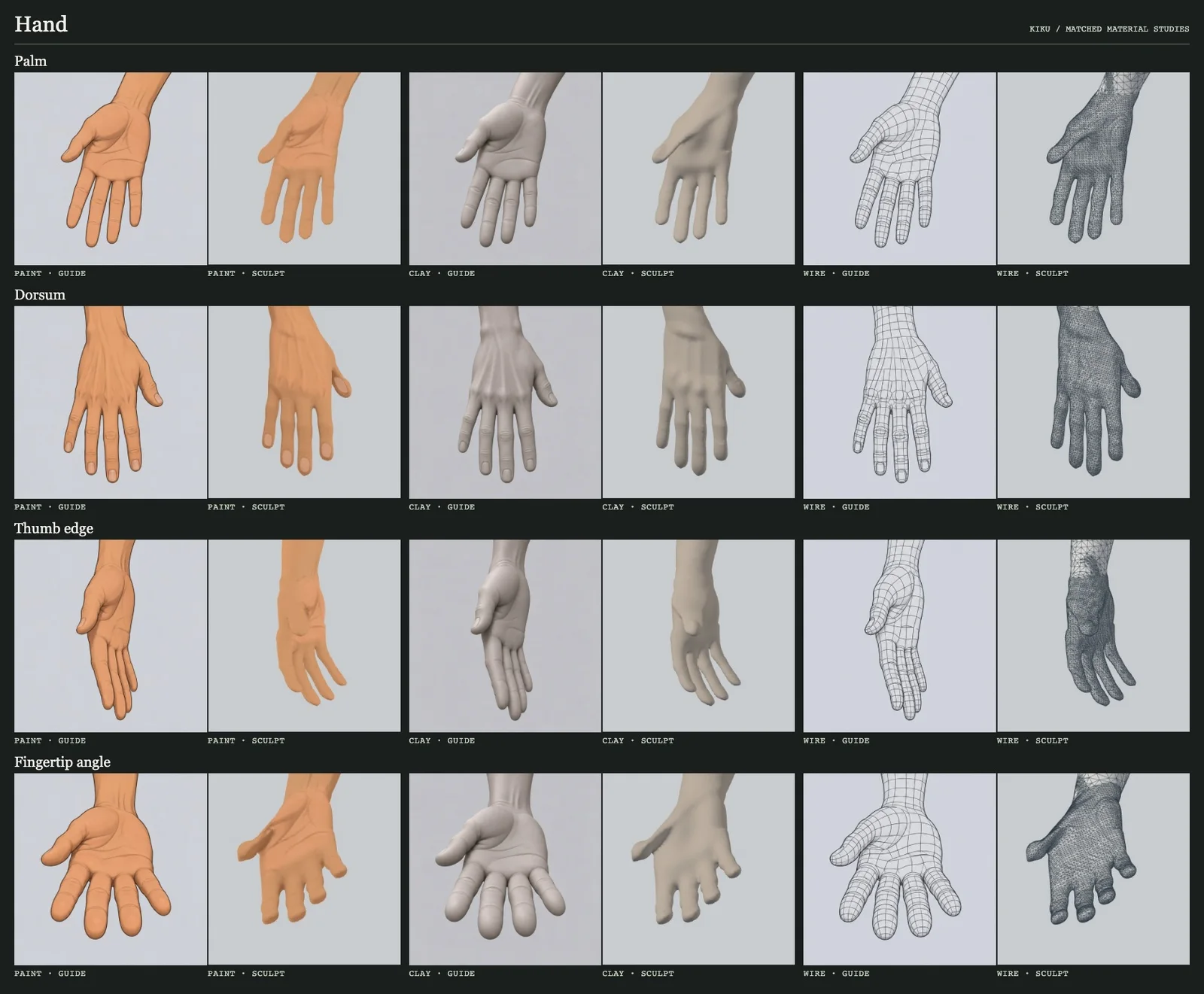
Why does your wire have more detail than the sketch? Should it?
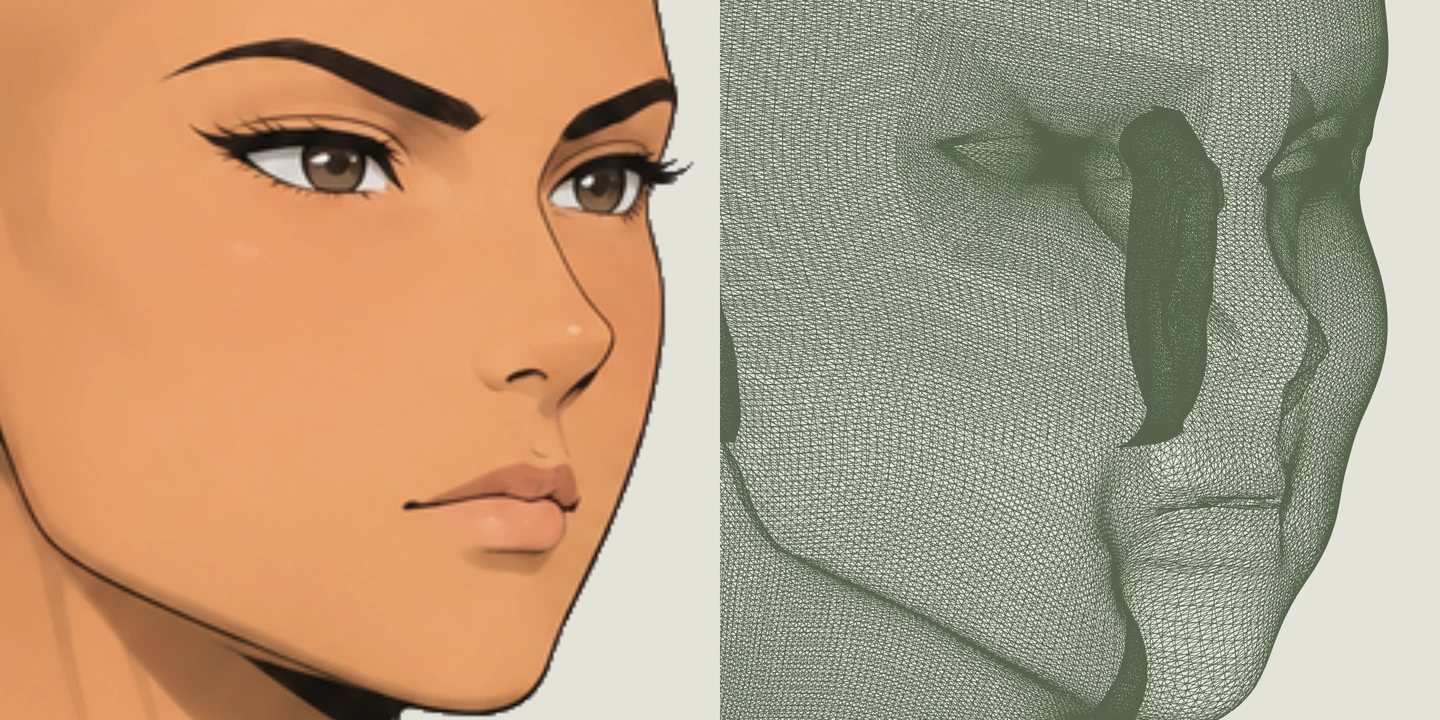
- Models
- GPT‑6.2 Sol / Astra + Gemini Flash Image
- Est. cost (USD)
- $51.2994
- Input tokens
- 64,689,360
- Output tokens
- 419,408
- Viewer size
- 4.53 MB
- Build time
- Thinking level
- xhigh
- Static anatomy silhouette overlap · front / profile
- 94.92% / 93.16%
- Rear three-quarter · left / right
- 79.88% / 78.75%
Notes
Only ground on the anime images, nothing else. Use the bald references first. That’ll be an easier target.
The front is great, but it doesn’t look right at different angles. The jawline is incorrect on your front-left; it doesn’t match the reference frame.
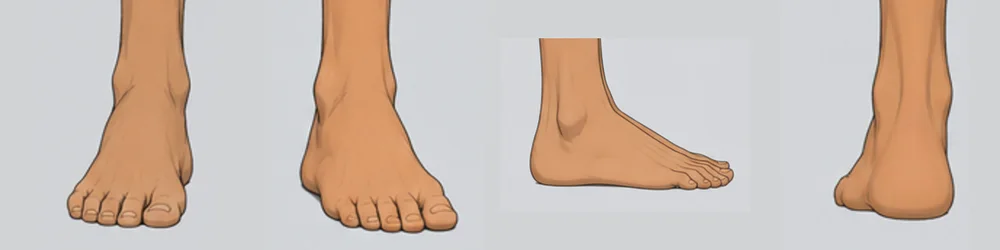
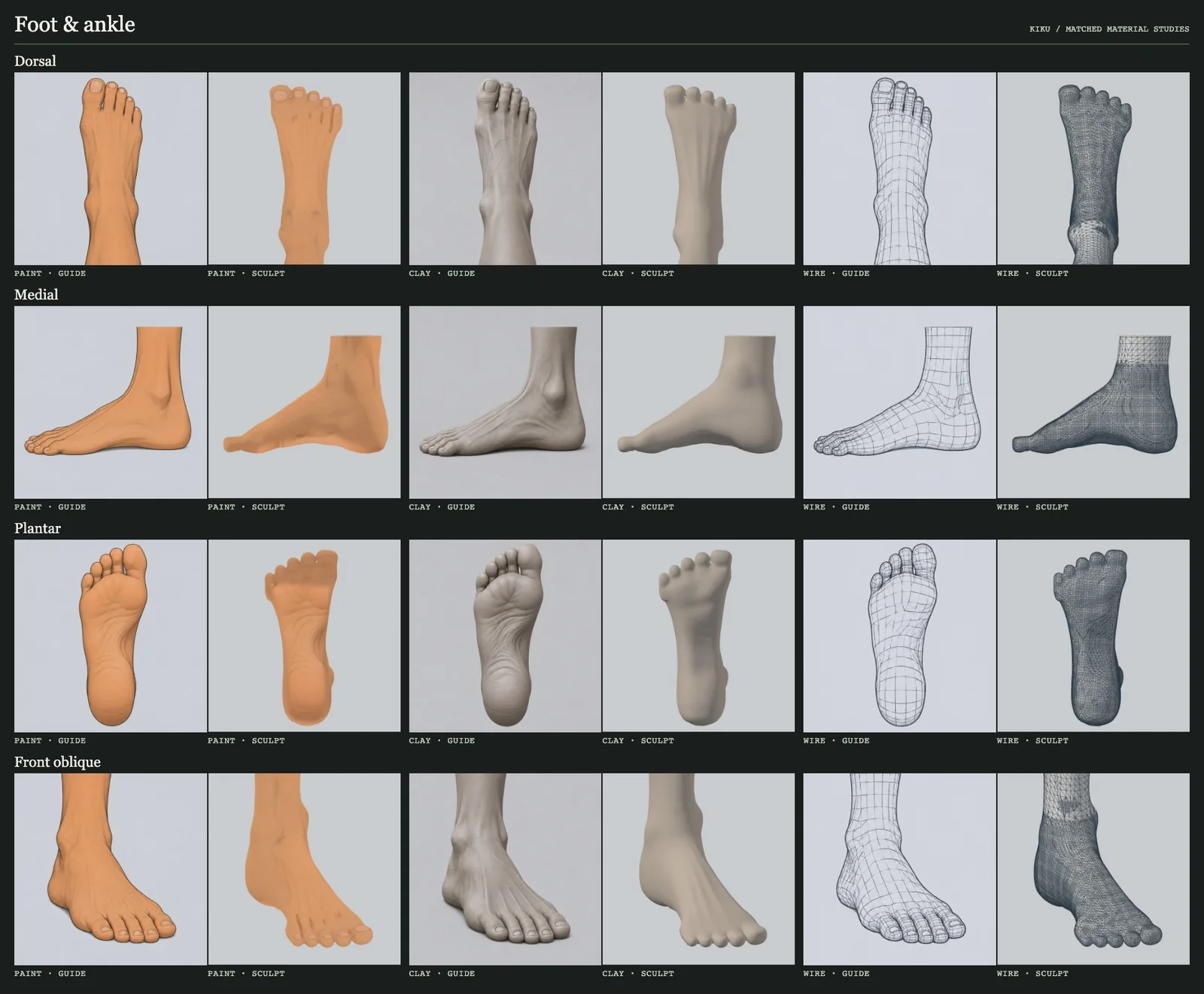
This is better, but use my ChatGPT subscription to generate different types of images to help grounding. For the feet, you’re comparing clay, wireframe, and painted from different angles. Generate those three for the angles you’re grounding on and match the references accordingly.
It’s not accurate at all. Why?
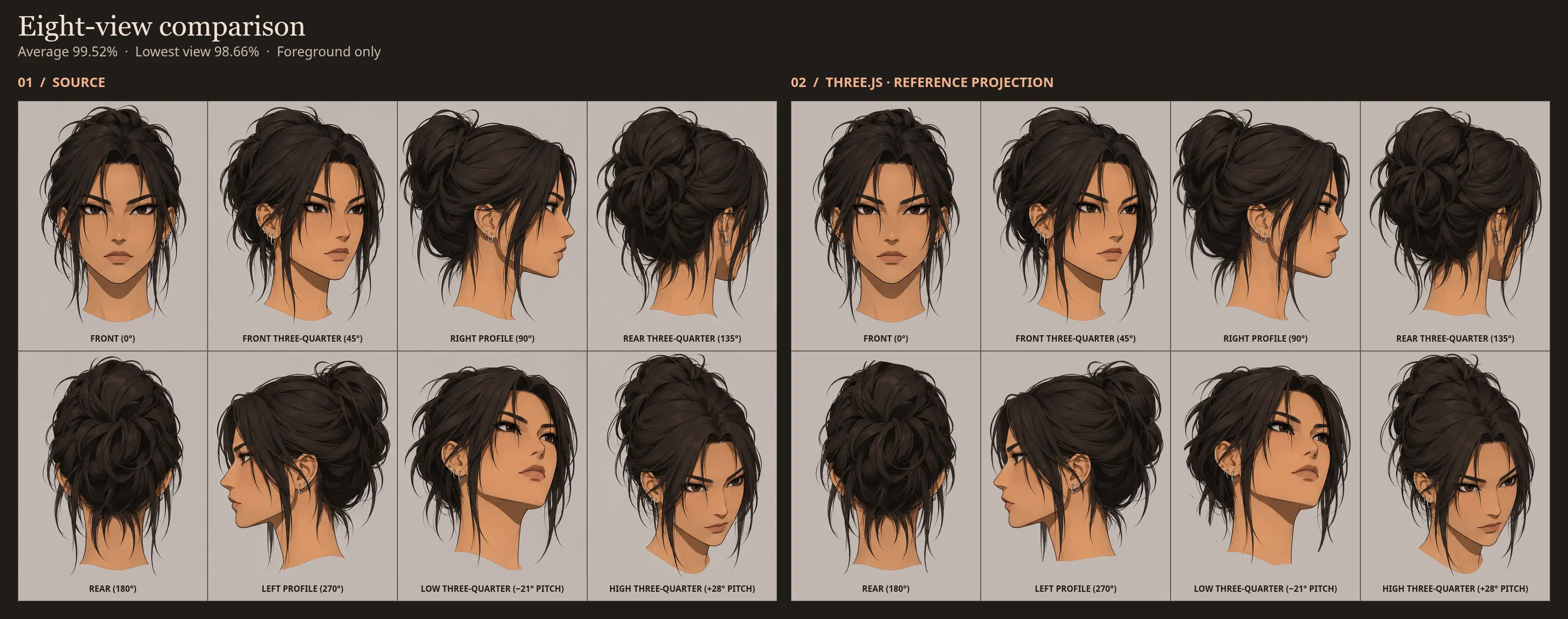
Eight-view Three.js turnaround
In pure JavaScript, generate a model and render it using Three.js, and then give me screenshots against the source material here to ensure parity. Keep looping and iterating until you see you're at over 95% parity.
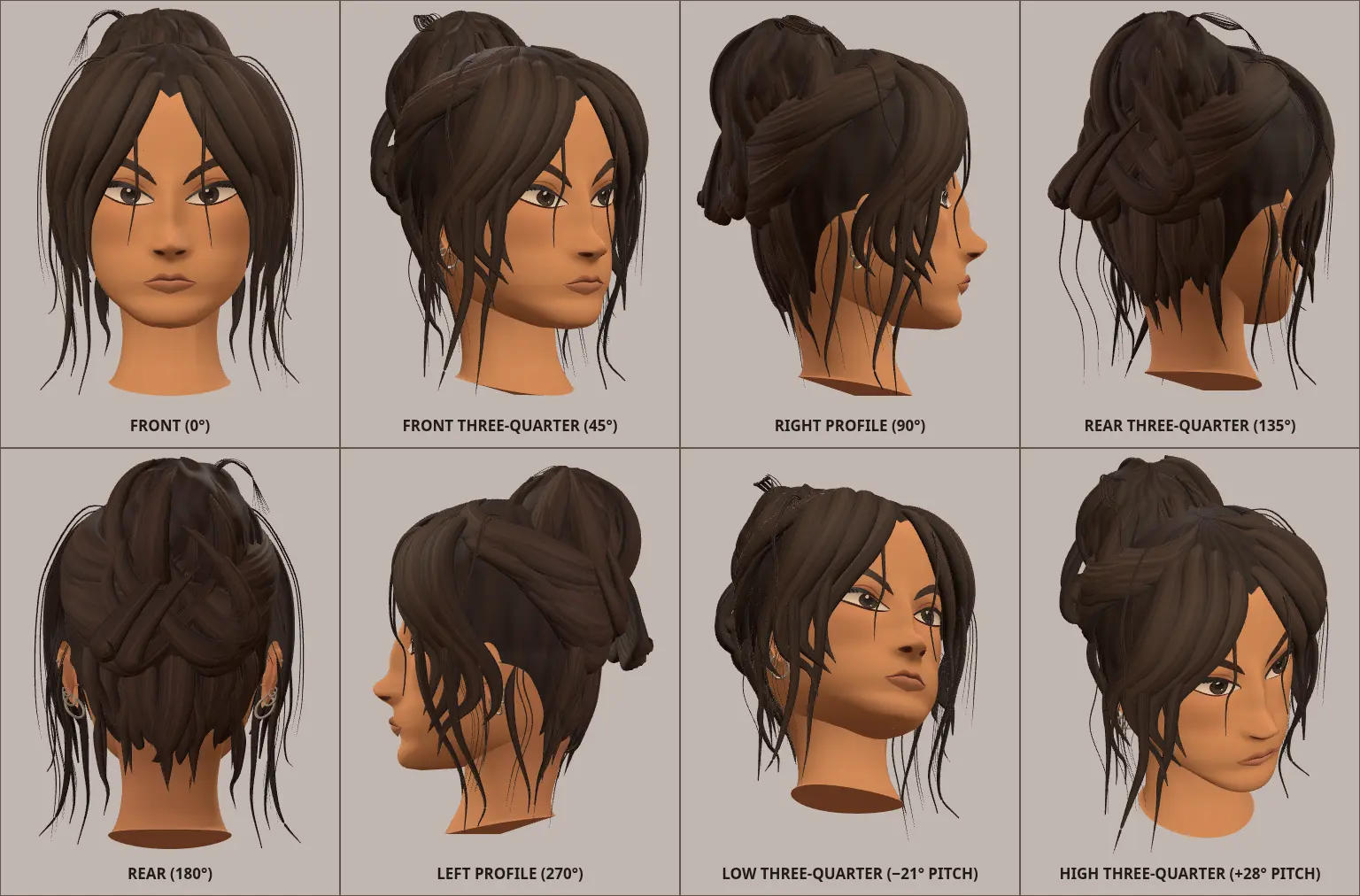
Open the interactive model · Compare against the source · Download the GLB
- Reference projection · average / lowest
- 99.52% / 98.66%
- Procedural sculpt · average
- 82.86%
Scores use the lower of silhouette overlap and foreground color similarity. Only the reference-projected renders exceeded 95%.
Head reconstruction: orbit and wipe
Open the head orbit and wipe viewer · 16 off-angle renders. Orbit uses the procedural sculpt without projecting any reference images. The updated eight-view wipe measures 83.9–87.2% contour overlap for that sculpt.
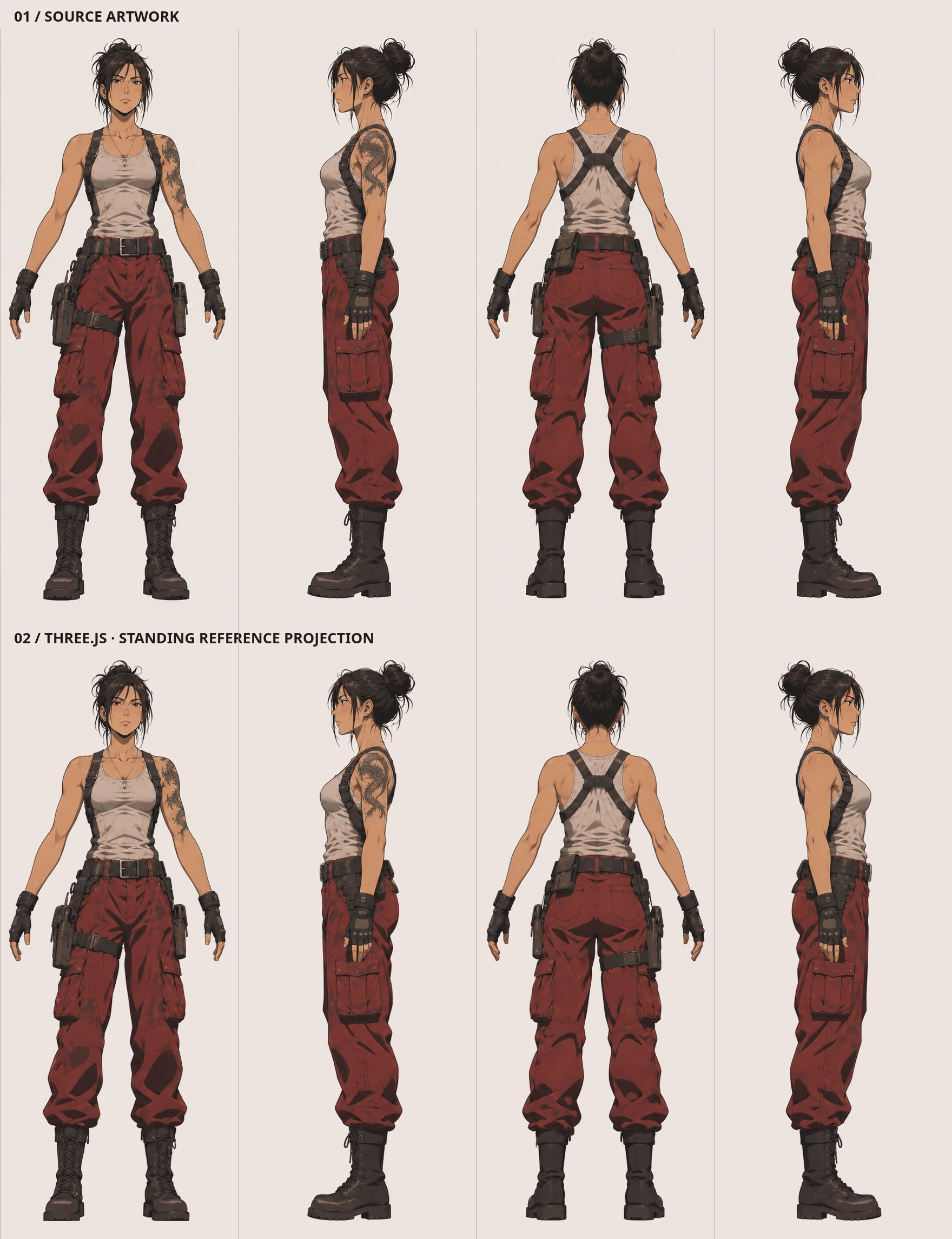
Full-body Three.js turnaround
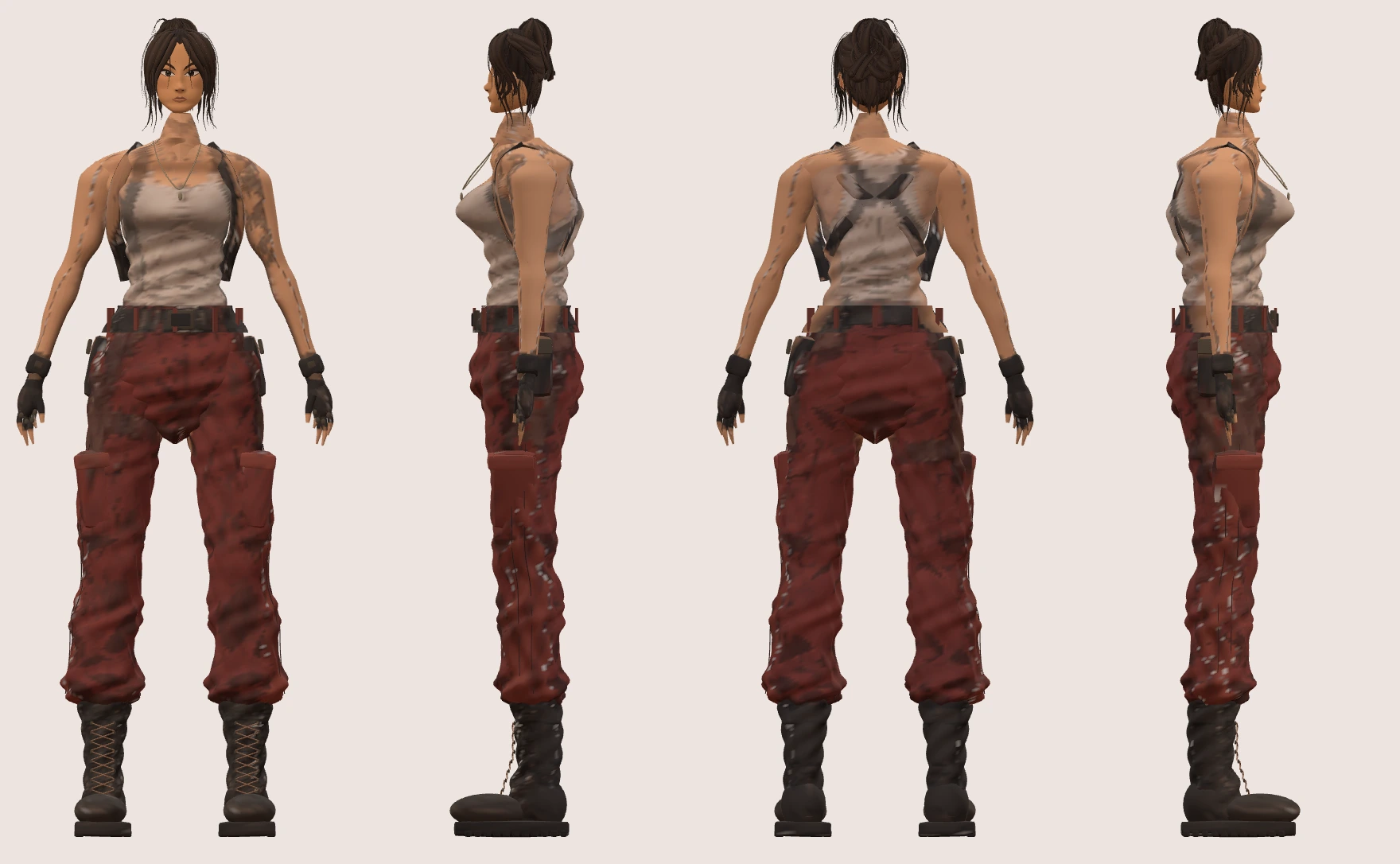
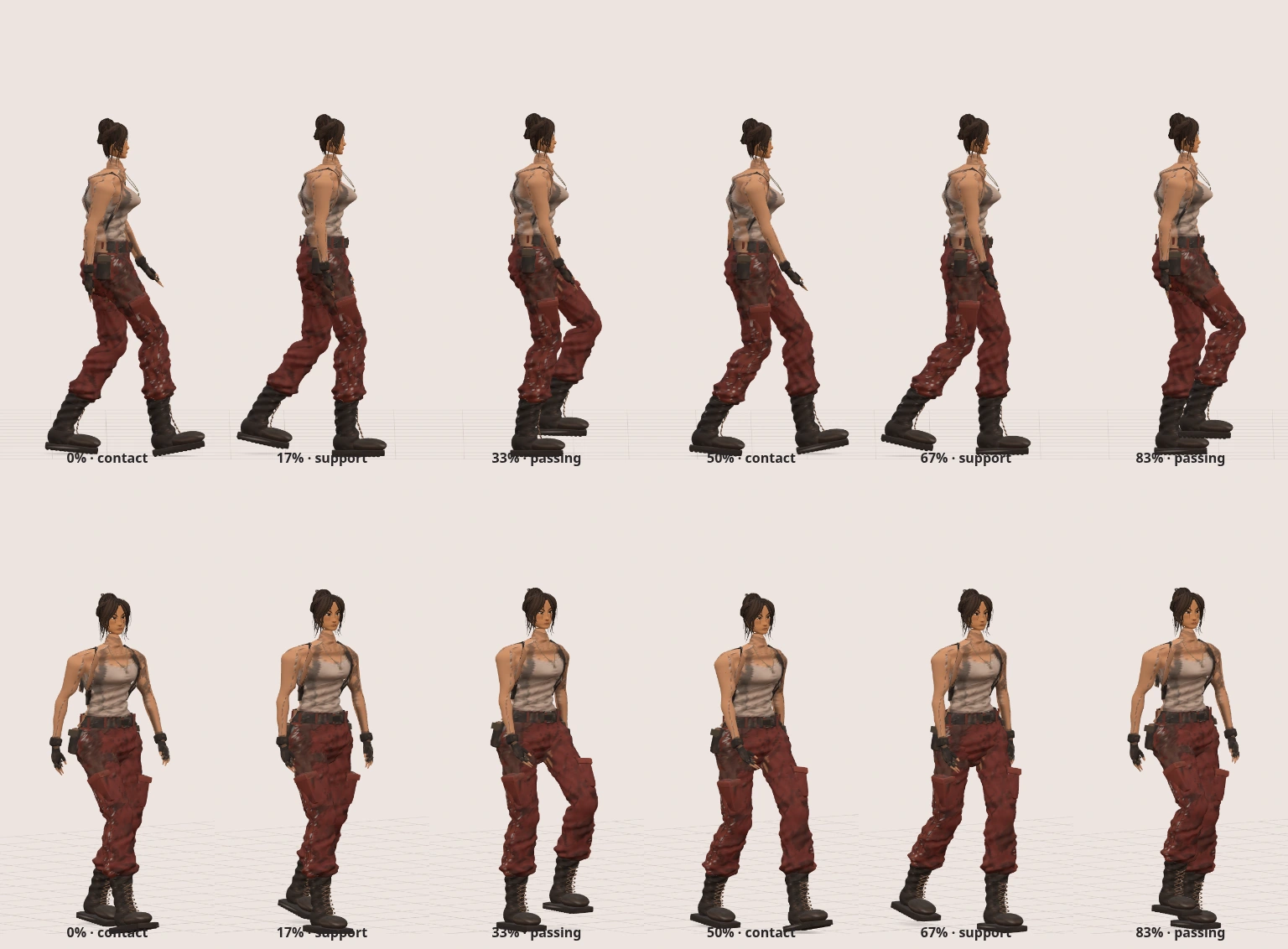
Open the Stand / Walk viewer · Compare the standing renders · Walk keyframes · Animated GLB
- Reference-projected standing render · lowest of four supplied angles
- 99.83%
- Procedural standing sculpt · lowest of four supplied angles
- 72.83%
The 95% gate applies to the reference-projected standing frames. Scores use the lower of silhouette overlap and foreground color similarity. Only the four supplied angles are scored. The walk runs on the procedural mesh and was checked separately for foot contact and loop continuity.
Turn the wireframe into an XYZ coordinate map
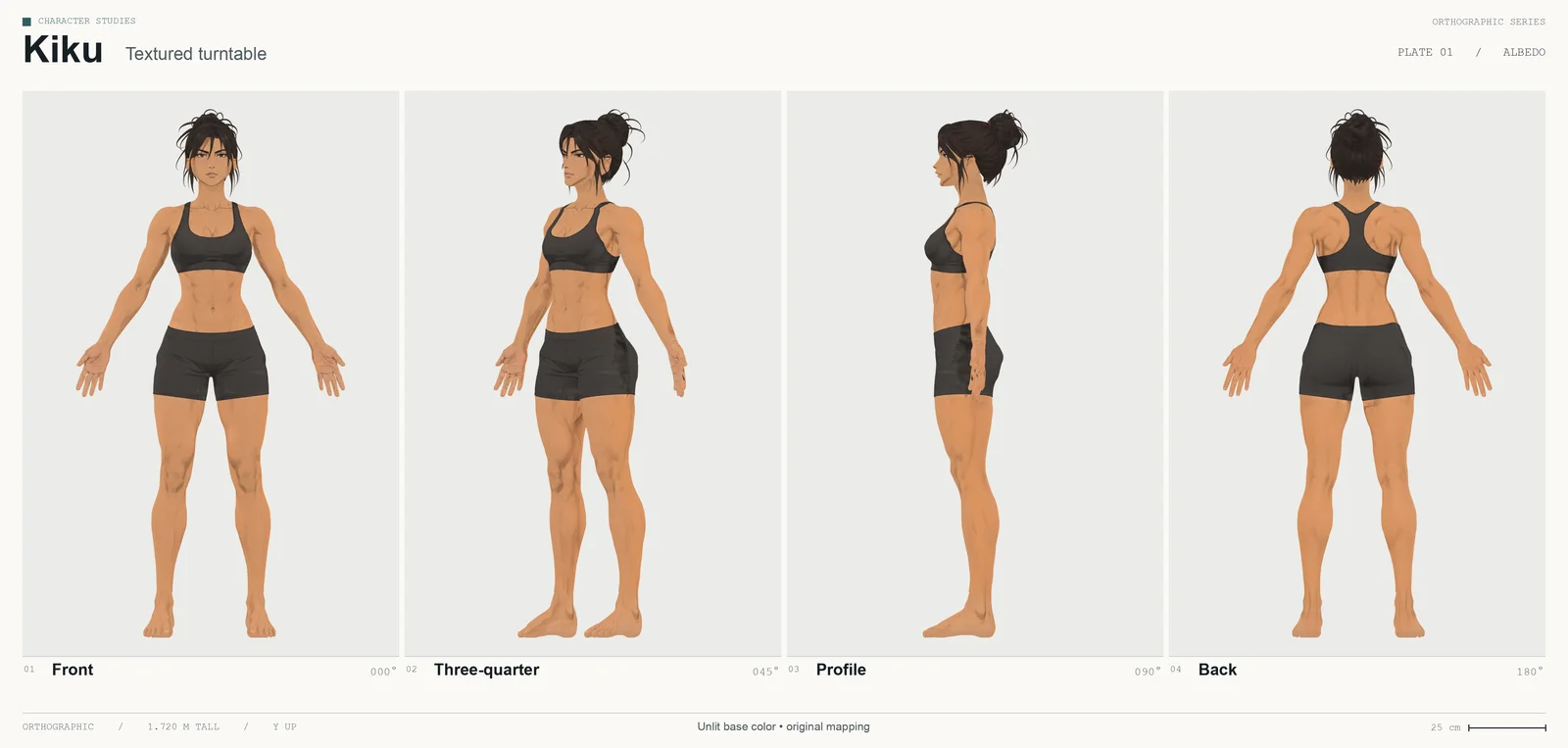
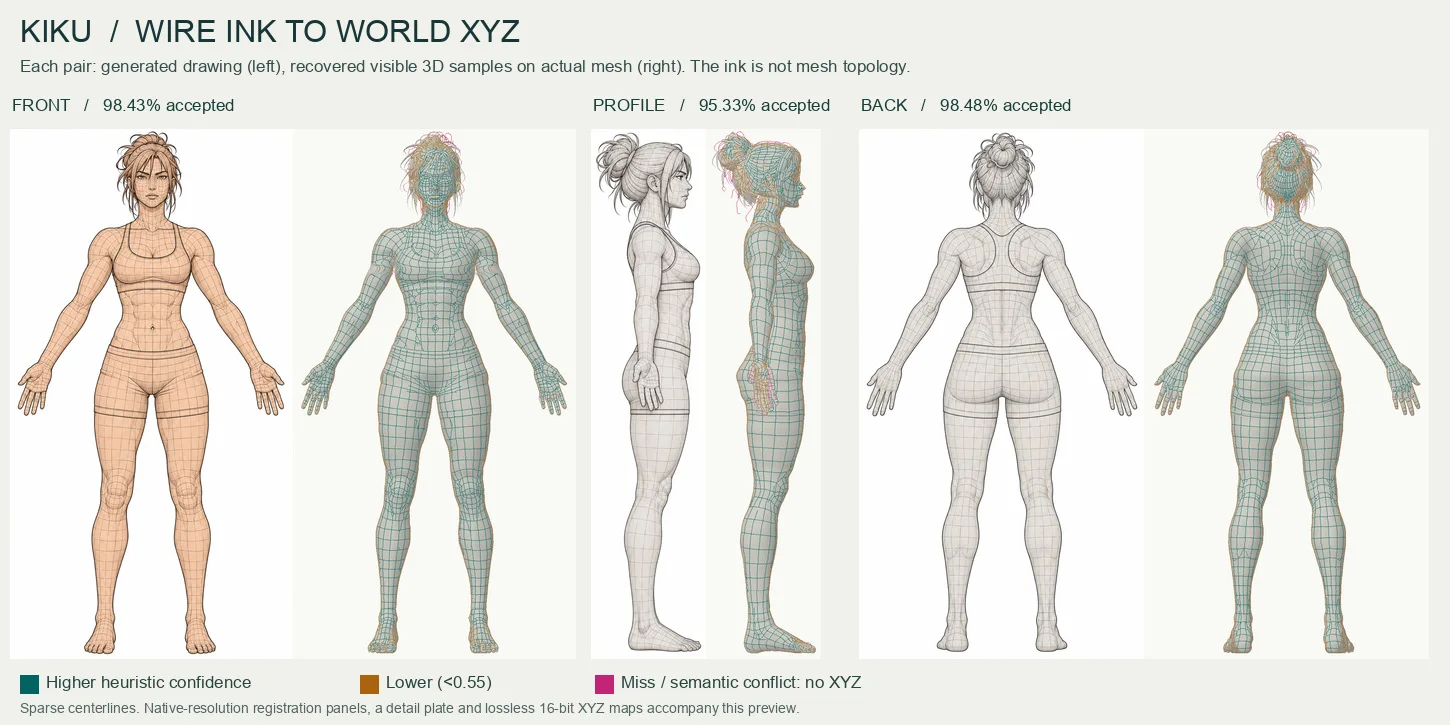
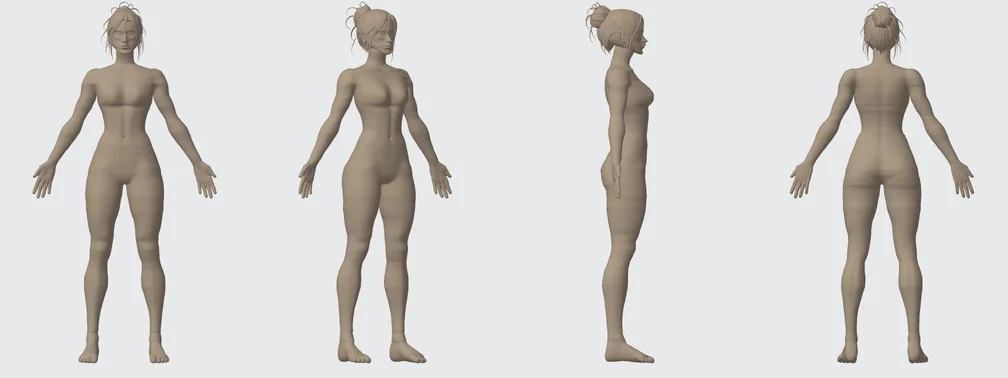
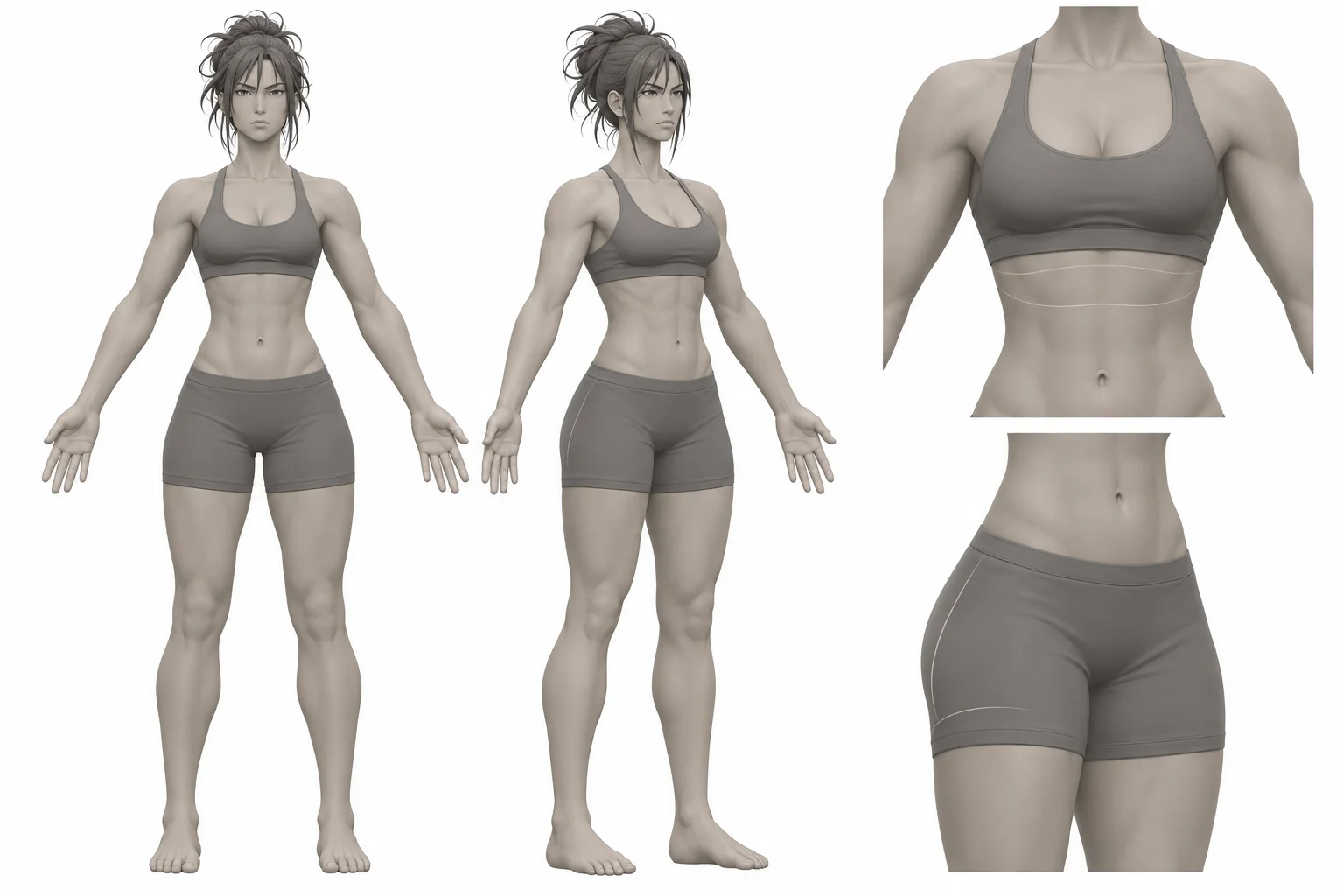
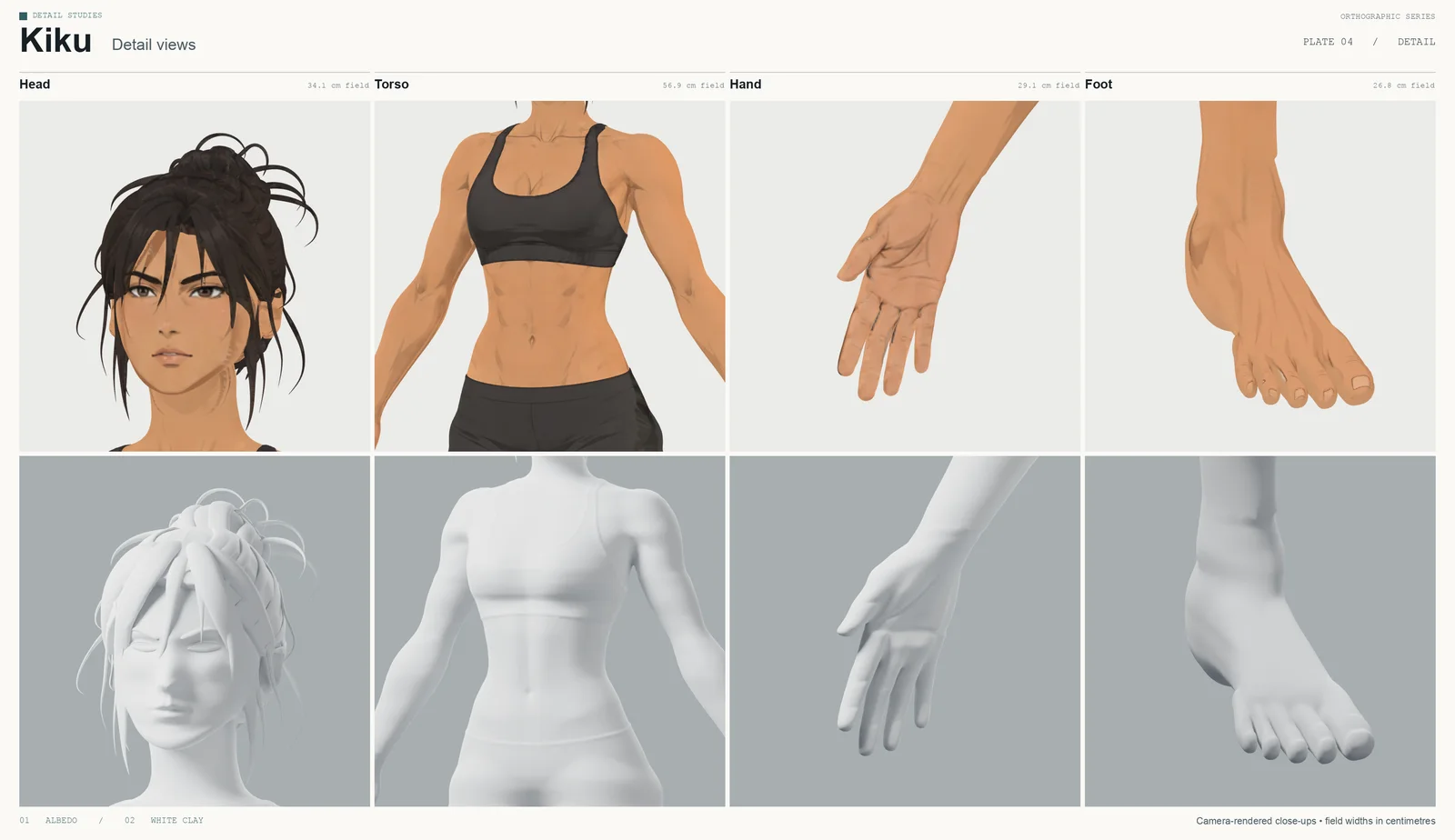
I want you to use an image generator to produce a wireframe from what I give you. And then turn that wireframe into an XYZ coordinate map. And then loop with the image generator to try and build a real GLB model.
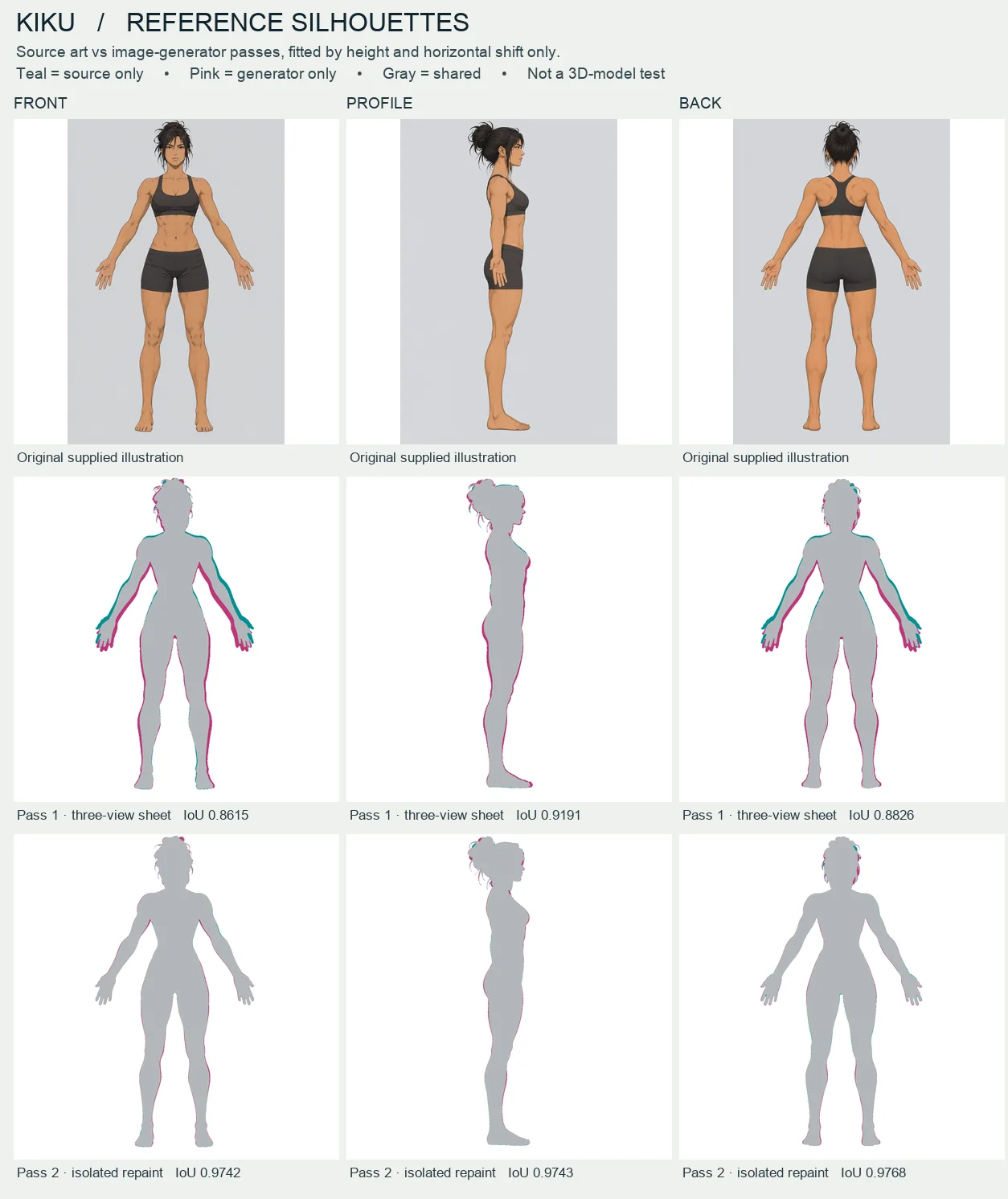
- Models
- GPT‑6.2 Sol / Astra + GPT‑6.1 Terra
- Est. cost (USD)
- $39.6991
- Input tokens
- 46,077,887
- Output tokens
- 341,827
- Viewer size
- —
- Build time
- Thinking level
- xhigh
- Ink samples mapped onto sculpt XYZ
- 120,607 / 123,381
- Strict 8-view silhouette overlap · mean / worst
- 80.1% / 63.3%
- GLB exports · static / rigged / runtime
- 3
- Rig joints
- 52
Notes
I want you to mostly use the image generation as references. Compare the image generation wireframes versus what you have. Keep looping until it’s production ready.
3D Asset Reconstruction
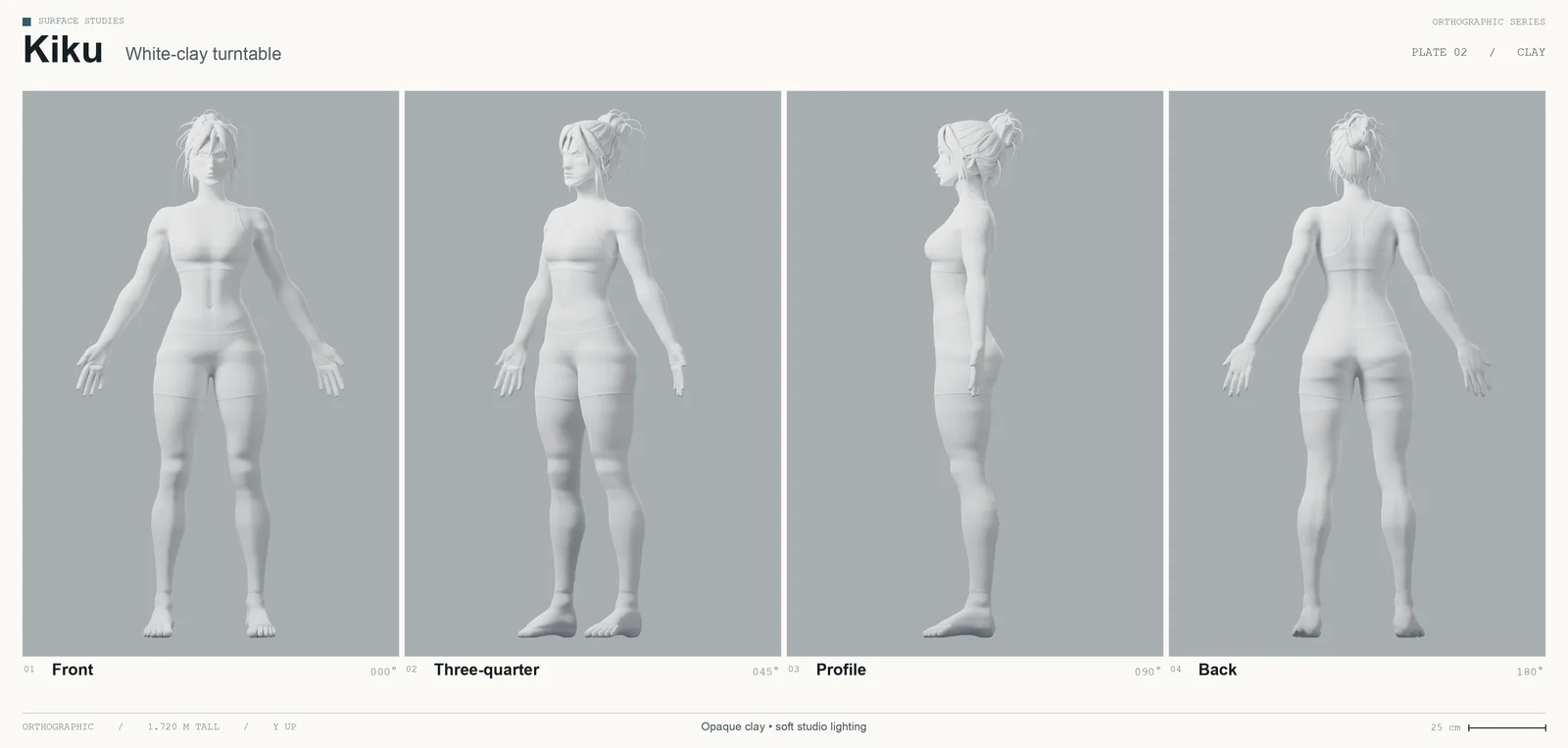
I want you to use an image generator to produce clay-model references from the character or asset I provide, then use those references to build a real, production-ready GLB model. 100% of the visual grounding must come from the image-generated clay references. The model must be at least 95% accurate against every applicable generated clay reference, not just 95% accurate overall.
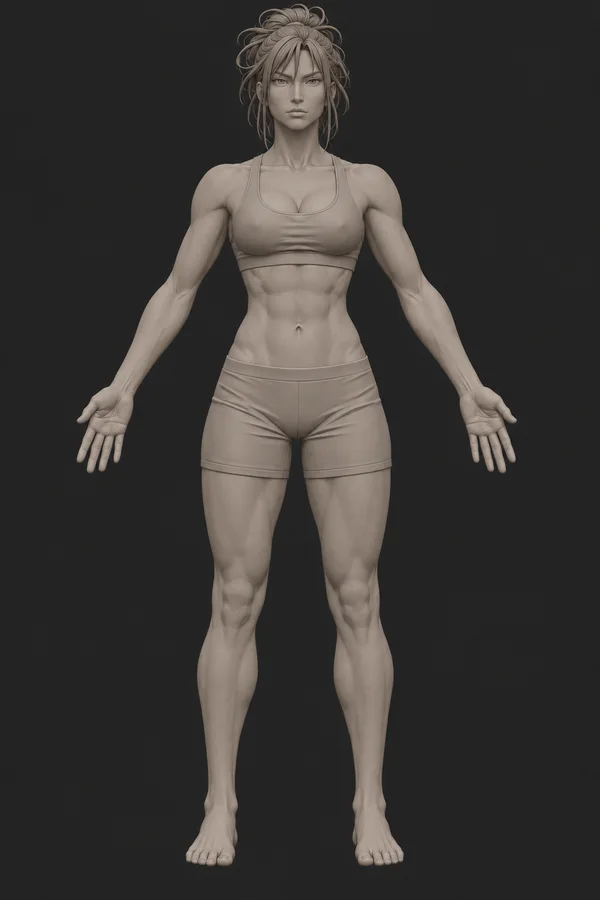
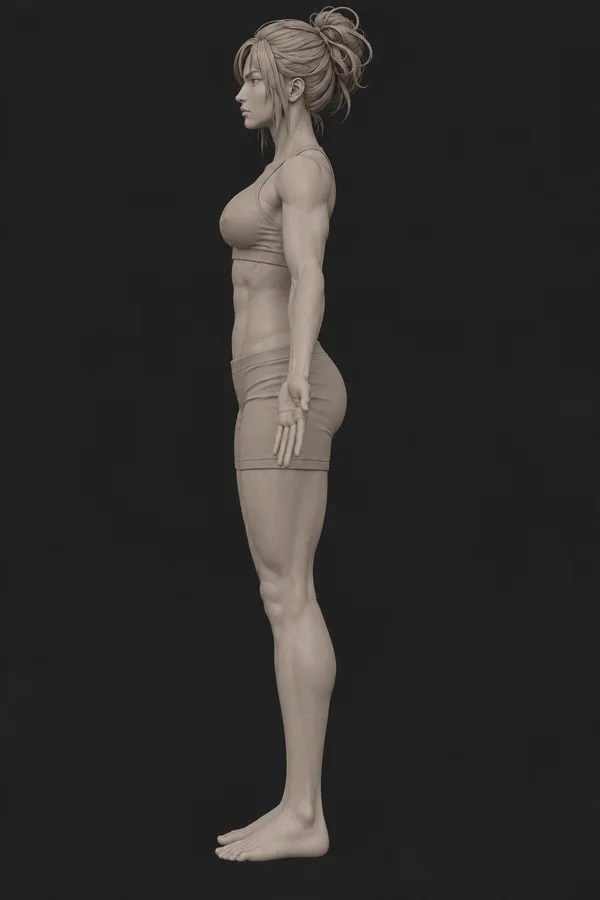
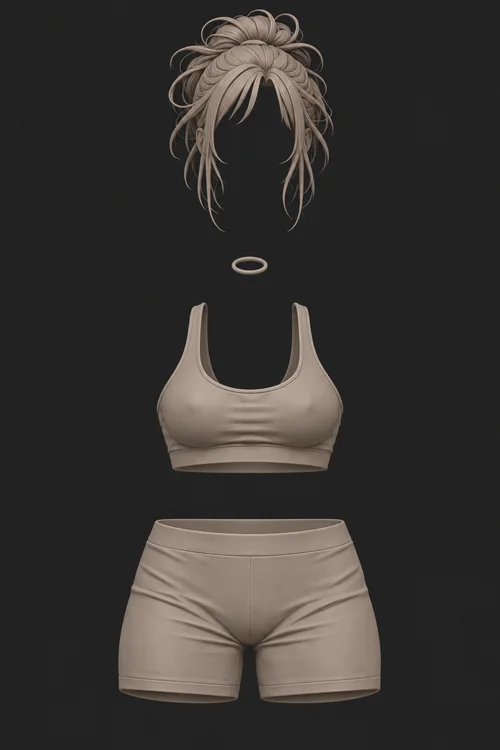
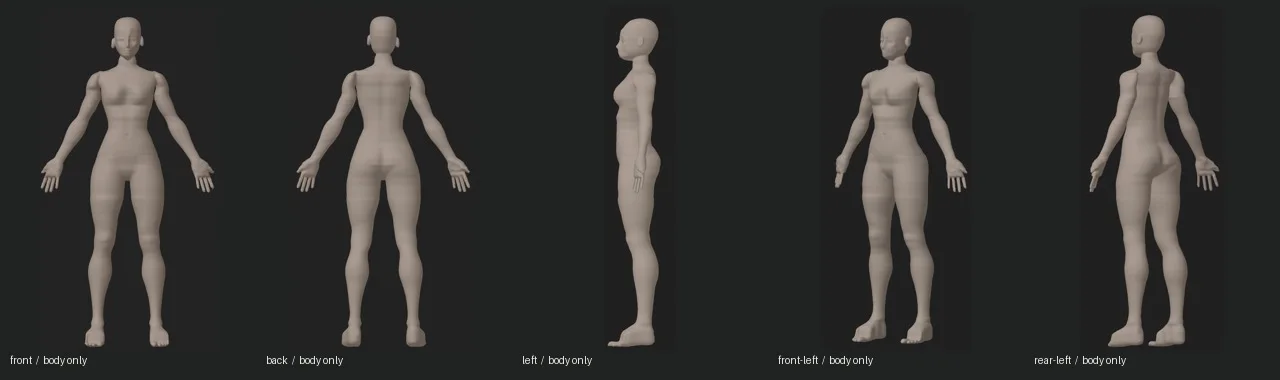
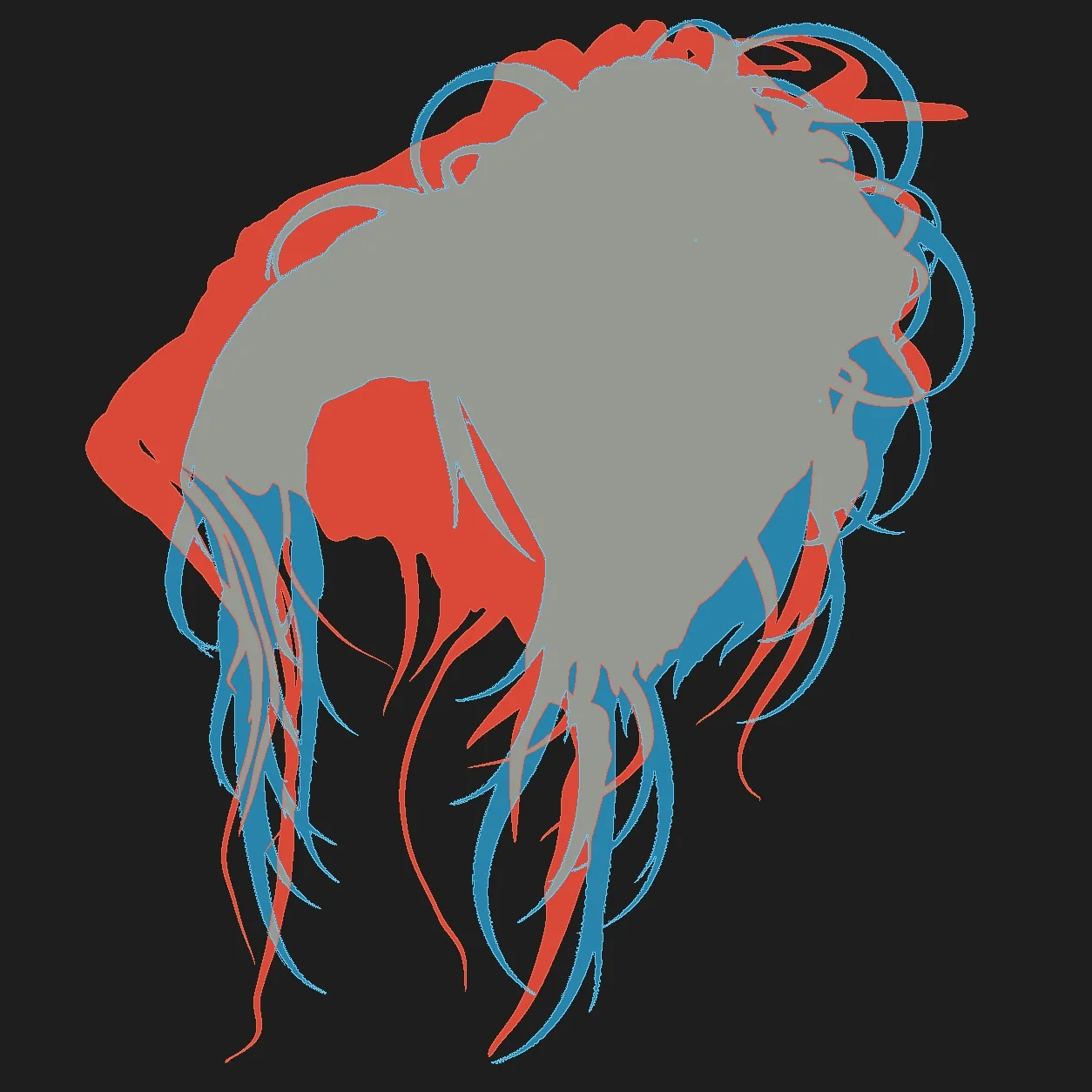
All bodies should be complete and hole free unless it makes sense.
- Models
- GPT‑6.2 Sol / Astra + GPT‑6.1 Terra
- Est. cost (USD)
- $273.5525
- Input tokens
- 386,391,962
- Output tokens
- 2,313,321
- Viewer size
- —
- Build time
- Thinking level
- low / xhigh / max
- Closed body v009 · observable-region IoU
- Front 97.04% · rear-right 74.39% · below 56.84%
- Body mesh boundary edges
- 0
- This earlier clay pass · assembly / rig / GLB
- 0 / 0 / 0
Notes
Why generate the body with holes? Your reference should be complete when you remove the garments. Otherwise you’ll be matching the holes and it won’t work with different garments.
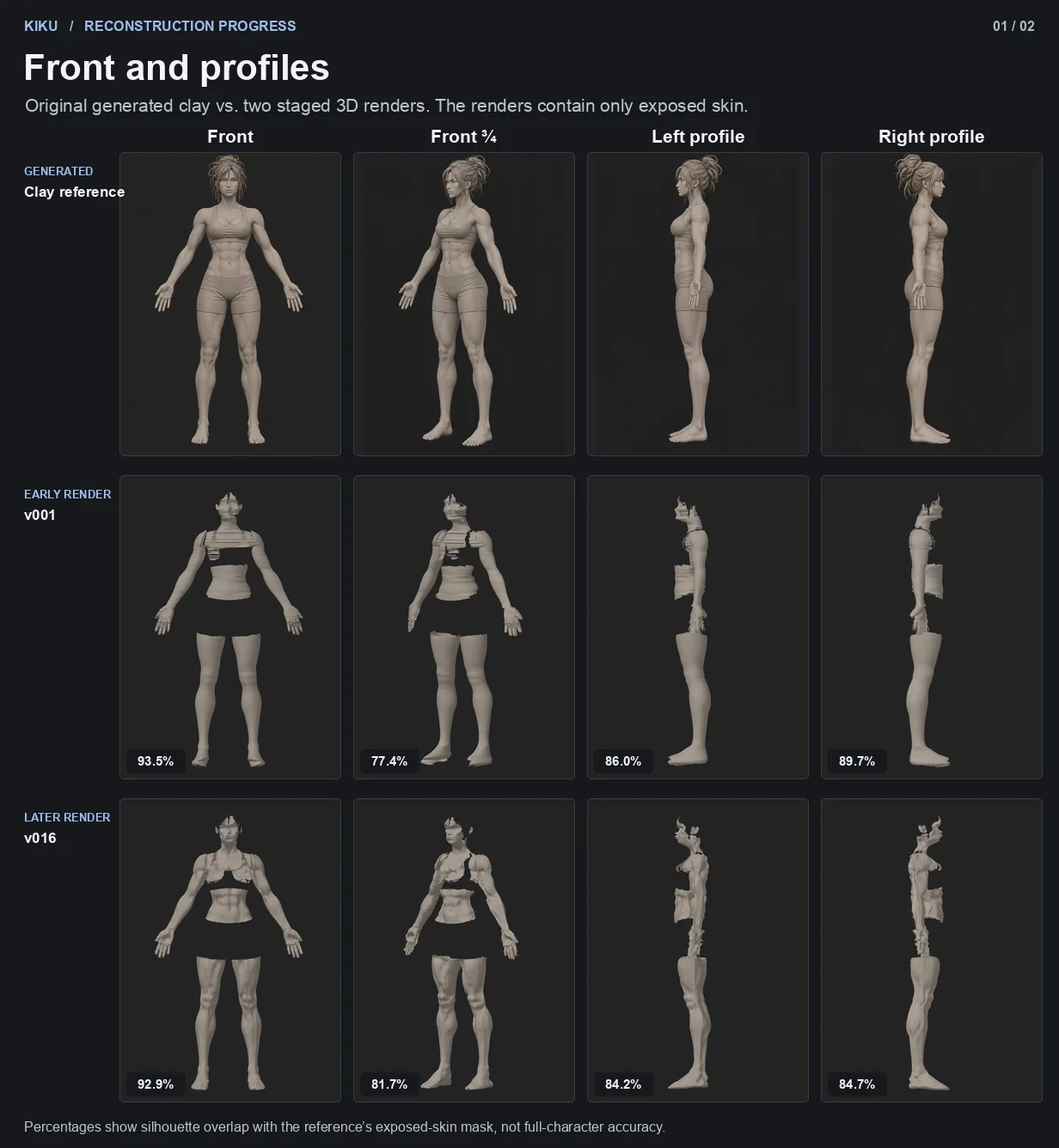
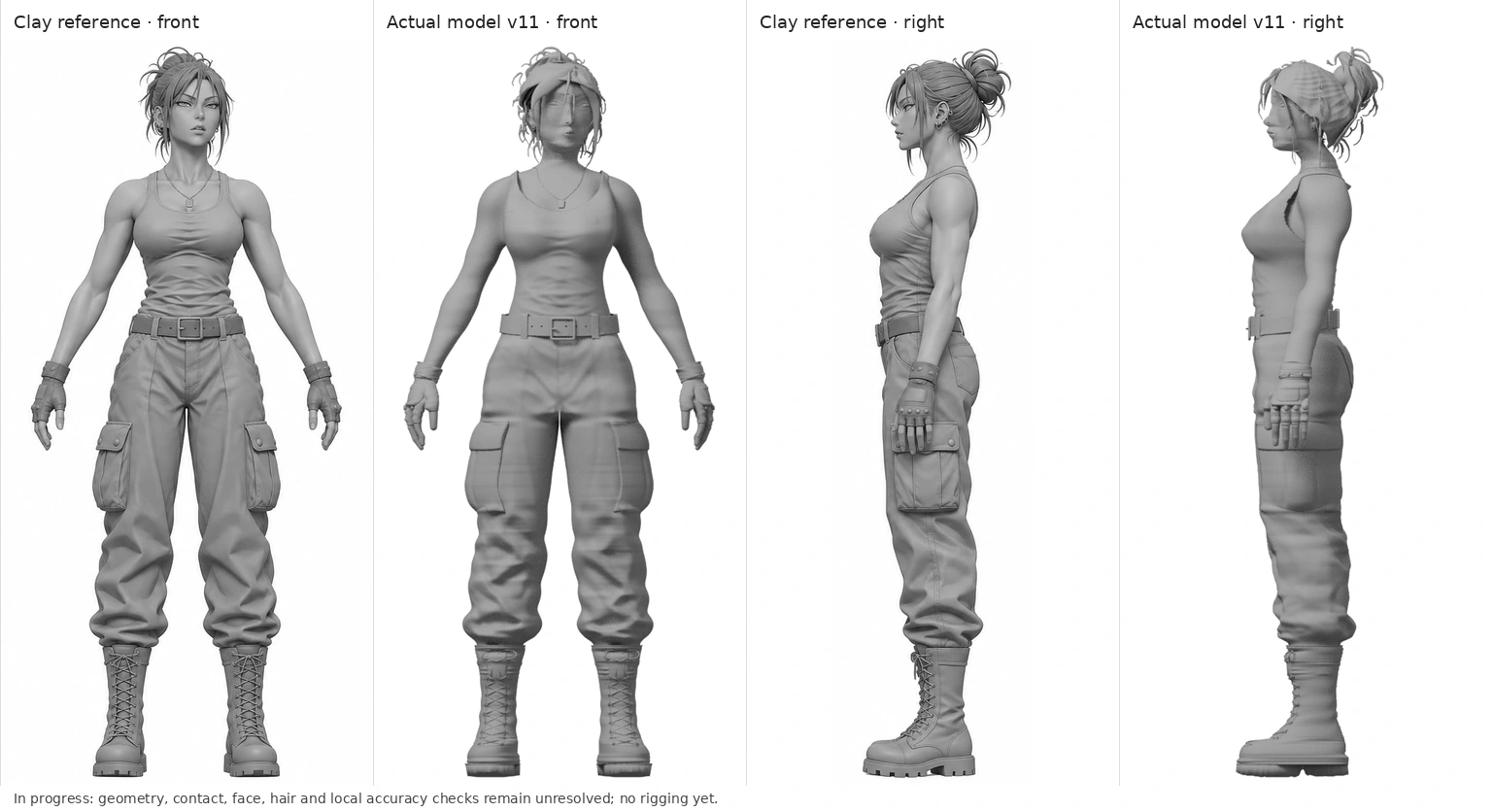
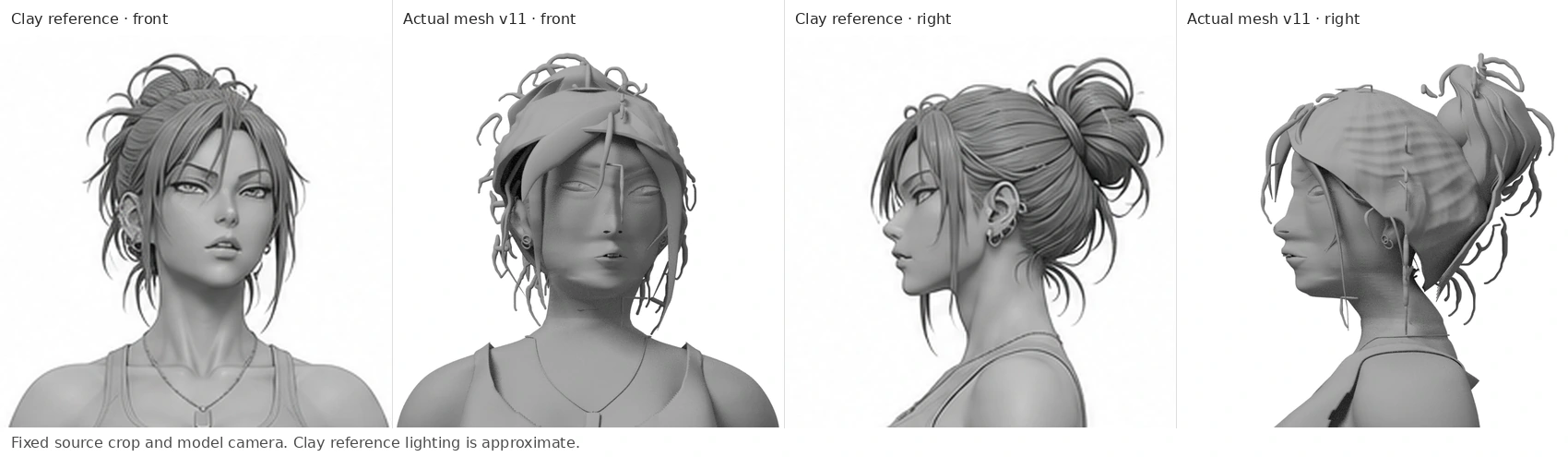
Show me the progress of the renders vs. clay-generated images for different viewpoints.
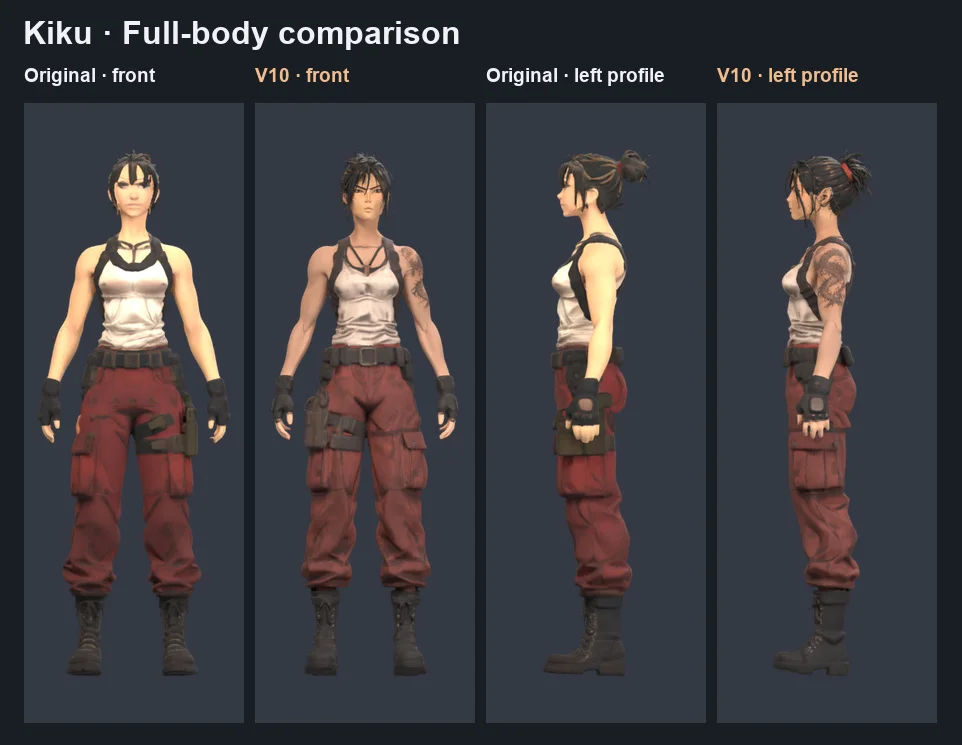
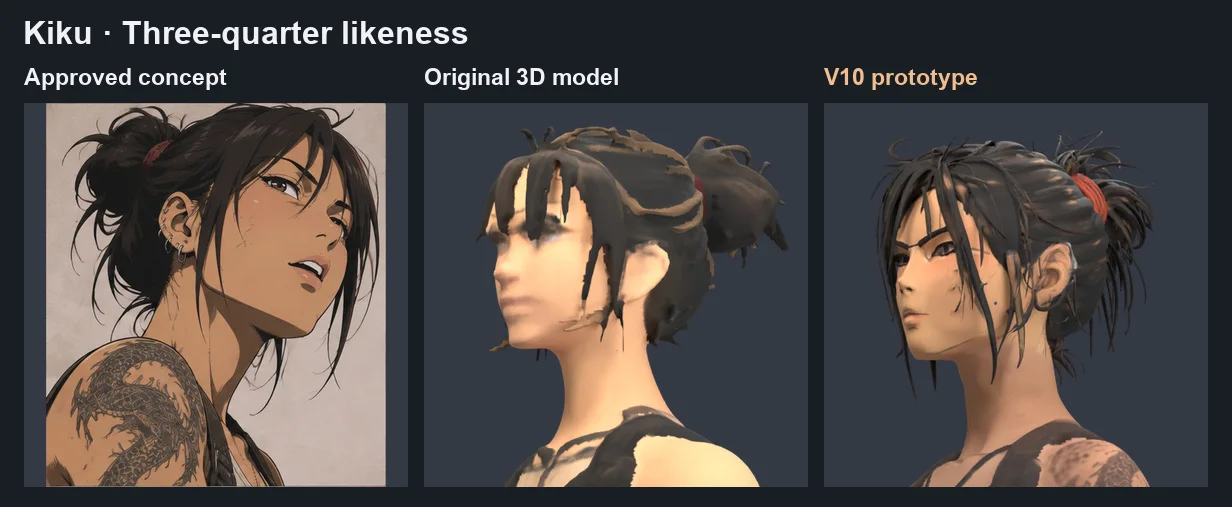
Kiku · v01–v11
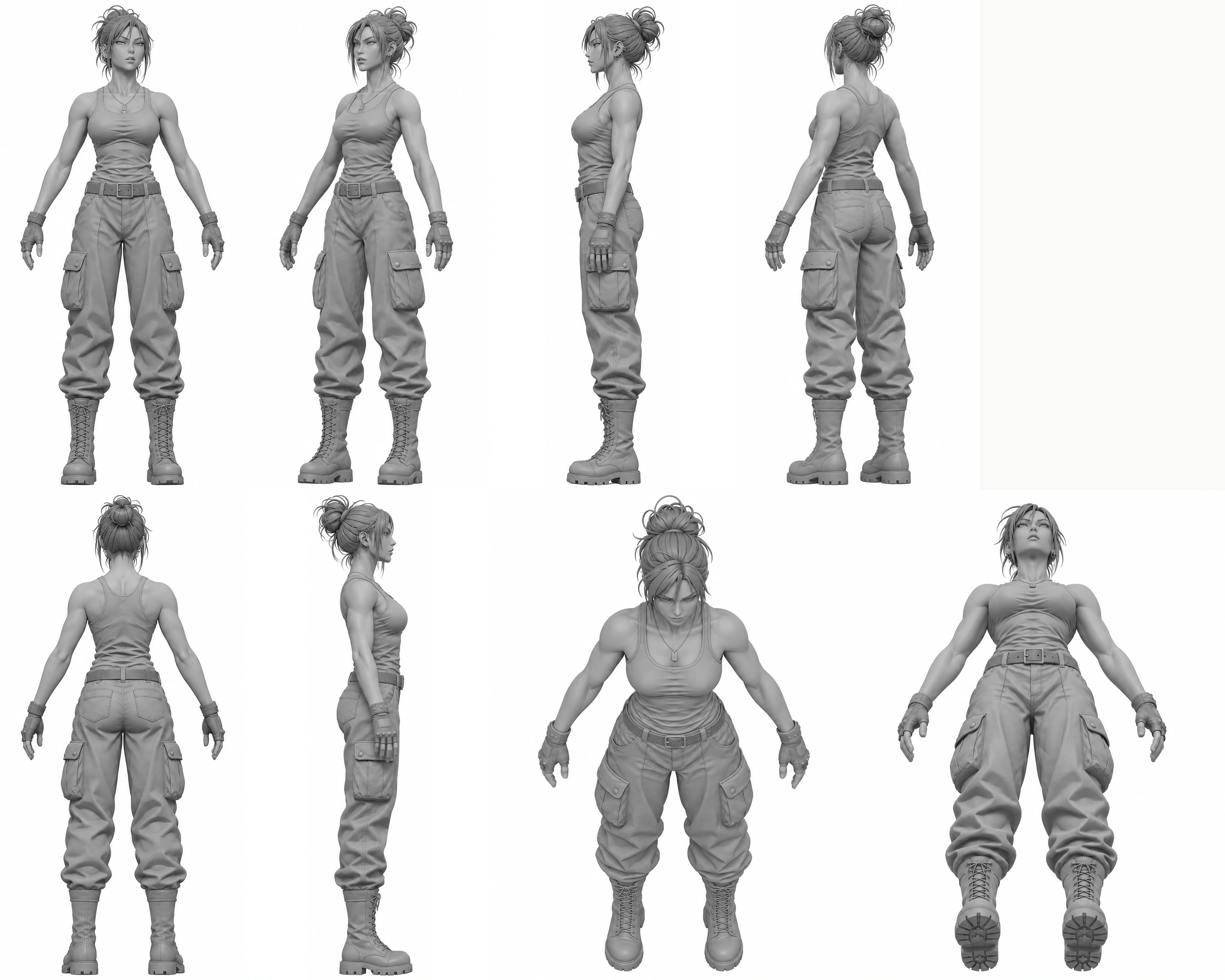

Saved Blender comparisons
- Models
- —
- Est. cost (USD)
- —
- Input tokens
- —
- Output tokens
- —
- Viewer size
- 20.71 MB
- Build time
- —
- Thinking level
- —
Kiku · checkpoint 02–09 and component review
The separate Blender reconstruction reached checkpoint 09 after checkpoints 02 and 06. The saved v01–v11 sequence above is a different set of revisions. A further native-JavaScript head study reaches v14, also separately.
- GLB size
- 120.9 MB
- Meshes / triangles
- 341 / 5,835,326
- Front silhouette overlap
- 96.49%
- Left / back / calibrated right
- 93.78% / 94.11% / 93.64%
- Rigging / animation
- Not started
No component or complete assembly has passed every required ≥95% view-and-feature check. Head, clothing, harness and boot contacts remain open. The right-view comparison requires a documented −9 pixel origin correction; unadjusted overlap is 88.39%.
Open the checkpoint research journal and component GLB viewer. The journal compares the verified checkpoint measurements, lists all saved revision histories and can load the complete GLB or individually exported parts from local files. Checkpoint 09 binary files are retained with the research record but are not hosted in this public repository.
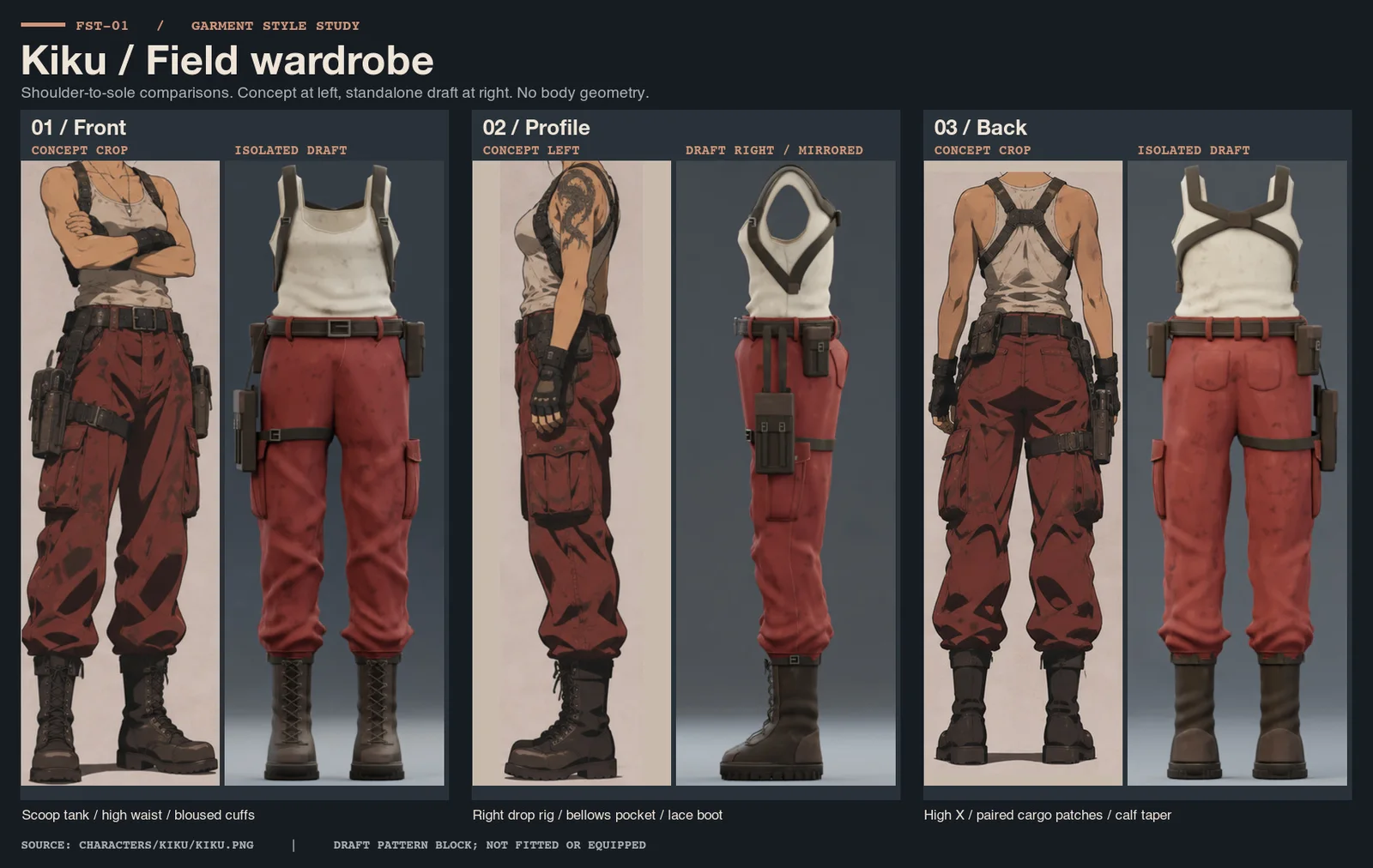
Independent Kiku 3D assets · belt, boots and cargo trousers, with separate viewers and model exports.